Showing posts with label Flash. Show all posts

Thursday, 25 April 2013

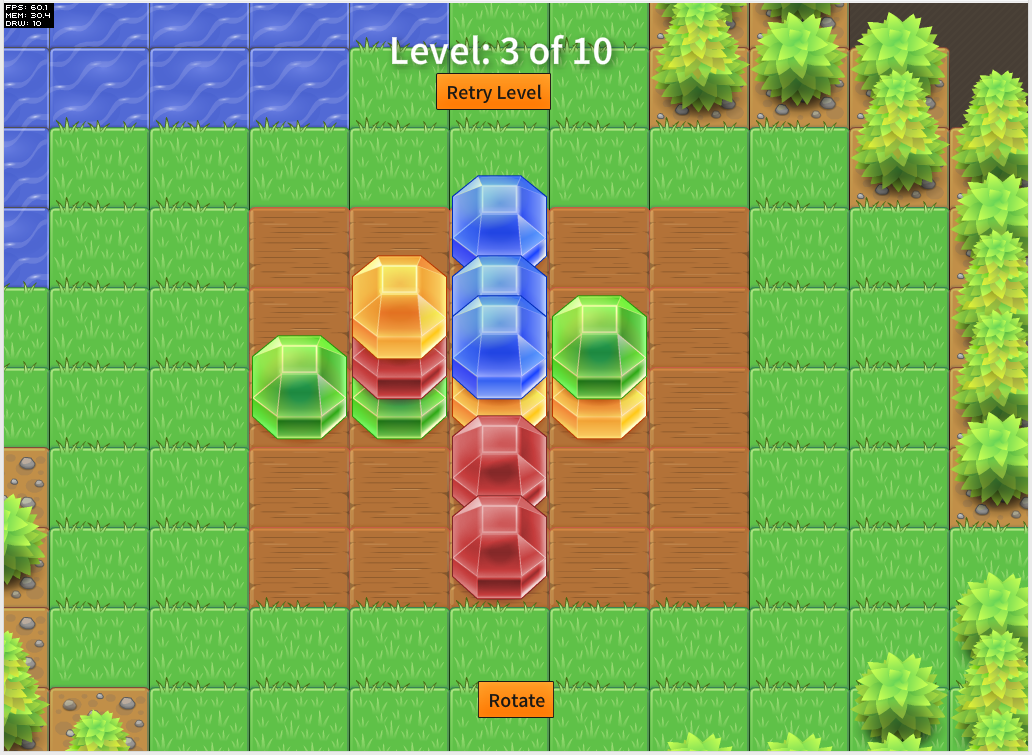
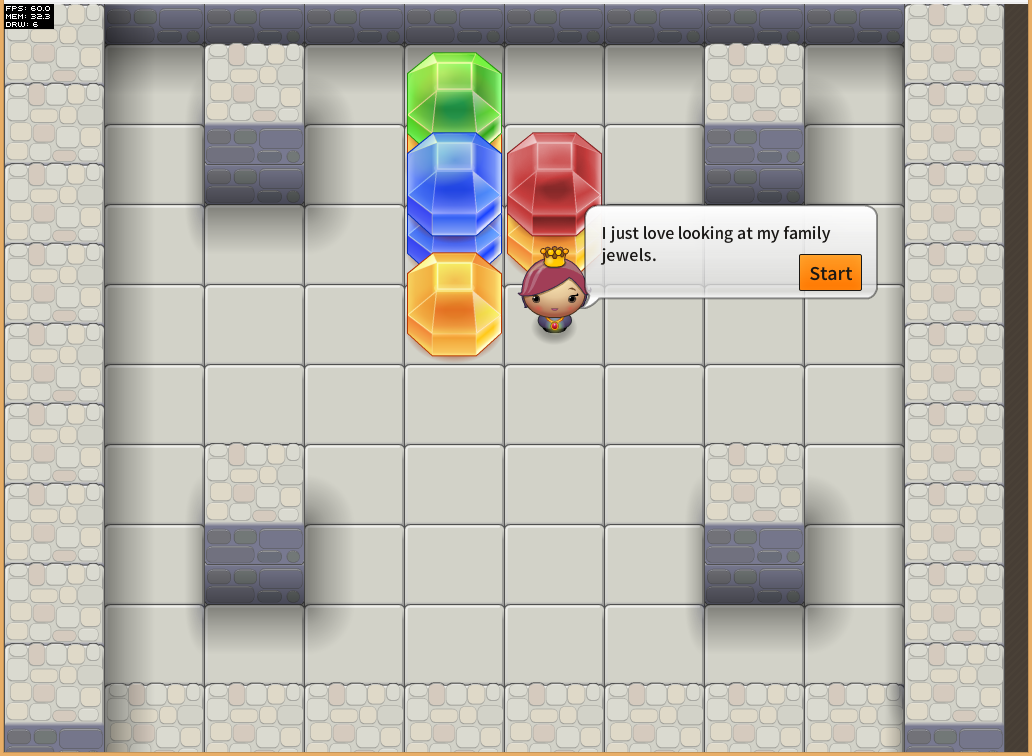
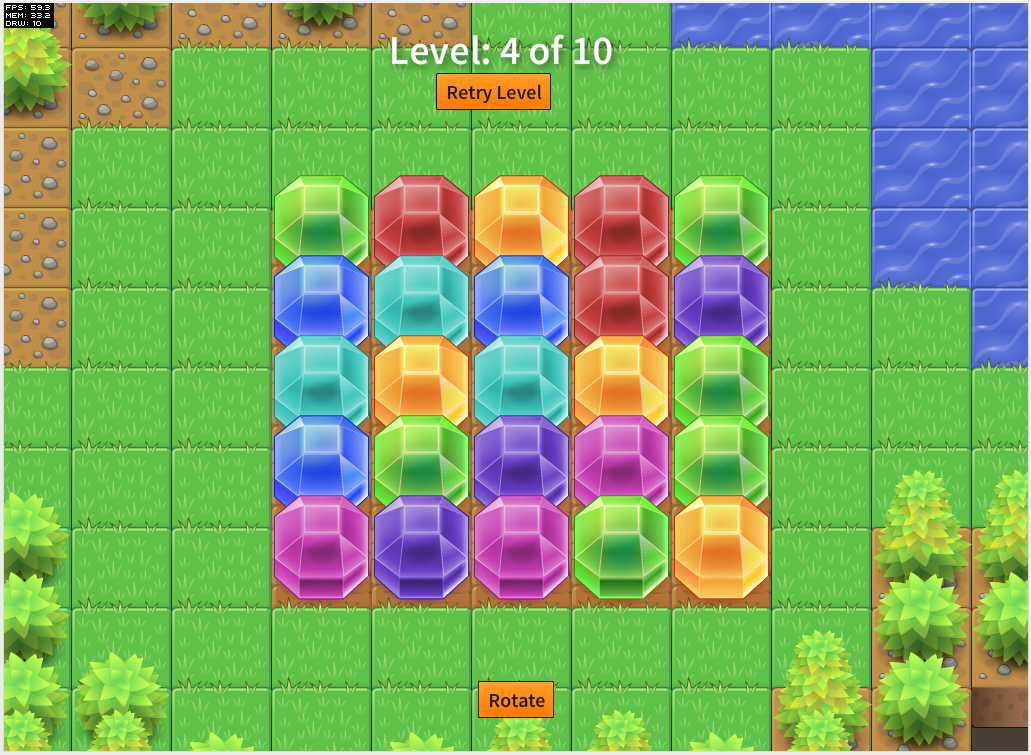
The Three Game Challenge – Part 3 – The Family Jewels

head

Well this is it! I have completed the third game in my three game prototype challenge. (first game, second game)

With this one I wanted to try my hand at a very popular game genre at the moment, match-three. Because this is a rather simple style of game I thought it would be really easy and fast to make. Wrong. I spent hours without touching a keyboard trying to come up with some novel twist on the genre.

I toyed around with a gem dropping mechanic but that didn't work so well, then I thought about how someone interacts with match-three games on mobile, by dragging the icons around. So I decided to base my game play on dragging gems around until they make a match.

I originally wanted a "mindless" match-three game like Montezuma, one where you play it as fast as you can without thinking too much about the moves. As I started developing the game play for this one however it seemed to fit a puzzle like game better so that's what I ended up with.

screenshot_01 screenshot_02

screenshot_03 screenshot_04

Anyways give it a go and let me know what you think:

Play The Family Jewels


This one took a little less time at the others at 31hours over 7 days, as per the other two I recorded my time spent:

17th April
11:00 - 12:00
15:00-18:00

20th April
10:00-12:00

21st April
13:00-17:00

22nd April
11:00-13:00
14:00-16:00
20:00-21:00

23rd April
11:00-16:00

24th April
11:00-16:00
18:00-21:00

25th April
11:00-12:00

Well that's the end of my challenge! Im surprised I managed to do it. A little over a week per game seems like hardly any time at all but having that time restriction really is good as it helps to limit your scope, preventing the game from ballooning out into something that could otherwise have taken months and still not have been any fun to play.

As for the tools I used. I used Richard Lord's excellent Ash Game Framework to develop them all alongside Starling with Feathers on top of Flash for the rendering. For rapidly prototyping games they have been excellent. Now im more familiar with Ash I may write a post or two about how to go about structuring certain parts of a game in an enitity-component like manner.

But for the next week or so I need to finish my packing before my mammoth trip to Central and South America.


Friday, 12 April 2013

The Three Game Challenge – Part 2 – A Cunning Plan

head

Another week, another game completed as part of my three prototype games challenge (part one, part three) I set myself at the start of this month.

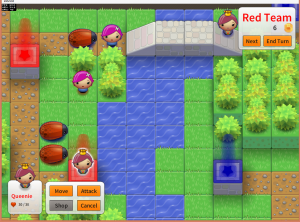
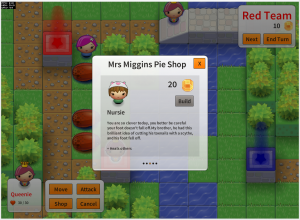
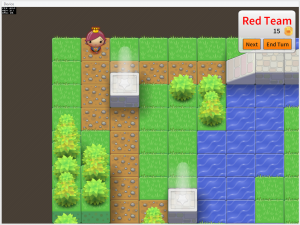
For this one I decided on a type of game that I have been wanting to make for a while, a turn based strategy game. Many moons ago I used to play a J2ME (shudder) game called Ancient Empires. It was a great little game with lots of depth and replayabliltiy and I think it deserved a remake of sorts.

So here is "A Cunning Plan":

screenshot_16 screenshot_13
screenshot_14 screenshot_15

You can play the game here:

Play A Cunning Plan

This game was far more complex to create than Latesha's Crib and hence I spent about 43 hours over the last 9 days making this one.

I was able to save some time by reusing parts of the rendering and hopping logic from Latesha's Crib. As usual I used the  Ash Framework with Adobe Starling and Feathers. To code the AI for the computer player I used Tim Conkling's Excellent Godmode Behaviour Trees library which is truly an excellent AS3 library. The way Behaviour Trees work is really cool, I strongly recommend checking them out if you are going to design any sort of AI.

Special thanks go to Mike Rigby for helping with play testing and Ian Callaghan for suggesting I check out Behaviour Trees :)

Let me know what you think of it, if people are feeling it then I may turn it into a full-blown mobile game!

Again I recorded the my time spent making this one, heres the log:

4th April
9:30am - 2pm
3pm - 7pm

5th April
9:30am - 10:30am

6th April
12:00pm - 4pm (-1 for josh, -1 for lunch & spanish)

7th April
2pm - 19:30pm

8th April
1pm - 3:30pm (-1 spanish and lunch)
4pm - 6pm

9th April
3pm - 7pm

10th April
12pm - 7pm

11th April
9am - 10am
1pm - 6pm;

12th April
10am - 1:30pm

Thursday, 14 February 2013

Tinkering With Ash

Last October I was fortunate enough to attend the excellent Try Harder conference for the second time. I have spoken before about how inspirational the event is where every attendant must give a talk on something they are passionate about. One of the talks was by David Wagner's and was on 'The Value of Tinkering' and it inspired me to tinker with TypeScript which led to my Recursive Chrome Extension.

Before I go any further I should mention that there is a Try Harder 'Level Up' session taking place in April that is open to new attendees, I thoroughly recommend you check it out!

Following on in the same 'Tinkering' vein I have decided to investigate an AS3 library by another Try Harder attendee Richard Lord:

logo


What is Ash? Well direct from the Ash Website:
Ash is a high-performance entity system framework for game development.

An entity system is a way to organise the code for a game that is efficient for both code execution and code management. It uses composition rather than inheritance for sharing features between game objects and uses a data-oriented approach to separate the game state from the game logic. This makes it much easier to manage the code and to manage the game state.

Im not going to go into the details too much of why composition over inheritance is a good idea as Richard has already done a much better job than I ever could in these two posts:

If you haven't got a clue what im talking about when I say Entity or Component I strongly recommend checking out his posts first.

The reason why Ash has piqued my interest is because for the last three years I have been working with Entity-Component systems for games but in a totally different way. The way I have been using and developing started with the Push Button Engine (PBE) method and later expanded out to include Dependency Injection culminating in the Swft Framework.

Ill give one example of why am starting to fall in love with Ash:

In PBE and Swft the components contain data and functions. They can also declare dependencies (via [Inject]) which are automatically fulfilled when a component is added to an Entity. The functions in the component are able to act on their own data, other components and interact with the game as a whole.

One problem with this method is that components are largely tied to their entity and once attached aren't really free be removed or added. The reason is because other component may have dependencies that depend on that component being part of the Entity. Removing the component will cause the game to crash. This becomes a problem when you want to enable a certain chunk of functionality for a certain time then disable it, what you tend to end up doing is adding the component at Entity creation time then inside of it toggling its behaviour with a boolean.

In Ash components are pure data with the bulk of the functionality being contained within systems. Sure you can have functions in a component but they only act on their own data. There are no hard dependencies between components. What this means is that components are much more free to be added and removed from Entities. So how do component function together then? Well that's where Systems come in.

Systems are classes that contain the logic that makes up your game. When added to the engine they grab one or many lists of Nodes. A Node simply defines a collection of components that must exist on an Entity. In effect it declares the dependencies that this System needs to operate. What's neat about this is that this list of nodes is constantly changing as components are added and removed from entities. The Ash Engine manages this all for you so all the system need do is iterate over the linked list of Nodes each frame and execute its logic.

Systems also must not declare dependencies between each other. This rule means you don't end up with large dependency hierarchies between Systems. This frees up systems to be added and removed from the Engine with no side effects! This is rather remarkable as it lets you do crazy things that you couldn't normally do when there are many dependencies between systems. For example your game could have a Blitting based rendering system, then halfway through a running the game you could swap that out that System and replace it with a Starling based rendering System!

Thus far I have only spent a limited amount of time tinkering with Ash but I am having a whole lot of fun. I have started work on a little game to experiment around with the framework. At the same time I have been exploring Starling, the hardware accelerated 2D rendering framework built on Stage3D. Thus far I have produced this little map editor:


Click to place a block, shift and click to remove, scroll mouse to change block type and hold control and click to zoom in / out.

Its only a tech demo at the moment and as such hasnt got any game play elements. Im not entirely sure what to turn it into but as a platform for tinkering with Ash its been great.

Its too early to share the code at the moment but if you would like to see how some Ash code looks I strongly recommend you check out Richard's Asteroids example on GitHub. I was really quite taken aback by how neat and modular the code is. The example is provided in 4 different flavours, one using RobotLegs one with Starling one with SwiftSuspenders and one with no dependencies at all. The fact that the code still works and looks simple in all the examples really demonstrates the versatility of the framework :)

Wednesday, 22 August 2012

Mr Nibbles, Free on iOS, Android & Browser


Finally! Apple approved the iOS version of the game this morning, and this evening I finished off the site, so the holy trinity of game availability; iOS, Android and the browser is now complete!

Check it out:

app store
google play

or at: http://www.mr-nibbles.com


For once I actually finished one of my projects :) Im really happy with how the whole thing went, sure it went a couple of weeks over my original three-week estimate but still im happy with the result. Of course there is so much that could be improved, but for a free game made in a very short time I think it has done its job and shown what is possible thanks to Haxe and NME!

I hope to write a longer post-mortem post soon about the entire process and highlight any issues of the process itself. Stay tuned!

Monday, 16 July 2012

2-Weeks In.. Mobile Game Progress Report


I'm now two weeks into my original 3-week-deadline mobile game project. You can checkout the progress thus far by playing the game above ('up' to jump, 'left' and 'right' to control the player).

As you can see there has been some progress since my last update a week ago. I was hoping to have gotten a little further by this point but my personal life has been somewhat hectic the past week reducing the amount of game-development time to a few measly hours. In the few hours we have had, we have managed to get a general story / theme for the game and the rudiments of for the first 'stage'.

So the story is that our furry marsupial protagonist has ambitions of breaking free of his earth-bound cage to become the first hamster in space. The game is about his adventure to realise this dream.

The plan is to break the game levels in into 'stages' like other mobile puzzle games such as cut the rope or angry birds:


Each stage will have its own theme, giving the player a refreshed experience per stage. The first of these is going to be set within the cage itself so the tileset and background should hopefully represent that.

The bulk of my work this week however has been spent trying to get the game controls working just right. It needs to be fun to play, not too frustrating but not too easy. This is easier said than done. Im not sure its quite there yet, but play the game above and let me know what you think, im keen to hear your opinion.

During the last week I also ran into a few nasty issues with the physics which I thought I had nailed in the previous post. The problem was that the issue only occurs at low frame rates, this was really noticeable in the last post when I tried the game out on my iPhone 3G, the player was extremely jerky and unplayable.

To test the problem quickly (without needing to do an iPhone build every time) I used the handy "fps" attribute in the NME .nmml file. Setting the fps to 60 then having the player jump then setting the fps to 10 and having the player do the same jump there was a noticeable problem. On the 10fps build the player couldn't jump anywhere nearly as high as in the 60fps build.

I knew that the reason for this problem lay somewhere in my update function in my Player class. My usual method of running update loops is to work out the time between two frames (delta) in milliseconds, pass that into the update loop for a game object then have the game modulate its update based on that delta. So as a very simple example:

[codesyntax lang="actionscript3" lines="normal"]
class Player
{
public var position : Vector2;
public var velocity : Vector2;

...

public function update(delta:Int)
{
position.x += velocity.x * delta;
position.y += velocity.y * delta;
}

...

}

[/codesyntax]

This is pretty standard stuff and should be familiar to any game programmer. In theory it shouldn't matter what frame rate the game is running at, the player movement should be consistent because the velocity is being modulated by the time between the previous frame and now.

The code for the Player class however is quite abit more complicated than the simple example given above and something in the logic was causing problems. I had my suspicions but no matter what I tweaked or changed I couldn't track it down.

I had however read of a different technique documented by deWiTTERS that involved a different way of writing your game loop that didnt take into account of frame delta but was still able to provide a consistent gameplay at differing framerates.

I wont detail the process here as dewitter explains it very well in his post. The result is a greatly simplified update loop for my Player by removing all the delta time factors. My resulting update loop now looks like:

[codesyntax lang="actionscript3" lines="normal"]
class Game
{
public static var TICKS_PER_SECOND : Float = 50;
public static var SKIP_TICKS : Float = 1000 / TICKS_PER_SECOND;
public static var MAX_FRAMESKIP : Float = 10;

...

private function onEnterFrame(e:Event):Void
{
var loops : Int = 0;
while( Lib.getTimer() > nextFrameTime && loops < MAX_FRAMESKIP) {
update();
nextFrameTime += SKIP_TICKS;
loops++;
}
render();
}

private function update()
{
Ctrl.instance.update();
objects.update();
camera.update();
bg.update();
}

private function render()
{
tiles.render();
}

...

}

[/codesyntax]

The result of doing this is that the game now runs consistently at 60fps or 10fps. I haven't tried it out on my 3G yet but I have high hopes for the technique.

The moral of that story, if you bang your head against a problem for a while, just take a breath, think outside the box and attack it from a different angle ;)

Well that's about it for this week. The original intention was that is was going to be my last week of working on this game. (Un)fortunately my artist partner has gone on holiday this week so he is unable to work on the game, the result being I have given us an extra week to complete the game, yey! :)

Oh BTW, the title for the game is hidden in the demo above, see if you can work out what it is ;)

Wednesday, 4 April 2012

Introducing Printomi


I'm extremely proud to announce the launch of a project I have been working on for quite a while now.


Printomi is a service for social games that allows players to take snapshots of their worlds and upload them to their own personal gallery. Players can like, comment share and order poster prints of their virtual creations.


The way it works is we provide the game owner with a tiny API that is used to interface with Printomi. The bulk of the Printomi client is downloaded at runtime from the Printomi servers. This is good for two reasons. Firstly by keeping down the size of the code that must be embedded into the game we can keep down the initial load time the player must sit through before they can play the game. Secondly we can upload changes and fixes to Printomi without requiring the game owner to recompile their code.


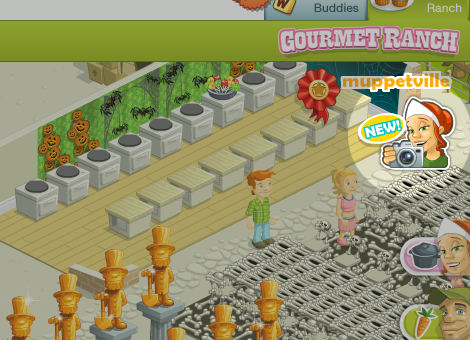
Once downloaded the printomi client is ready to be be used. In the case of Gourmet Ranch a themed button is shown to the player inviting them to click:


Once clicked (or activated by the JavaScript API) the main Printomi window opens:


The window has controls to zoom in and move the print about allowing the player to get the perfect angle of their world:


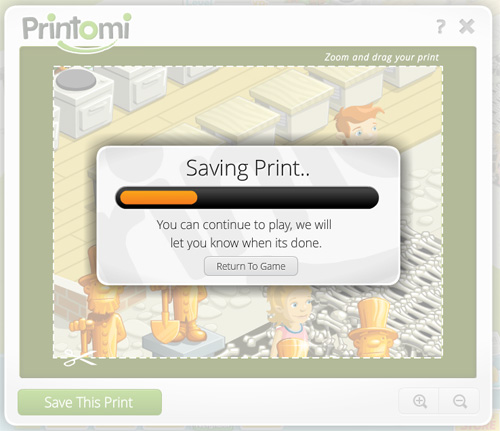
Once happy the player can then saves the print to the printomi servers. While the image is uploading the user can continue to play the game. Once the upload is complete the window is opened once more offering to show the player their print.


Printomi is tightly integrated with Facebook so that it's as easy as possible for new users to get started:


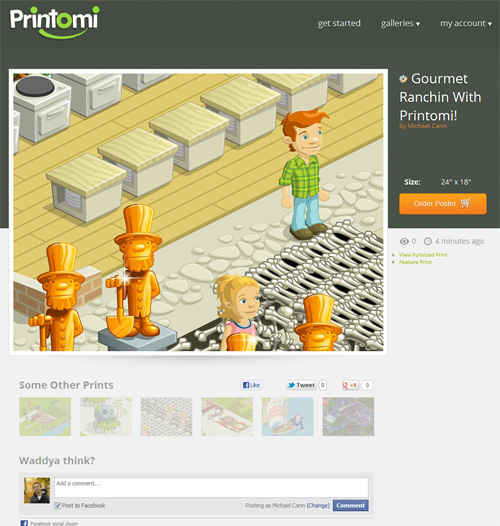
Once connected the new print is then available for viewing, sharing, liking, commenting, etc:


In addition the prints are organised into galleries so that users can browse the uploads of others:


If a user particularly likes one print then they can order it as a poster:


Currently we only offer posters to people living in the US however we plan on opening it up to other countries when we can.


To print to such a large poster (24x18" @ 150DPI) and maintain the quality of the final product we must capture a large number of pixels. For example here is a comparison between what a user would see on printomi.com and what we store behind the scenes:


The technology that lets us capture these large images and store them in a compressed way (to conserve disk space and therefore cost) is quite complex and will have to wait for a later post.


Printomi is currently only available to a small subset of the Gourmet Ranch user base but we are performing a steady-rollout to everyone, so if you don't have access to the button in Gourmet Ranch just yet then don't worry it should be available for you soon!


Printomi is a culmination of many many hours of hard work, late nights and stress. But its been worth it! I've had a blast throughout the whole process and am proud of the result. I have also learnt a whole bunch in the process. I have had to work with so many technologies to pull this off, to name a few: AS3, C++, C#, ASP.Net, MySQL, IIS, AWS. I have particularly enjoyed the C# work having largely abandoned the language since my early work with it.


If you would like to support me or if you would like to keep up to date with the goings on with Printomi then you can like us on Facebook or follow us on Twitter :)


Monday, 12 March 2012

Try { Harder } 2012 Levelup


Last year I was fortunate to be one of the lucky 16 to attend the first try { harder } experimental conference / coder retreat in Nottingham. As mentioned in my blog post at the time it was an incredible 4-day event in which I learnt so much from some of the most talented and experienced people in the flash community.

The event was such a success that not only is it going to run again this year (which I hope very much to attend) but there is also an additional "levelup" conference happening next week. The idea behind the levelup is to provide businesses and freelancers with an intensive 4-day training and motoring session. The mentors are hand picked from the previous try harder members and so represent some of the best in their field.

What's more Stray, the primary organiser of the event has just announced that Jetbrains the makers of the popular IntelliJ IDEA IDE are going to be sponsoring the event meaning each paying participant will receive a licence to use the IDE!

Interested? Head over to the levelup site and sign up: http://www.tryharder.org.uk/level-up-2012/


Friday, 21 October 2011

Why Developing for WebGL Sucks!


For some time now I have been working with WebGL and have developed a sort of love/hate relationship with it. I love the ability to instantly target millions of people with GPU accelerated code without any plugins or barriers (excluding the targets that dont support it). However as a developer, writing code that takes advantage of WebGL kinda sucks.

Procedural Based


First off is the way you have to structure your GL calls. For example take a look at the following generic bit of webGL harvested from the net:

[codesyntax lang="javascript" lines="normal"]
texture = gl.createTexture();
gl.activeTexture(gl.TEXTURE0);
gl.bindTexture(gl.TEXTURE_2D, texture);
gl.pixelStorei(gl.UNPACK_ALIGNMENT, 1);
gl.texImage2D(gl.TEXTURE_2D, 0, gl.RGB, 64, 64, 0,
gl.RGB, gl.FLOAT, new Float32Array(pix));
gl.texParameteri(gl.TEXTURE_2D, gl.TEXTURE_MIN_FILTER, gl.NEAREST);
gl.texParameteri(gl.TEXTURE_2D, gl.TEXTURE_MAG_FILTER, gl.NEAREST);

texture1 = gl.createTexture();
gl.activeTexture(gl.TEXTURE1);
gl.bindTexture(gl.TEXTURE_2D, texture1);
gl.pixelStorei(gl.UNPACK_ALIGNMENT, 1);
gl.texImage2D(gl.TEXTURE_2D, 0, gl.RGB, 64, 64, 0,
gl.RGB, gl.FLOAT, new Float32Array(pix1));
gl.texParameteri(gl.TEXTURE_2D, gl.TEXTURE_MIN_FILTER, gl.NEAREST);
gl.texParameteri(gl.TEXTURE_2D, gl.TEXTURE_MAG_FILTER, gl.NEAREST);

FBO = gl.createFramebuffer();
gl.bindFramebuffer(gl.FRAMEBUFFER, FBO);
gl.framebufferTexture2D(gl.FRAMEBUFFER, gl.COLOR_ATTACHMENT0,
gl.TEXTURE_2D, texture, 0);
FBO1 = gl.createFramebuffer();
gl.bindFramebuffer(gl.FRAMEBUFFER, FBO1);
gl.framebufferTexture2D(gl.FRAMEBUFFER, gl.COLOR_ATTACHMENT0,
gl.TEXTURE_2D, texture1, 0);
if( gl.checkFramebufferStatus(gl.FRAMEBUFFER) != gl.FRAMEBUFFER_COMPLETE)
alert(err + "FLOAT as the color attachment to an FBO");

[/codesyntax]

All it does is create a couple of textures, setting their starting values and creates two frame buffers for rendering to. Its just it looks complicated and difficult to understand.

GL works on a procedural basis, so you tell GL that you are about to work on something by calling a function like "bindTexture()" then on the next line you perform an operation on it such as "pixelStorei()". Now this may have made perfect sense back when we were writing everything in C which is procedural anyway however this is Javascript (or haXe in my case) which is an Object based language, code like this is difficult to understand and follow.

The procedural nature of WebGL means you have to be much more careful about unsetting things you have previously set. For example if you bind a texture to perform some operation, you must then remember to unbind it else you could inadvertently cause operations to be applied to it on subsequent calls elsewhere in your codebase. It this 'hidden state' that has caused me alot of headaches when developing my samples.

The principal behind WebGL was to provide a very low-level library which other developers can build upon to build more complex and abstracted libraries. And there are numerous libraries out there. I personally have tried several of them including the very popular three.js. Three.js is great for doing common things like loading models and putting quads on the screen. I however encountered a problem with render targets which I struggled with for days before I discovered that you had to set "needsUpdate" to true on your texture before using it. In the end I decided to drop three.js beacuse of another issue I encountered and instead attempt to reduce my complications by working with webGL directly.

Flash11's Stage3D has the same philosophy as webGL, to provide a low level API for other developers to build libraries upon. The thing is Flash11's low-level API makes more sense and is more readable. For example the following to me is much more readable than its webGL equivalent:

[codesyntax lang="actionscript3" lines="normal"]
texture = c.createTexture(logo.width, logo.height, Context3DTextureFormat.BGRA, false);
texture.uploadFromBitmapData(logo);

[/codesyntax]

The Stage3D API also uses language like "upload" to let you know when you are transferring data to the GPU, for a new comer to GL you have no clue when things are going to the GPU. Its small things like this that reduce the "WTF?" factor when tackling the tricky world of hardware-accelerated 3D programming.

Cross-domain textures


This one cropped up around July time this year and took me ages to work out what was going on. For some inexplicable reason (or so it seemed) my code one day stopped working. When I looked for demo code online it all worked fine, however when I downloaded it and run it locally it also didnt work. I was getting errors like the following:

Uncaught Error: SECURITY_ERR: DOM Exception 18
Uncaught Error: SECURITY_ERR: DOM Exception 18 

I was so baffled that I posted about it on the HaXe mailing list asking for help, thinking it was something I was doing wrong with HaXe. It turns out (after much wall-head-butting) this was a change that they brought into Chrome 13 and Firefox 5 to combat a security problem when using shaders that use textures from a different domain to the one running the code:

http://blog.chromium.org/2011/07/using-cross-domain-images-in-webgl-and.html

Now I have no problem with cross-domain issues, im used to this from Flash where we have the same sort of setPixel() restrictions on cross-domain BitmapData's. The thing is, it appears that this restriction applies when running code locally too. So If you are developing something on your local machine and trying to access a texture from disk it throws the same security errors because the browser thinks you are reaching across domains to access the image.

At the time the only way to get around this was to create your own webserver that you run on localhost to server up the files. So to do that I had to download python so I could run a simple localhost commandline webserver from my bin directory. What an effort! There may be easier ways these days to solve it but at the time it really frustrated me and formed yet another barrier to developing webGL.

No Error Messages


This is by far the most annoying thing about developing for WebGL. So many times I have been trying to write something that I know SHOULD work but for some reason it doesn't. I dont get any error messages, nothing. It makes writing something from scratch neigh on impossible.

In my last post "GPU State Preserving Particle Systems with WebGL & HaXe" I started with an idea. I attempted to code it 'bottom-up'. That is start with nothing and then add more code until I reached what I wanted. Unfortunately having no error messages in WebGL makes this very difficult indeed. I would spend some time writing something really simple, like trying to get a textured quad to render on the screen only to find I get nothing. I double check my camera matrices my vertex and texture buffers, my shader and still nothing. Eventually I found that I hadn't bound something first before trying to operate on it *sigh*

In the end I found the best way to get anywhere is to go from the other direction, a 'top-down' method. Start with something kind of simmilar to what you want then cut bits out one line at a time until you get what you want. Its extremely time consuming and frustrating, but its less frustrating than going from the other way.


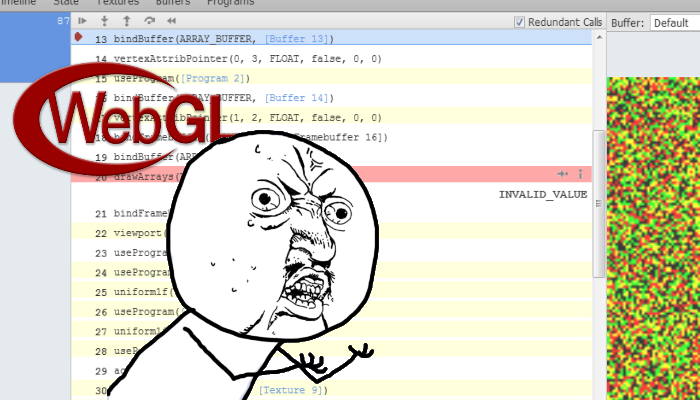
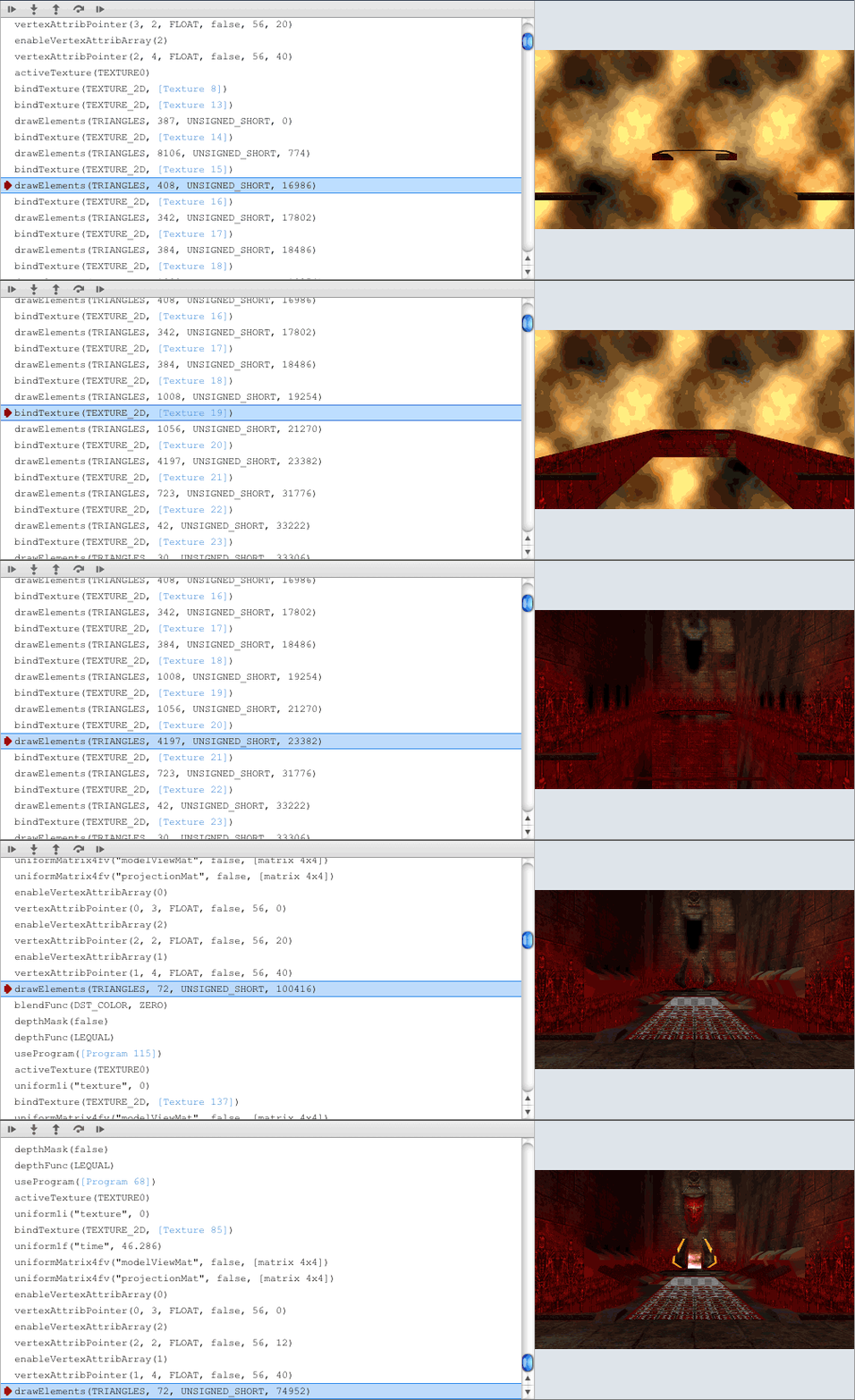
There are tools out there that help with debugging what is going wrong. Namely the WebGL Inspector (see above) is intended to provide gDEBugger / PIX like debugging information about what is going on inside webGL. Its a clever bit of tech, it lets you inspect buffers and traces each gl call, however it suffers from the same underlying problem of having no errors. You setup a buffer incorrectly and what you get is "INVALID_VALUE". No indication as to which of the values is invalid or what part of the call you messed up on :(

Googling Doesn't Help


If you do happen to get an error message (unlikely) or you word your problem in a sufficiently succinct and googaleble way you will then run into the next big problem with WebGL; theres very few people using it. Now I know I am likely to be flamed for that comment, but it just seems that way to me. Whenever I tried to google my problem, or google for what I was trying to achieve (because working bottom-up doesnt work) there would be a very sparse smattering of relevant posts. Usually the results are forum posts and are OpenGL not WebGL related and are from 5-10 years ago.

But..


Now having just ranted on for several hundred words about why it sucks im going to finish it off by saying that im going to continue to develop for WebGL using haXe regardless. Why? Well I just like making pretty things that run fast and GPGPU programming appeals to me for some unknown (likely sadistic) reason.

Sunday, 9 October 2011

Conway's Game of Life in haXe [NME & MassiveUnit]


The second day of try{harder} was dedicated to a single topic; test driven development (TDD).

The group was split into pairs and given the task of using TDD to write a solver for the game of life in AS3. After an hour we then threw away everything we had done, swapped partners and repeated the process.

This was extremely valuable for me as I had never written a unit test before. Seeing how different people tackled the same problem was fascinating and informative.

After repeating the process three times Stray asked if I was interested in teaming up with another attendee of the conference Alec McEachran to investigate unit testing in haXe. It was a great idea as it meant we both could investigate how unit testing worked in haXe and it would give me another code example for my talk the following day.

After a brief search we decided on Mike Stead's MassiveUnit for testing as the testing syntax looked similar to FlexUnit and it contained a toolchain for running the tests on multiple platforms.

An example of a test we wrote is:

[codesyntax lang="actionscript3" lines="normal"]
package ;
import massive.munit.Assert;
import Grid;

/**
* ...
* @author MikeC & Alec McEachran
*/

class GridTest
{
public var grid : Grid;

@Before
public function before():Void
{
grid = new Grid(3, 3);
}

@After
public function after():Void
{
grid = null;
}

@Test
public function initiallyThereAreNoLiveNeighbors():Void
{
var liveNeighbors = grid.getLiveNeighbors(1, 1);
Assert.isTrue(liveNeighbors == 0);
}

@Test
public function liveNeighborCountIsAccurate():Void
{
grid.set(0, 0, true);
grid.set(1, 0, true);
grid.set(2, 1, true);

var liveNeighbors = grid.getLiveNeighbors(1, 1);
Assert.isTrue(liveNeighbors == 3);
}

}

[/codesyntax]

It should look fairly familiar to anyone who has used FlexUnit before. The metatags @Before @After and @Test perform in exactly the same way as they do in FlexUnit. Another benefit of using munit over the built in testing framework in haXe is that you are given a tool to run tests on all platforms simultaneously:

[codesyntax lang="text"]
 haxelib run munit test test.hxml

[/codesyntax]

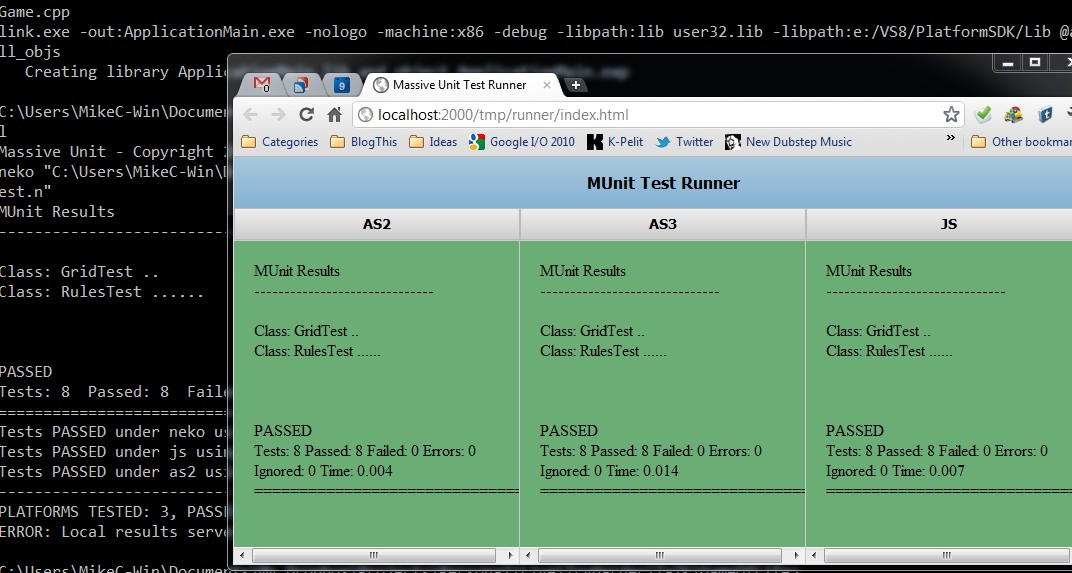
When executed you get something that looks like the following:


Which presents a nice graphical representation of the tests run and which failed (if any).

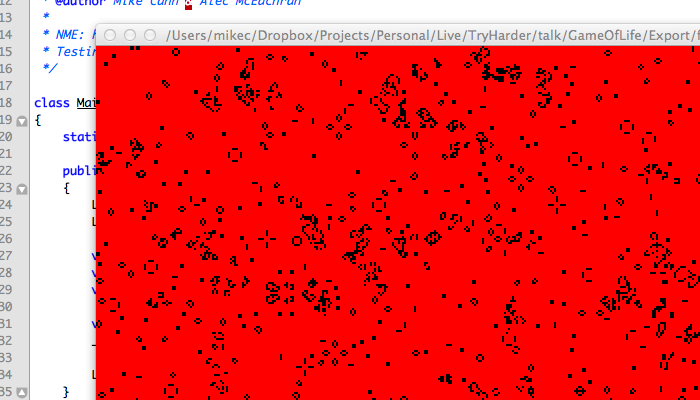
Once built and tested we decided to give the code a simple visual representation. We wanted to show off the ability for haXe to target multiple platforms. To do this we decided to go with NME which I had been experimenting around with recently.

NME is a library and tool chain for haXe designed to allow the developer to use the flash API on multiple platforms. They achieve this by writing platform targeted version of the flash API. So what this means is code such as the following:

[codesyntax lang="actionscript3" lines="no"]
package ;
import flash.display.Bitmap;
import flash.display.BitmapData;
import flash.display.MovieClip;
import flash.geom.Rectangle;

/**
* ...
* @author MikeC & Alec McEachran
*/

class Render
{

private var _cellSize : Int;
private var _renderTarget : BitmapData;
private var _rect:Rectangle;

public function new(container:MovieClip, cols:Int, rows:Int, cellSize:Int)
{
_cellSize = cellSize;
_renderTarget = new BitmapData(cols * cellSize, rows * cellSize, false);
container.addChild(new Bitmap(_renderTarget));

_rect = new Rectangle(0, 0, _cellSize, _cellSize);
}

public inline function lock():Void
{
_renderTarget.lock();
_renderTarget.fillRect(_renderTarget.rect, 0xff0000);
}

public inline function renderCell(x:Int, y:Int, isLive:Bool):Void
{
if (isLive)
{
_rect.x = x * _cellSize;
_rect.y = y * _cellSize;
_renderTarget.fillRect(_rect, 0);
}
}

public inline function unlock():Void
{
_renderTarget.unlock();
}

}

[/codesyntax]

Will compile down to flash, c++ and Javascript! NME also includes packaging abilities for webos, android and ios. So with a few scripted command lines you can target most app marketplaces:

[codesyntax lang="text"]
haxelib run nme test YourProject.nmml flash
haxelib run nme update YourProject.nmml ios
haxelib run nme test YourProject.nmml webos
haxelib run nme test YourProject.nmml android
haxelib run nme test YourProject.nmml cpp
haxelib run nme test YourProject.nmml cpp -64

[/codesyntax]

What it means for this project is we could very quickly get a view for our game of life running in flash, JS and native desktop.

To show just how easy it is I made the following video:


You can see the HTML5 build here: http://mikecann.co.uk/projects/gameoflife/Export/html5/bin/

And the flash build here: http://mikecann.co.uk/projects/gameoflife/Export/flash/bin/MyApplication.swf

I have uploaded the source for the project here: http://mikecann.co.uk/projects/gameoflife/gameoflife.zip

Tuesday, 8 February 2011

1046: Type was not found or was not a compile-time constant


Came across this little oddity the other day. Took me ages to work out what was going on, so thought I would share in case anyone else ran into the same issue.

One day, for a reason I couldn't fathom, my project stopped compiling. I kept getting these odd "1046: Type was not found or was not a compile-time constant" errors all over the place. Not only that, when I tried to include the class in question either via auto-complete (control & space) or via manual import the error persisted.

To cut a long story short it seems that if you try to new a member property that is of type Class from another class and the constructor takes in at least one parameter the error will occur.

So for example take the two following classes:

[codesyntax lang="actionscript3"]
package package2
{
import package1.MyTestClass;

public class MyTestClass2
{
public var type : Class = MyTestClass;
}
}

[/codesyntax]

And

[codesyntax lang="actionscript"]
package package1
{
public class MyTestClass
{
public function MyTestClass(someVar:String)
{
trace(someVar);
}
}
}

[/codesyntax]

Now try using them in the following fashion:

[codesyntax lang="mxml"]
<?xml version="1.0" encoding="utf-8"?>
<s:Application xmlns:fx="http://ns.adobe.com/mxml/2009"
xmlns:s="library://ns.adobe.com/flex/spark"
xmlns:mx="library://ns.adobe.com/flex/mx" creationComplete="application1_creationCompleteHandler(event)">

<fx:Script>
<![CDATA[
import mx.events.FlexEvent;

protected function application1_creationCompleteHandler(event:FlexEvent):void
{
var class2 : MyTestClass2 = new MyTestClass2();
var class1 : MyTestClass = new (class2.type)("hello");
}

]]>
</fx:Script>

</s:Application>

[/codesyntax]

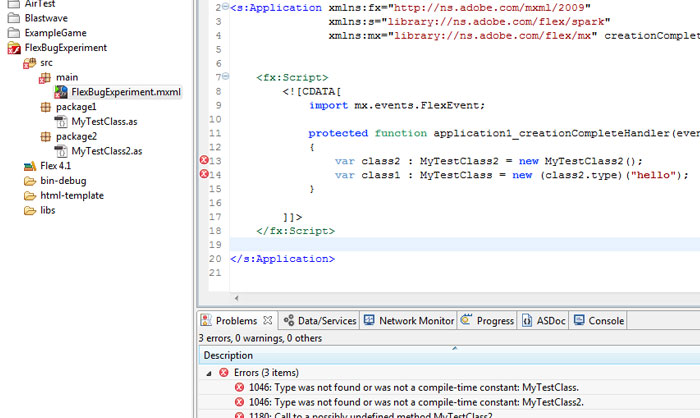
And uh oh, bad times:

[codesyntax lang="php"]
1046: Type was not found or was not a compile-time constant: MyTestClass.	FlexBugExperiment.mxml	/FlexBugExperiment/src/main	line 14	Flex Problem

1046: Type was not found or was not a compile-time constant: MyTestClass2. FlexBugExperiment.mxml /FlexBugExperiment/src/main line 13 Flex Problem

1180: Call to a possibly undefined method MyTestClass2. FlexBugExperiment.mxml /FlexBugExperiment/src/main line 13 Flex Problem

[/codesyntax]

The bad line is:

[codesyntax lang="actionscript"]
var class1 : MyTestClass = new (class2.type)("hello");

[/codesyntax]

If you take away the "hello" part or you split it out into two lines like so:

[codesyntax lang="actionscript"]
var tmpC : Class = (class2.type);
var class1 : MyTestClass = new tmpC("hello");

[/codesyntax]

Then everything is gravy

Anyway, I hope this helped someone out!

Saturday, 23 October 2010

Inputtie Development History - Networking

This is part two in my series of posts on the development history of Inputtie.

In this post I talk about the challenge of device discovery and networking in the Inputtie app.

Zero Configure Networking

I knew I wanted Inputtie to be as simple to get running as simply starting it up. For this to happen Inputtie would need to discover all other devices on the network also running Inputtie. So how to do this?


Well, as it happened I had been reading at the time about Apple's Bonjour which was designed to do just what I needed. It is a combination of a multi-cast and DNS lookup service that allows it to detect other Bonjour capable devices on the network. Sounds perfect.

So I got to work on implementing their Java API. After many trials and tribulations I eventually had it working.. kinda. It was detecting other devices sure, but every now and then it would sporadically disconnect from the network. I couldn't for the life of me work out why. I posted on forums and even tried to read the reams of source to see what was going on but alas to no avail.

After much deliberation I decided to look for another solution to the problem of Zero Conf. networking. Next up were a whole host of other attempts. I tried JmDNS which is was supposedly very similar to Bonjour. I also experimented with JGroups. I had limited success with all of them and in the end only really succeeded in wasting several months worth of development time.

The Solution

In the end the solution (and the one currently employed in Inputtie) was the simplest. After months of messing around with these libraries I had learnt quite abit about how they performed their magic. At the heart of it they either used multi-cast or broadcasting to announce a device on a network. Broadcasting can be thought of as a sort of sonar pulse. The broadcasting computer sends a message on a specific IP address then another device listens for the message and proceeds to open a Socket for a more private form of communication. From Wikipedia:
A broadcast address is a logical address at which all devices connected to a multiple-access communications network are enabled to receive datagrams. A message sent to a broadcast address is typically received by all network-attached hosts, rather than by a specific host.
I decided that if these libraries could use broadcasting for discovery then so could I and if I wrote it myself I could keep it simple. So I set to work coding an example in Java. In no time at all I had it running and surprisingly it worked! Sure it wasnt as robust as the established libraries, it didn't handle devices disconnecting from the network, different network subnets or IPv6 but it was simple and at least it worked!

Broadcasting in Adobe AIR

As I mentioned in a previous post Inputtie went through many re-writes during development from its original form in Java through C++, C Sharp and finally Adobe AIR. With the latest (it was still in beta when I started development) version of Adobe AIR 2.0 several new APIs were made available for use, one of them being new classes designed specifically for peer to peer (P2P) networking. With these new APIs I believed I should be able to implement network broadcasting much in the same was I was doing in Java. Unfortunately however it seemed that Adobe was restricting the use of broadcast to their new P2P service Cirrus.

There was however another crucial API released with AIR 2.0; the NativeProcess API. With this a developer is able to easily execute and communicate with a program written in another language. What this meant for Inputtie was that I could write the user interface in AIR and then use NativeProcess to call Java code that would perform actions not available in AIR, such as Broadcasting. (incidentally it also is a great way to do multi-threading in Air ;))

So the current solution in Inputtie is to use NativeProcess from AIR to communicate with a small headless (no user-interface) Java process that does the broadcasting and listening for broadcasts. Once the Java process detects an incoming broadcast it passes the information back to AIR.

EDIT: If anyone is interested in seeing the source to my previous (failed) attempt just drop me a comment or an email and I would be happy to share.

Tuesday, 21 September 2010

Inputtie - Beta Drawing Near!

Final testing is under way here at mission control for the Inputtie Beta.


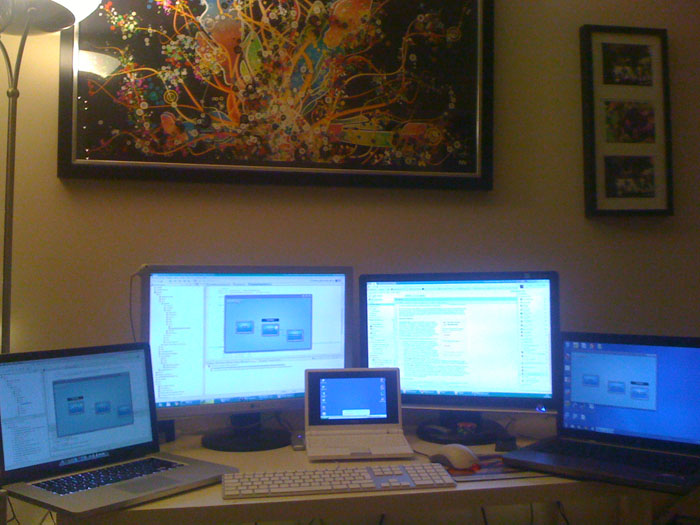
1 Keyboard, 1 Mouse, 1 PC, 2 Laptops, 1 Netbook, 4 Operating Systems.

All systems are go! Almost ready for takeoff!

Tuesday, 7 September 2010

Ludum Dare Hour 408 (15 Days later) - Results!

Well the judging is now finally over for the Ludum Dare competition I entered 17 days ago.

So overall I placed #21 which is just outside the top 20. Not bad for a first time entry but I thought I would of done better considering some of the game ranked higher than me but oh well.

I actually game second in one category.. Community? Not entirely sure how I managed that but oh well :P

I think I may have received the most number of votes out of any of the games, it certaintly seems like a lot take a look:

Ratings


InnFunTheGraAudHumOveCom
3232113-
33332135
2243-33-
44453344
34353445
43543343
43143324
3223322-
--------
45553442
3344443-
34442345
55253-44
33453335
35443344
33342245
3234133-
35342344
33342535
43532-35
34452-3-
23443444
45554554
34343444
33443445
33343335
45454445
44453545
3234233-
34343-3-
34451434
44443-45
34453445
3343233-
32433-2-
4435344-
25343144
34453444
23332234
2244322-
34533433
4453-34-
34552345
32343335
44353345
3325344-
33352434
2232212-
3.173.453.574.092.643.203.434.38

So my overall scores in the various categories were:

Innovation: 3.17
Fun: 3.45
Theme: 3.57
Graphics: 4.09
Audio: 2.64
Humor: 3.20
Overall: 3.43
Community: 4.38

The winners in each category are as follows:

Innovation: Switchbreak 4.21
Fun: Invicticide 4.17
Theme: TomBom 4.36
Graphics: NialM 4.63
Audio: Greasemonkey 4.07
Humor: Deps 4.06
Overall: Invicticide 4.07
Community: HybridMind 4.52

Oh well, I enjoyed the competition. Im planning on polishing the game a little more now the competition is over then im going to release it to the wider world.

Saturday, 4 September 2010

Joa Does It Again!


So I have written about Mr Joa 'The Flash God' Ebert before. He is well known throughout the Flash community for his incredible coding skills, particularly his work on low-level SWF optimisation.

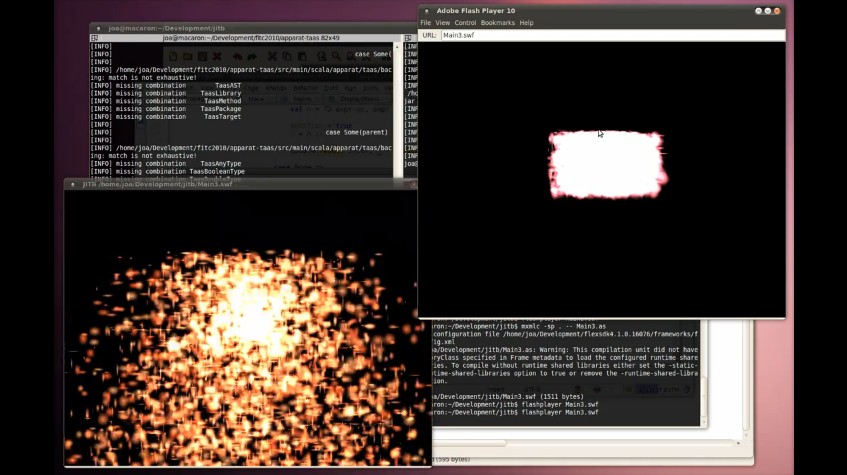
His latest project is called JITB and its nothing short of stunning as this video taken from his blog shows:


Basically he has gone and written a Flash Player in Java. What this means is that you get all those awesome speed benefits and optimisations that the Java team has worked hard for years and years to implement but you can write it all in a language already familiar and sexy, AS3! The result? You get about a 30x speedup! (disclaimer: a micro-benchmark taken from Joa's blog)

This is all great news and very exciting. I cant wait to see a custom browser plugin using this flash player, or even having Pixel Bender shaders running on the hardware *me drools in anticipation*.

Monday, 23 August 2010

48 Hours Later - Timelapse & Gameplay Videos

Just made these two videos. One is the timelapse video I took to show my development process and the other is to show off the gameplay for those that cant run flash (Linux) or dont want to actually play the game, just want to see what the fuss is about :P

The timelapse was produced using 2300 ish screenshots, one taken every 60 seconds by Chronolapse.

Enjoy:


You can play the game here: http://mikecann.co.uk/ludum-dare/ludum-dare-hour-40-complete/#thegame

Sunday, 22 August 2010

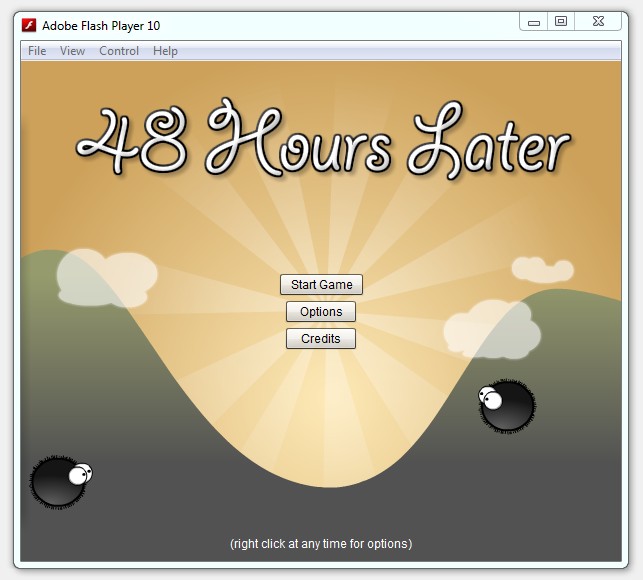
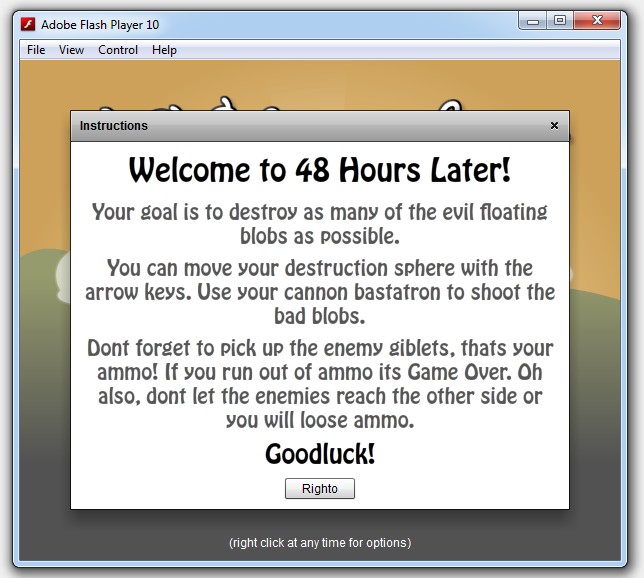
Ludum Dare - Hour 40 - COMPLETE!


Okay well its not quite complete, the waves of enemies could do with some more work but I have my mum coming up from London to visit me in 30 mins so im gonna call it quits here.

So, finally it has a name, I have called it "48 Hours Later" :) Its not technically true as I have only had 40 hours to do it, but oh well!

Overall im pretty happy with my first Ludum Dare entry, im very tired right now and have a banging headache, but thats all part of the fun right?

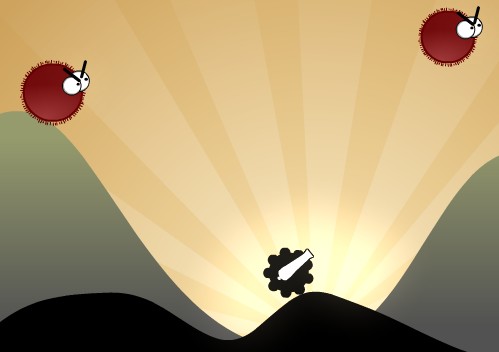
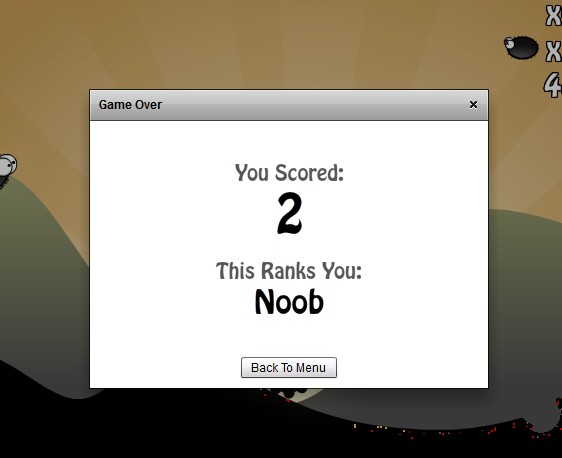
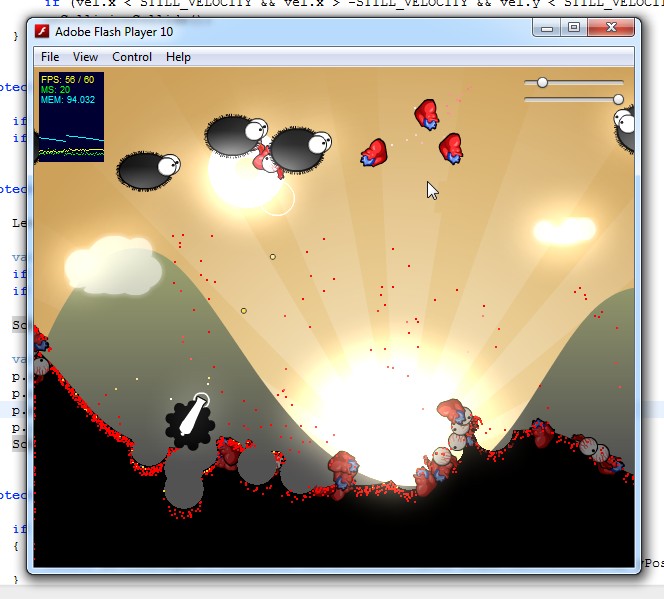
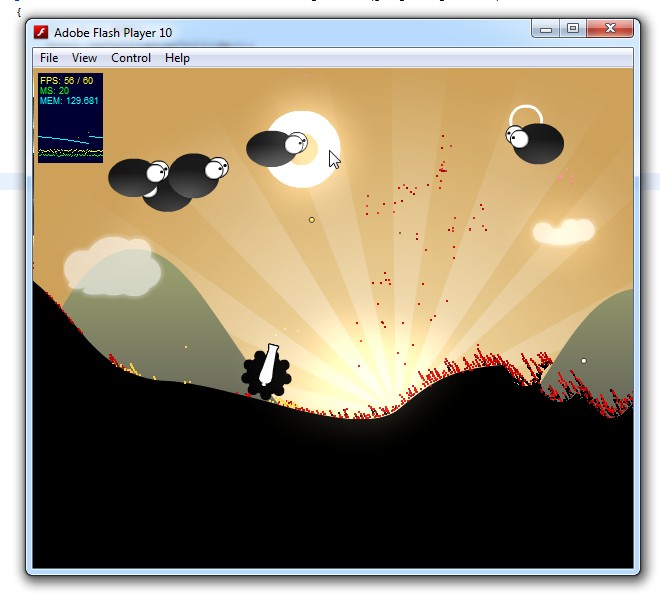
So onto the game. First some shots:


Okay so if you have been following waaaay back my original intention was to make a game with the same sort of art style as World of Goo but with the game mechanics of Boom Stick. I think I have stayed pretty true to that original idea.

Basically you fight against waves of enemies that float across the screen. There are currently only 10 waves, I would have liked more and with more variety but oh well ;)

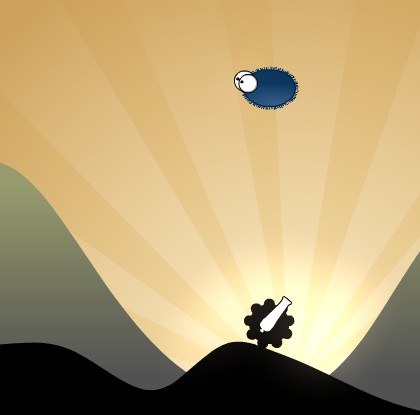
The theme of the competition was "Enemies as Weapons". I have incorporated that theme by having the enemies drop giblets when they die. You then have a certain amount of time to pick up those giblets and fire them back at the enemies. Enemies as weapons!

So as a disclaimer: im sure the game has many bugs and things, I have run out of time to do much in the way of testing and optimising. If you find any bugs however drop a comment I would love to hear about them as I plan to release this to a few flash portals, so would like to get those bugs fixed ;)

Anyways enough jibber jabber. A few more shots then the game is below:


EDIT: I have now made a youtube gameplay video and timelapse of development, check em here.

Tools Used:
Adobe Photoshop CS5
Adobe Flash Builder 4
Adobe Flash CS5
SFXR
Chronolapse

Ludum Dare - Hour 31


Well its been quite a while since my last progress report. I have mostly been sleeping (well 4 hours of it anyways).

So progress is coming along nicely STILL no gameplay tho :S

So far you can shoot and destroy the enemies and then collect thier giblets before they become part of the terrain. The idea is that you can then shoot those giblets back at the enemies. Take alook if you are interested:


Oh I just noticed I left some debug sliders on there I was using to try and hone the bloom levels. Have a play with them if you want.

Right. Gameplay.

Saturday, 21 August 2010

Ludum Dare - Hour 22


Okay, im starting to get pretty tired. Its not very late (midnight) but I think the lack of sleep last night is catching up with me. Im gonna get a few hours kip now then back up early to start again I think.

As for progress. I have a basic enemy type in, it doesnt do much except bleed, and it doesnt look too good (I really cant draw!) but oh well.

As before I have done a build that you can "play":


So the next task for me when I wake up is to add some sort of scoring mechanism and ofcourse to add the ability to use the "Enemies as Weapons" :P

Ludum Dare - Hour 17


Okay its been about 6 hours since my last update, and I have been working pretty much solid apart from an hour lunchbreak when I went for a wander into town.

Ive made quite abit of progress with the core bits of the engine including the physics particle systems and the destructible terrain.

Dont believe me? Take a look for yourself:


Theres still no game really, just a pretty tech demo. Im hoping the gameplay will come next :)

Im going to have abit of a break now, get some food wind down a little then its going to be a loooooong night ahead for me!