Well as announced in my last post im going to be spending most of this year travelling around various parts of the world. I'm leaving on the 7th on May so I have about a month left before I go so I have been thinking on what small project I can do in the meantime to keep me out of mischief.
I had a great idea for a game which I may write about in a later post but decided that perhaps now may not be the time to make it. So instead what I have decided to do is create a number of prototype games, three to be precise then let you guys decide which one I should take further.
The rules are the games all have to be designed as if they are going to work on mobile so that means only touch based controls. Ill be using Adobe AIR with Ash for all these prototypes so ill make sure that they all run in the browser with PC based controls too.
Im also going to get myself another ground rule. I can only use the free Lost Garden Planet Cute assets.
I hope that this limitation will mean I don't spend too much time worrying about the tech and how it looks and instead concentrate on what has traditionally been tough for me, making it fun!
Ill be updating regularly on my progress and then throw a vote out at the end of it and see which one people like the most, wish me luck!
Well it may have taken two weeks longer than my original plan but I can say that after five weeks of development the game is pretty much complete.
All 30 levels have been finished, all the menus are in, all the game play elements and artwork are in. The only thing outstanding really is some better sound effects which I plan to put together tomorrow.
So unlike in my previous development posts where I have provided a playable version of the game in the post I have decided instead to hold off till the game is 100% complete before uploading it. I have also grabbed www.mr-nibbles.com as a place for the web version of the game to live.
So a short post this one, this week will be about packaging the game together and submitting to the various stores.
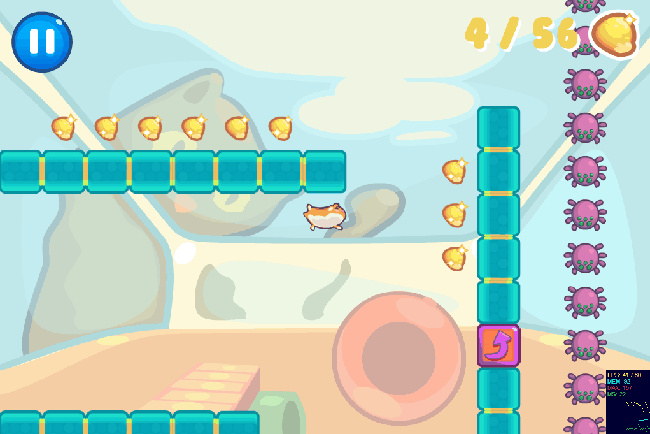
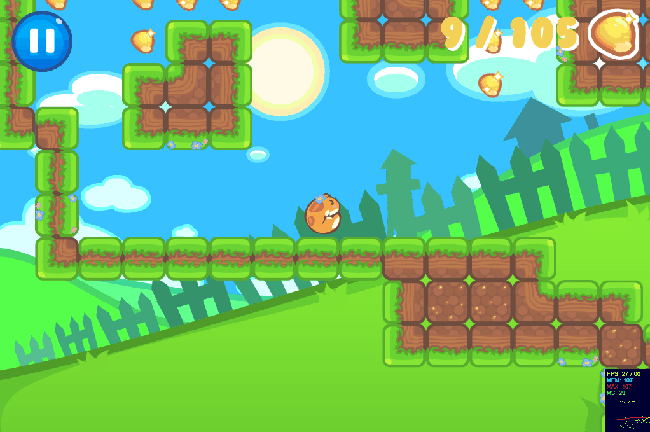
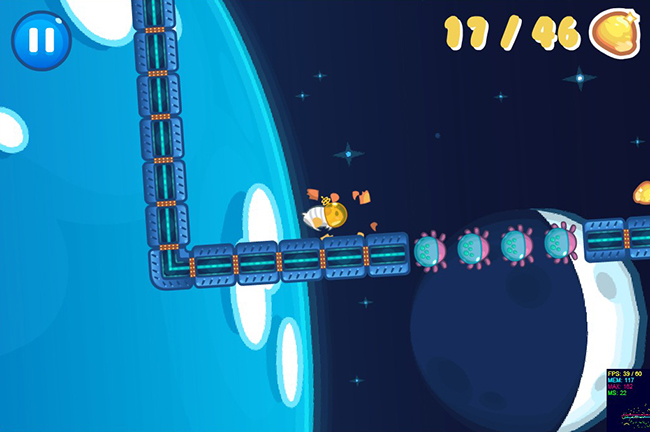
Before I go tho here are the three stages in the game, showing off the awesome artwork of my colleague Moh:
Another week, another progress update. As usual you can check out the progress above (use the arrow keys to move and jump).
This week has mostly been about all the remaining "bits'n'bobs" that go into a game. That includes level progression, scoring, level and stage unlocking, persistence, settings, audio, pause and resuming, player death, fonts and a whole host of other small things.
Moh my artist partner on this project arrived back from his week holiday this week and since back he has made incredible progress getting all the menu screens and the majority of the graphics for the first stage of levels in. I really love the bright cartoony style he has gone for on the menus, the style really works on mobile too. Looks really professional for less than a weeks worth of work (only evenings dont forget).
I have also spent some time sourcing and putting in the rudiments of music and sound effects. The music theme for the game has been supplied by another colleague from Playdemic, Jake Rigby. Before Jake got into game programming he used to make music and audio effects for games (infact he provided some of the audio for my previous flash games) and he was very kind to provide me one of his tracks he made a while back for the project. The sound effects in the game are temporary at the moment, I hope to improve them this week :)
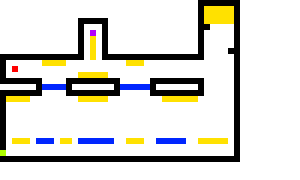
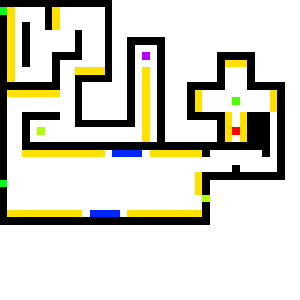
I have also been working hard on trying to get as many levels in as I can. As mentioned previously the idea is to have 30 levels split over three 'stages' each stage will have its own theme and general style of levels. So far I have made the first 10 levels in:
As mentioned in my last update I noticed that people were having trouble understanding how to play the game with the world rotating. To combat that I decided that the first few levels the world were going to be static, doing so should reduce some complexities with the control system. Well I have extended that "few levels" to now mean that the entirety of the first stage doesn't auto-rotate.
What I have done instead is to re purpose some tile types I had originally planned. You are introduced to the first of these new tile types on level 3 of the game. I think it brings that added sense of dimension to the game, making it more than "just a platformer". Play it above and see what I mean, or check out the video I have made of it working on the devices:
Incredibly the game actually runs at a very acceptable 30FPS on my iPhone 3G! Eat your heart out Adobe AIR!
Good level design really is a talent that I admire as I im absolutely terrible at it. It takes alot of time, patience and testing none of which I have in abundance. It is however critical to making this game fun to play so unfortunately I will be concentrating on level design the most of this week. I would love to hear about any feedback you have on the levels, whether they are too hard, too easy, whether the progression is right. It would be a massive help to me and is only something I can get a rough idea by testing myself, it needs others to play test it :)
With that in mind, onto time-scales. In my first post on this project I declared that I was going to finish this game within three weeks. I then extended it by a week due to my artist being out of action for a week. I am now going to extend it by one final week. I am starting to feel really proud of this little game and I think it would be a shame not to put one final weeks worth of polish in before calling it complete. So although I can no longer call it a "three week game" I can be proud to call it "my first mobile game" ;)
As usual you can have a play with the game in its current form above. (Up to jump, left and right to control the player).
The first new thing to notice are there are now menus, yey! Incredibly poor, made by a toddler, looking menus, but menus nonetheless. My artist and collaborator on this project, Moh, has been away for the last week so the game has had to suffer at the hands of my terrible programmer art. Now that he is back however, he will be whipping the visuals into shape.
Again this week I have had far less time to work on the project that I was hoping for (damn real life). With the little time I have afforded myself, I mostly concentrated on menus, resolutions, DPIs and aspect rations. These topics are the rather unglamorous side of mobile programming but are a necessary part of writing a game for multiple devices.
First a note on my testing environment and devices:
(I currently don't have access to an android device but I hope to test on it soon.)
As you can see there is a rather large variation in resolutions and Dots Per square Inch (DPI). There is also two different aspect ratio's there 4:3 for the iPad and 3:2 for iPhone. The iPhone 3GS is the same aspect ratio but half the resolution as the iPhone 4 and the iPhone 4S is the same aspect and DPI as the iPhone 4. The iPad 2 is half the resolution of the iPad 3 but has the same aspect ratio.
Basically all this equates into a few days of headaches while I try to wrap my brain around how to handle this mess. My solution to this conundrum is set my default target to the iPhone aspect ratio of 3:2 as it is more restrictive in the Y direction than the 4:3 ratio of the iPads. If I can build menus that work in 3:2 then they should look okay (if a little bit more spaced out) in 4:3.
To handle the various resolutions within an aspect ratio I then need to provide various versions of the assets that would roughly take up the same amount of screen space at that resolution. So for example if the screen is 1000px wide for example and the title for a menu is 800px wide when I design it on my PC, I would then need to provide a 1600px wide title image when running on a screen 2000px wide.
So the question is now how to provide these various sizes of my title? Well I could make a PNG for my title 800px wide then when I need one 1600px wide I just scale it up by two. The problem with this as anyone who has played around in Photoshop will know is that you will end up with a blurry up-scaled image. The other solution is to start at the other end with the highest quality 1600px then scale it down when you need one 800px wide, the problem with this is that you are wasting a whole load of memory by supplying and loading an image twice the size of whats required. The third method is to provide a different size for every single resolution required, this is not ideal as it would take alot of time to make all these PNGs and there are a great many device resolutions out there.
Haxe and NME however give me an alternative solution. Using the SWF library I am able to design my menus in Flash then at runtime pull out the vector graphic and scale it to the required size to display on screen. What this means is that I only need supply a single resolution of an asset in flash then it is scaled up as a vector and looks great no matter the resolution.
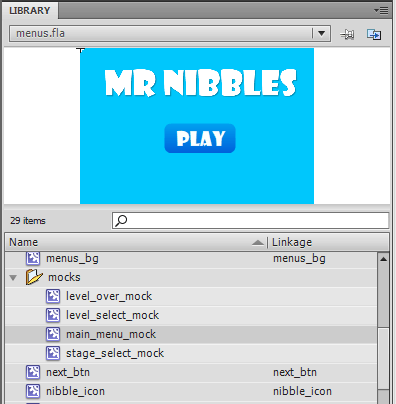
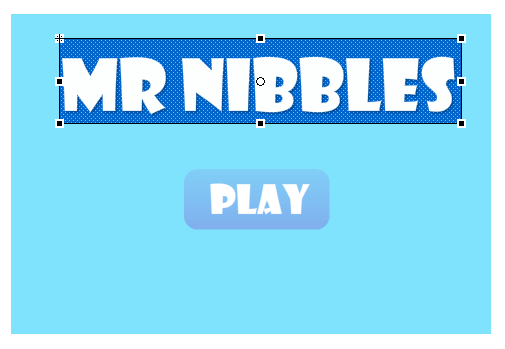
So to work out the correct size for the various parts of the menus initially I created a few "mock screens" in flash and laid out the various parts in the mocks:
By designing the mocks to 960x640 (3:2) I need only then at runtime divide the screen width by 960 to work out the correct scale for the game. Simples!
Well not quite as simples at that. There were a coupple of issues. Firstly the vector rendering performance of NME on mobile is pretty poor. To get around this problem you must pre-raster your vector to a Bitmap first. This should be fairly normal to anyone having worked with Blitting engines in AS3 before. This step however raised another issue.
I noticed it was taking a long time to raster the background for my menus to a bitmap. I did a few experiments and posted the question on the NME mailing list. It turns out that NME currently doesnt handle Radial gradients too well, also performance is generally poor when building in debug mode on iOS. With both this issues rectified however the performance was alot better. There is still a small lag between different menus when on iOS but its acceptable for now.
There also appears to be another issue regarding TextFields on iOS. It appears as if the text is being cut off half way. I have also posted about this issue on the mailing list and am awaiting a reply. My solution for now is to provide a background behind my text set to alpha 0, this forces the width and hight to be correct:
Well with that boring stuff out of the way onto the changes in the game itself.
As mentioned previously the gameplay changes have been fairly minimal. I have made some small changes to how the player is controlled to make it more fun. You can no longer scale vertical cliffs and jumping has been modified. The largest gameplay change has been to how the player is eased into the game.
After watching people play the game on the iPhone and iPad I noticed that alot of the time people didnt seem to understand how to control the player. They assumed the game worked like one of those "move a ball around a maze" type games. So understandably they kept turning the device on its side in an attempt to make the player "go up". With the world constantly rotating too, the person was trying to keep the world level, so they kept twisting the device in odd directions to keep it level. This problem is difficult to explain if you haven't tried it out on a device for yourself.
Once you understand whats going on however (the world is rotating, you tap to jump and tilt to move the player) it all becomes alot more clear and you can play the game normally. So with that in mind I have decided that the first few levels the world will not rotate. I hope this will ease a player into the control system a little better rather than just throwing them at a strange control system in a continually rotating world. Fingers crossed this will do the trick.
So that's that for this week. This week we hope to get as much of the art work in as possible. Hopefully menu systems, and the various bits of artwork for the stages will all go in this week. In addition I want to get audio and testing on Android in. Alot to cover in very little time!
I'm now two weeks into my original 3-week-deadline mobile game project. You can checkout the progress thus far by playing the game above ('up' to jump, 'left' and 'right' to control the player).
As you can see there has been some progress since my last update a week ago. I was hoping to have gotten a little further by this point but my personal life has been somewhat hectic the past week reducing the amount of game-development time to a few measly hours. In the few hours we have had, we have managed to get a general story / theme for the game and the rudiments of for the first 'stage'.
So the story is that our furry marsupial protagonist has ambitions of breaking free of his earth-bound cage to become the first hamster in space. The game is about his adventure to realise this dream.
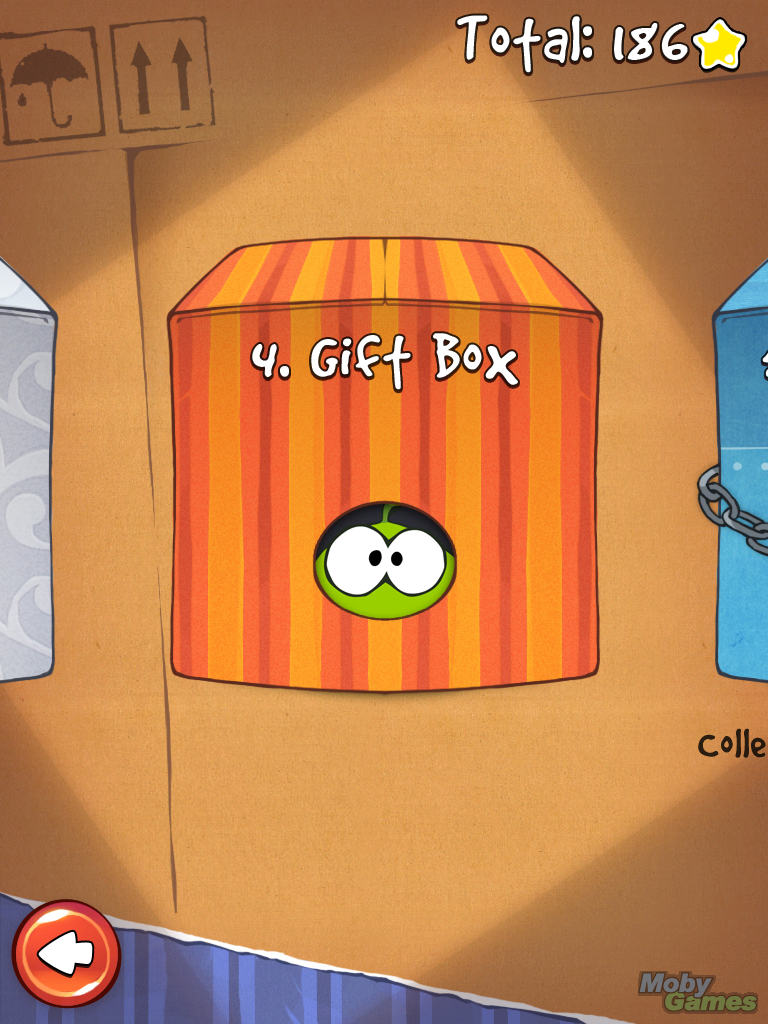
The plan is to break the game levels in into 'stages' like other mobile puzzle games such as cut the rope or angry birds:
Each stage will have its own theme, giving the player a refreshed experience per stage. The first of these is going to be set within the cage itself so the tileset and background should hopefully represent that.
The bulk of my work this week however has been spent trying to get the game controls working just right. It needs to be fun to play, not too frustrating but not too easy. This is easier said than done. Im not sure its quite there yet, but play the game above and let me know what you think, im keen to hear your opinion.
During the last week I also ran into a few nasty issues with the physics which I thought I had nailed in the previous post. The problem was that the issue only occurs at low frame rates, this was really noticeable in the last post when I tried the game out on my iPhone 3G, the player was extremely jerky and unplayable.
To test the problem quickly (without needing to do an iPhone build every time) I used the handy "fps" attribute in the NME .nmml file. Setting the fps to 60 then having the player jump then setting the fps to 10 and having the player do the same jump there was a noticeable problem. On the 10fps build the player couldn't jump anywhere nearly as high as in the 60fps build.
I knew that the reason for this problem lay somewhere in my update function in my Player class. My usual method of running update loops is to work out the time between two frames (delta) in milliseconds, pass that into the update loop for a game object then have the game modulate its update based on that delta. So as a very simple example:
[codesyntax lang="actionscript3" lines="normal"]
class Player
{
	public var position : Vector2;
	public var velocity : Vector2;

	...

	public function update(delta:Int)
	{
		position.x += velocity.x * delta;
		position.y += velocity.y * delta;
	}

	...

}
[/codesyntax]
This is pretty standard stuff and should be familiar to any game programmer. In theory it shouldn't matter what frame rate the game is running at, the player movement should be consistent because the velocity is being modulated by the time between the previous frame and now.
The code for the Player class however is quite abit more complicated than the simple example given above and something in the logic was causing problems. I had my suspicions but no matter what I tweaked or changed I couldn't track it down.
I had however read of a different technique documented by deWiTTERS that involved a different way of writing your game loop that didnt take into account of frame delta but was still able to provide a consistent gameplay at differing framerates.
I wont detail the process here as dewitter explains it very well in his post. The result is a greatly simplified update loop for my Player by removing all the delta time factors. My resulting update loop now looks like:
[codesyntax lang="actionscript3" lines="normal"]
class Game
{
	public static var TICKS_PER_SECOND : Float = 50;
    public static var SKIP_TICKS : Float = 1000 / TICKS_PER_SECOND;
    public static var MAX_FRAMESKIP : Float = 10;

	...

	private function onEnterFrame(e:Event):Void
	{
		var loops : Int = 0;
        while( Lib.getTimer() > nextFrameTime && loops < MAX_FRAMESKIP) {
            update();
            nextFrameTime += SKIP_TICKS;
            loops++;
        }
        render();
	}

	private function update()
	{
		Ctrl.instance.update();
		objects.update();
		camera.update();
		bg.update();
	}

	private function render()
	{
		tiles.render();
	}

	...

}
[/codesyntax]
The result of doing this is that the game now runs consistently at 60fps or 10fps. I haven't tried it out on my 3G yet but I have high hopes for the technique.
The moral of that story, if you bang your head against a problem for a while, just take a breath, think outside the box and attack it from a different angle ;)
Well that's about it for this week. The original intention was that is was going to be my last week of working on this game. (Un)fortunately my artist partner has gone on holiday this week so he is unable to work on the game, the result being I have given us an extra week to complete the game, yey! :)
Oh BTW, the title for the game is hidden in the demo above, see if you can work out what it is ;)
.. and we have progress! See above. Use the keyboard to control the 'player'.
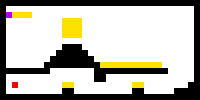
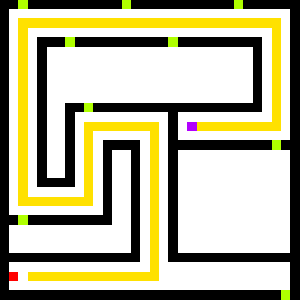
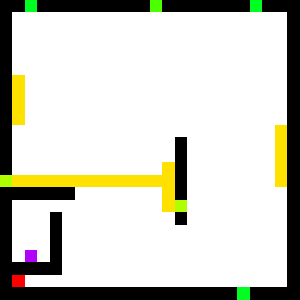
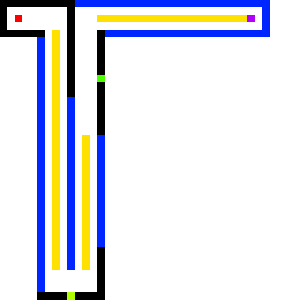
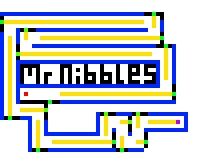
The first thing you will noticed is that there is a world populated with solid blocks and some orange circle things that may look a little like collectables :P To generate this level I decided to take a page out of Notch's book and build the levels at the pixel level in Paint.NET. That way the image editing software becomes the level editor. So as an example, the data that builds the level for above looks like:
That's a 50x50 pixel image which represents a world 50x50 tiles wide. Each pixel in the image has a colour which corresponds to a tile type in the game. Black is a solid wall, red is the player spawn point and orange is a 'collectable'. As the game develops we will be adding more tile types and hence colours.
At runtime all I do is load the level data image and loop through the pixels, grab the colour value and populate the world with the appropriate object. A problem I soon encountered however is that for some reason on different platforms Haxe reads the colour value different. This made things problematic so instead what I have done is make another 8x8 image as a "key":
Loading this key first I can then determine what colour the platform will be recognising a particular tile type as. So to generate the level the code looks like:
[codesyntax lang="actionscript3"]
class LevelManager
{
	public static var TYPES : Hash<Class<Dynamic>>;

	public var gridW : Int;
	public var gridH : Int;
	public var tiles : Array<BaseObject>;

	public function new()
	{
		if (TYPES == null)
		{
			var objectTypes = [null, SolidBlock, SpawnPoint, Ring];
			TYPES = new Hash<Class<Dynamic>>();
			var bmd =  Assets.getBitmapData("assets/levels/key.png");
			if (bmd == null) throw new Error("key png is null for some reason!");
			var i = 0;
			for (y in 0...bmd.height) for (x in 0...bmd.width) if(i<objectTypes.length) TYPES.set("" + StringTools.hex(bmd.getPixel(x, y), 6), objectTypes[i++]);
		}
	}

	public function loadLevel(stageIndex:Int, levelIndex:Int)
	{
		var bmd =  Assets.getBitmapData("assets/levels/s" + stageIndex + "_l" + levelIndex+"/world.png");
		gridW = bmd.width;
		gridH = bmd.height;
		tiles = [];

		for (y in 0...gridH)
		{
			for (x in 0...gridW)
			{
				var c = StringTools.hex(bmd.getPixel(x, y), 6);
				var t = TYPES.get(c + "");
				if (t == null) { continue; }
				var o : BaseObject = Type.createInstance(t, []);
				o.x = x * Game.GRID_SIZE;
				o.y = y * Game.GRID_SIZE;
				Game.I.addObject(o);
				tiles[y * gridW + x] = o;
			}
		}
	}
...
[/codesyntax]
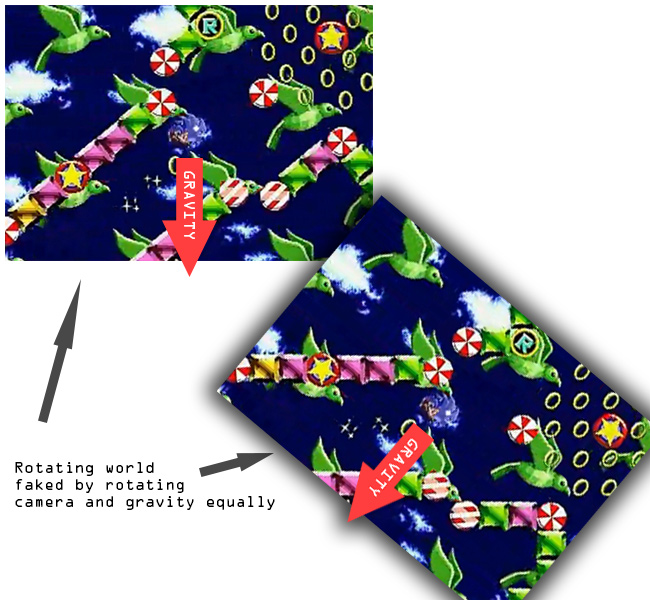
Once I had the level populating I started getting the basics of the physics sorted. At first I thought it was going to be a nightmare as in the original version of the game it appeared as if the whole world rotated about the player (see video for reminder), I worried about how I was going to handle the complex physics of a grid at odd angles while continually rotating. After a while however I realised that what was actually going on was that the world was standing still and all that was happening was that the camera was rotating at same rate at which the gravity vectyor was changing, thus giving the illusion of a rotating world, eg:
Once I realised this fact it made my life a whole lot easier. Calculating the physics for the world should now just be a matter of solving a circle against a static grid without rotations. I decided to go with my own physics solution rather one of the existing solutions such as Box2D or Nape as I thought that it should be pretty simple to calculate and I knew from a previous project that using Box2D or Nape would have issues at the joins between tiles.
The solution it turns out took a little longer than I thought but I eventually cracked it. The key was to use the Separating Axis Theorem with Voroni Regions, there is a great tutorial on it over at magnet software, they have a handy SWF that demonstrates the concept really well:
As can be seen from above that all you need do is split the problem up into a grid, then in turn check each of the 8 neighbouring cells from the current cell. The north, east, south and west cells can be classed as one type and only need to have their relevant axis checked against the radius of the player wheres the corner cells need to be checked against the distance from the closest point. In code this looks something like:
[codesyntax lang="actionscript3"]
// From Player.hx
override public function update(delta:Int) : Void { #if !mobile if (Ctrl.instance.isDown("up")) vel.y -= 1; if (Ctrl.instance.isDown("left")) vel.x -= 1; if (Ctrl.instance.isDown("right")) vel.x += 1; //if (Ctrl.instance.isDown("down")) vel.y += 1; #end
if (Ctrl.instance.mouseDown) vel.y -= 1;
var d = delta * 0.01; vel.x += gravity.x * d; vel.y += gravity.y * d;
var newPos = new Vec2(x + vel.x * d, y + vel.y * d); var ntx : Int = Std.int(newPos.x / Game.GRID_SIZE); var nty : Int = Std.int(newPos.y / Game.GRID_SIZE);
private function checkTileCollide(fromTX:Int, fromTY:Int, toTX:Int, toTY:Int, pos:Vec2, vel:Vec2) : Bool { var tile = game.level.getTile(toTX, toTY); var dTX = fromTX - toTX; var dTY = fromTY - toTY; if (tile != null && tile.is(SolidBlock)) { if (dTX == 0) { var d = Math.abs(pos.y-((toTY - fromTY) > 0?toTY * Game.GRID_SIZE:fromTY * Game.GRID_SIZE)); if (d < radius) { pos.y += dTY * (radius - d); vel.y = 0; return true; } } if (dTY == 0) { var d = Math.abs(pos.x-((toTX - fromTX) > 0?toTX * Game.GRID_SIZE:fromTX * Game.GRID_SIZE)); if (d < radius) { pos.x += dTX * (radius - d); vel.x = 0; return true; } } else { var tp = new Vec2((dTX>0?fromTX:toTX)*Game.GRID_SIZE, (dTY>0?fromTY:toTY)*Game.GRID_SIZE); var vToCorner = new Vec2(tp.x - pos.x, tp.y - pos.y); if (vToCorner.lengthSqr() < radius * radius) { var ang = Math.atan2(vToCorner.y, vToCorner.x); pos.x = tp.x - Math.cos(ang) * radius; pos.y = tp.y - Math.sin(ang) * radius; //vel.x = vel.y = 0; return true; } } } return false; }
[/codesyntax]
Its not 100% perfect, there is some oddness when the player hits a corner but will do for now.
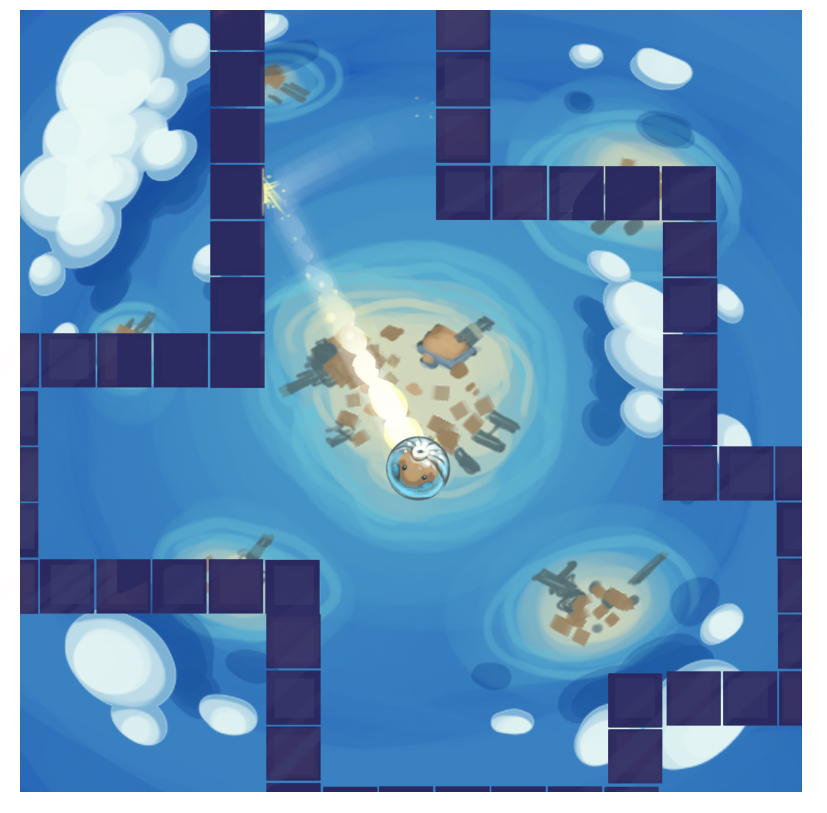
On the art side of the project Moh has been making good progress coming up with themes for the game. We have been playing around with the idea that the player is a Hamster lost in space, which I really like the idea of. To test this idea he made little mock-up, which looks great:
You may have noticed that currently the game is in Flash. That's because with NME you can target Flash as one of your outputs. This makes developing and testing the game alot easyier (a lot faster to compile and run). I have however been very aware of the problems I could cause myself if I developed the whole game solely in flash and only testing on mobile right at the end. Trying to track down an obscure problem in a fully written game would be a nightmare. So I have been making progress with getting the game to run on my iPhone 4.
One of the problems I faced (and I banged my against the wall for a while on this one) was that for some reason when the level was populating from the PNG, certain tiles weren't being built. I couldn't for the life of me work out why. To cut a long story short, apparently when building for iOS in Haxe you MUST put the super call in the constructor BEFORE any other call, else the code before the super call in the constructor wont be executed:
[codesyntax lang="actionscript3"]
class Player extends BaseObject
{

	public function new()
	{
		trace("This will not be executed when built for iOS but WILL be executed when built for flash");
		super();
		trace("This will be execute on flash AND iOS");
	}

...
[/codesyntax]
A small thing to remember but quite a gotcha for the NME Haxe newbie!
Another issue I have run into is the fact that my iPhone currently has iOS 5.1 on it, this means that to use it as a testing platform I had to upgrade my Macbook to OSX Lion which meant I have to leave it running over night and this morning downloading and installing. Not a biggie as I have been meaning to upgrade for a while anyways, but an inconvenience when you want to sit down to test your shiny new game out!
We have quite a way to go, but im happy with the progress we have made in 3 days thus far :)
I have decided that I would like to learn more about mobile game development. Its an exciting area of the games industry at the moment with so many frameworks and languages to choose from to develop with. The plethora of choice however can be a hindrance, what are the best frameworks and language for this particular task? Haxe with NME? C# MonoTouch with Monogame? or even Javascript with Titanium? One can only go so far just reading about them, eventually you have to jump in and try them out for yourself.
So on that note I have decided to team up with an artist colleague (Moh 'Mohzart' Mukhtar) from work to create a mobile game in three weeks of evenings and weekends. Three weeks is an ambitious target for a game on any platform let alone mobile with its added complications. The primary purpose of this project however is to gather experience on the process of making mobile games using a given langauge, framework and platform. Having a longer time-scale I feel would deter from this, the primary motivation. Having said that however, I hope that in three weeks we will have something that to be reasonably proud of.
For this particular game I have decided to explore Haxe with NME. Haxe is a programming language I have been using for my personal projects for about a year now and is ideally suited to mobile development due to its ability to target multiple platforms with the same codebase. NME is a framework written in Haxe that emulates the Flash API and thus provides an interface I am extremely familiar with having used it for many years on personal and professional games. I dabbled with NME about a year ago while at the TryHarder conference however things have moved on with the project a lot since then and im looking forward to getting stuck in and playing around with it some more.
In theory Haxe with NME should give us the ability to target Flash, HTML5, OSX, Linux, Window, iOS, Android and WebOS all with the same codebase. I hope this to be the case, however, initially we will be focusing on getting it to run on Flash and iOS, the other platforms will be of secondary concern.
So as for the actual game itself. Over the last week or so we have been racking our brains trying to come up with a game that will be suitable for this project. To be suitable it must be achievable within three week, be compatible for touch based devices, suit both our skill sets and preferably not been done before on mobile. A tough set of requirements.
We wrote down a few ideas in a GDoc, but the best one and the one we have decided upon is to do a remake / variant on the "Chaos Emerald" bonus stage from Sonic1 on the Genesis. As a quick reminder of what that looks like:
It wont be a direct rip (before I have the Sega lawyers knocking down my door) but the inspiration will certainty come from that game. The reason why we finally chose this idea is because it should work quite well on mobile (single button press with accelerometer tilting) and is a fairly simple game code and art wise so hopefully we should be able to complete it within three weeks. As an added bonus I have been unable to find this already existing on the App Store. Let me know if you have seen it done already!
I intend to continue to update on the progress of the game as we go along on this blog :)
Its not often these days that I post about games I have been playing, usually I leave that sort of stuff in the realms of Twitter or social networks.
For "From Dust" however ill make an exception. It's also not often these days that I see some tech in a game and wonder to myself "how the hell did they do that?" or just "wow I have never seen that done before". From Dust made me think both those things this week.
From Dust is a god game that follows in the heels of other god games such as Populus and Black and White. The reason why it has attracted my attention so much is the incredible tech that the game employs.
Check out this tech-demo / trailer for the game:
When I watched that earlier in the week I was amazed but skeptical that everything shown was actually how it was in game. After downloading and playing it on xbox this week however I can confirm that everything shown in the above video is in game and more. Not only that its actually fun!
The water flows from the top of the mountains realistically, over time it erodes the landscape to form rivers. Water pressure builds up need harder rock causing bends in the river that threaten your villages. You have to think ahead about how to divert a river one way but making sure not to flood an area downstream. More often than not it takes several tries to get it right.
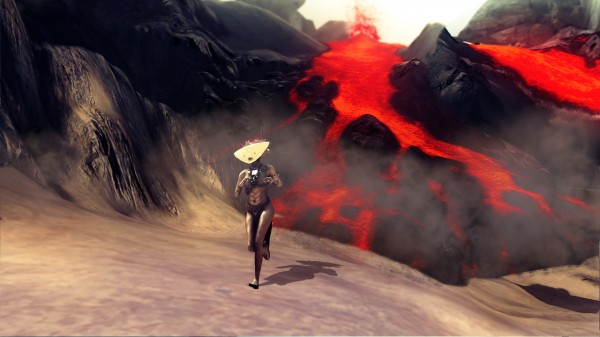
Lava is great. Several missions have volcanoes that you must be swift to tame else they can easily threaten your villages. The great this however is that there are many ways you can choose to solve a particular problem.
You could just manually suck up all the lava and drop it somewhere else, a somewhat temporary solution. You could try to build a channel for the lava to follow however lava has a habit of melting through any channels you build. You could use one of the spells your villagers to supply to aid you. You could divert the course of a river to cool the lava as it nears your village. You could use a "water tree" to cool the oncoming flow of magma. The choice is yours.
I have been pondering over the tech and thinking how they managed to get such a complex liquid simulation to run in realtime. Infact, how they managed to get several complex liquid simulations to run in realtime. The sand, the water, the lava and the rock all act as liquids with different properties, however they all interact with each other in different ways. Not only is the liquid tech impressive, the vegetation propagation and the fire mechanics are all seamless, and from what I could tell not a single frame was dropped.
It must be a GPU based liquid simulation (particularly as the xbox CPU is weak), however I didn't think they were good enough to do something like this. Perhaps they are using some optimized Smooth Particle Hydrodynamics such as that employed by Fairlight from the scene: http://directtovideo.wordpress.com/2011/05/03/numb-res/
Anyways, the game is available for download right now on xbox or if you are like me and are pc-inclined then it should be available on PC from the 17th of August.
Okay well its not quite complete, the waves of enemies could do with some more work but I have my mum coming up from London to visit me in 30 mins so im gonna call it quits here.
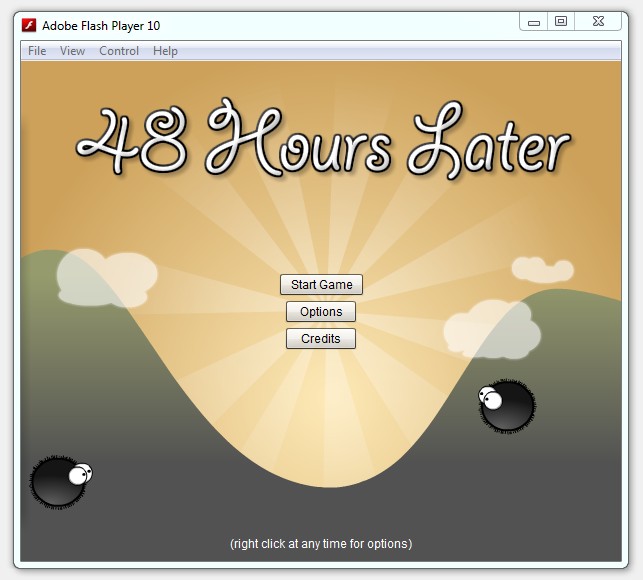
So, finally it has a name, I have called it "48 Hours Later" :) Its not technically true as I have only had 40 hours to do it, but oh well!
Overall im pretty happy with my first Ludum Dare entry, im very tired right now and have a banging headache, but thats all part of the fun right?
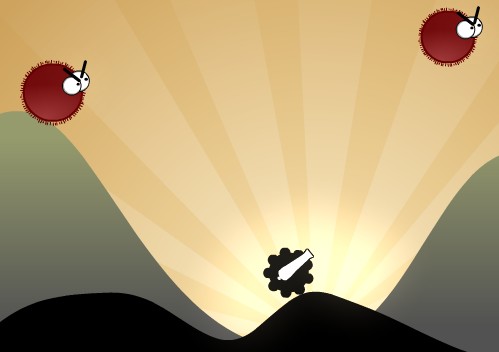
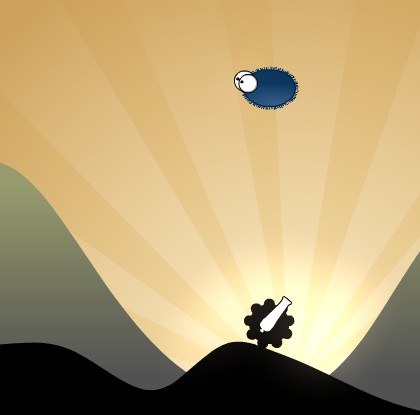
So onto the game. First some shots:
Okay so if you have been following waaaay back my original intention was to make a game with the same sort of art style as World of Goo but with the game mechanics of Boom Stick. I think I have stayed pretty true to that original idea.
Basically you fight against waves of enemies that float across the screen. There are currently only 10 waves, I would have liked more and with more variety but oh well ;)
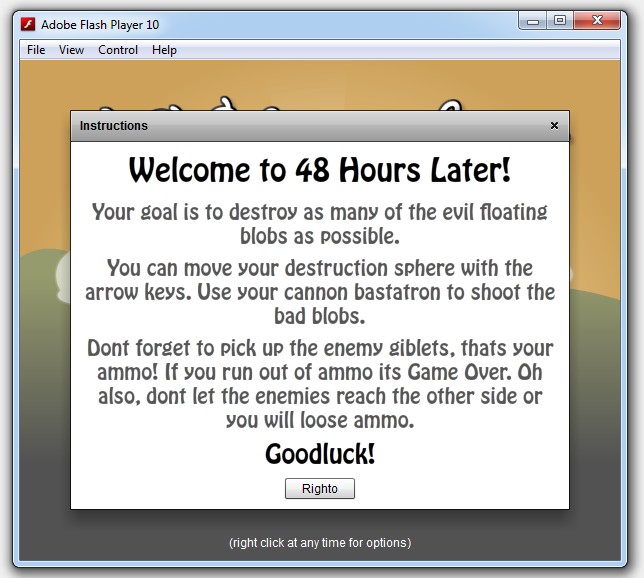
The theme of the competition was "Enemies as Weapons". I have incorporated that theme by having the enemies drop giblets when they die. You then have a certain amount of time to pick up those giblets and fire them back at the enemies. Enemies as weapons!
So as a disclaimer: im sure the game has many bugs and things, I have run out of time to do much in the way of testing and optimising. If you find any bugs however drop a comment I would love to hear about them as I plan to release this to a few flash portals, so would like to get those bugs fixed ;)
Anyways enough jibber jabber. A few more shots then the game is below:
EDIT: I have now made a youtube gameplay video and timelapse of development, check em here.
Okay its 3:31am the competition started 31mins ago. I had originally intended to wake up at 5-6am then start coding but I couldnt sleep so I thought I would get cracking early then catch a nap later on when im tired.
The theme for the competition is "Enemies as Weapons" which is actually a better theme than what I was expecting "Technology in the wrong time period". I havent got an idea yet but im sure something will come to me :)
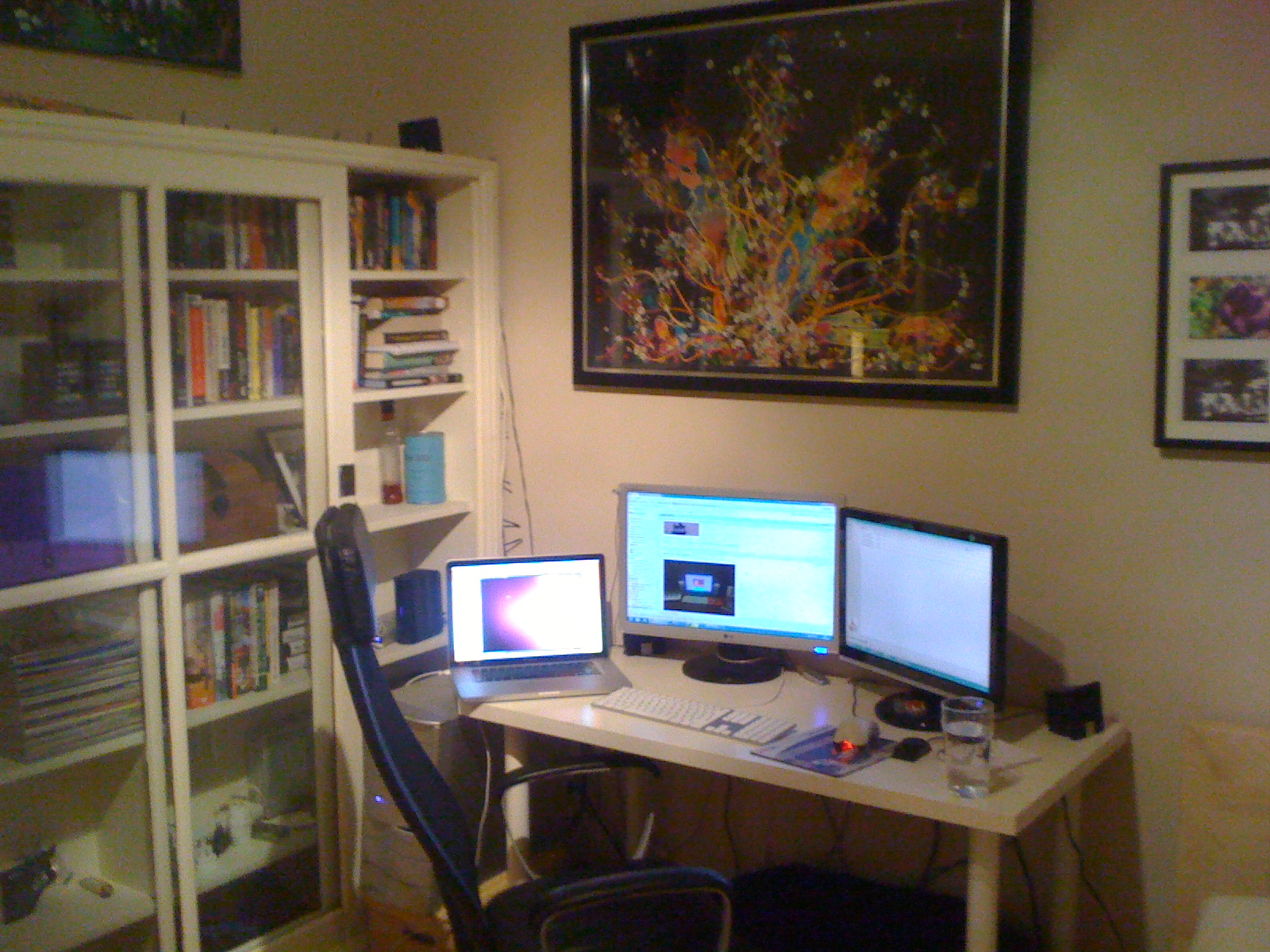
Anyways, here is where all the magic will be happeneing over the next 48 hours:
I have ChronoLapse setup to capture a screenshot every 60 seconds so hopefully we will get a nice video at the end showing my progress (or lack of :P).
I will be updating at regular intervals throughout, mainly to break up the dev process a little as 48hours is a long time!
Dont think I have blogged about this yet, so im doing so now.
Im planning on entering the 18th Ludum Dare compo, starting this sat. This will be my very first entry and im quite excited!
For those not in the know the Ludum Dare competition is a competition for Indie Games Developers. You have 48 to make a game (practically) from scratch. Its a solo competition so I cant call in my partner in crime olip.co.uk to do the artwork for me.
Rules are as follows:
You must work alone (solo).
All game code and content must be created within the 48 hours.
Games must be based on the theme.
All libraries, middleware, content creation, and development tools are allowed.
Source code must be included.
The themes for this edition of the compo are currently being voted on here.
I doubt I will be able to come up with much in the 48 hour limit, but im hoping to get at least something remotely playable!
I spoke about 6 months ago about joining a new startup called Playdemic as the Lead Flash Developer. I couldn't say much at the time as we were in stealth mode. As our first product has been out for about a month however, I think its about time I wrote a blog post on the subject.
Gourmet Ranch is Flash game for face book that follows closely on the heels of the other Facebook game successes such as Farmville and Cafeworld. The premise is simple, you grow crops and animals in your fields and then when the time comes you harvest them and use them to bake recipes. Those recipes are then served to your waiting customers by your waiters.
As the lead flash dev on the project its my responsibility to code all the engine and game play elements. Despite my several years worth of experience with flash games this was a challenging project . Making a game that is a multiplayer game but not a multiplayer game (no client pushing) is definately not for the feint of heart.
Despite the challenges and the occasional heated moment during development I think the product we have produced is excellent and is superior to many of the similar games available on Facebook. The stats for the first month of the game are impressive as can be seen from the data gleamed from AppData.
The main challenge now is to continue the early growth we have seen and retain the existing users we have won. So that means players of the game should be looking forward to regular updates with new content and bug fixing :)
I, like many others have been eagerly anticipating the latest Blizzard release Starcraft 2. I have been looking forward to the game but more importantly I have been eagerly anticipating the custom maps from the community.
I used to spend hours and hours playing the custom maps released with Warcraft III, I still log in every now and then to check out how its going and am suprised every time to see people still making new maps. Some of the most popular game genres in existence today wouldn't be around if it wasnt thanks to be map making community in WC3. Genres such as Tower Defence (TD) and Defence of The Ancients (DOTA) were born there.
So it made me extremely happy to see this video on YouTube showing that yes custom maps are possible in SC2 and yes you can make TDs with them, horaay!
This is my first post of what I suspect will be many on the subject of SWFt.
What is SWFt I hear you cry? Well in a nut shell SWFt is an Entity-Component based game framework powered by Dependency Injection. Still confused? Well basically its a really nice neat method for making flash games. Still interested? Read on!
FINALLY ITS LIVE!!!! Oh my, it has taken literally months and months to get all the deals sorted but finally now its done and out.
Its Oliver and my latest game. It was supposed to be a quick re-skin of BlastWave, but as usual "quick" was a word that got lost during development as we got excited about it and decided to add more and more features.
Stumbled across this game this morning and was blown away by the beauty and complexity of the game, I dont want to think about the amount of code that must of gone into making this beast!
My partner in crime Oliver P has just released a little game. Its catered for a very specific, yet popular, crowd. Yes yes its a dress up game, but it has very nice graphics so I think its definately worth a mention ;)