Showing posts with label Projects. Show all posts

Sunday, 13 June 2010

SWFt - Dependency Injection Component Based Game Framework


This is my first post of what I suspect will be many on the subject of SWFt.

What is SWFt I hear you cry? Well in a nut shell SWFt is an Entity-Component based game framework powered by Dependency Injection. Still confused? Well basically its a really nice neat method for making flash games. Still interested? Read on!

Saturday, 24 April 2010

Artificial - Harmonics (Part 3)


Well its been a while since I have made a new mix, but I have been collecting tracks for it for a while. This one came together fairly quickly actually, about two days worth of composition and then a few variations until I was happy with it. I decided not to add any movie samples to this one to keep it nice and simple, got alot of other projects on at the moment! Im not even sure if people actually like those movie samples tho, let me know if you do!

I have called it Harmonics (Part 3) as the third instalment in my Harmonics series is long overdue and I felt that it just kinda felt like a Harmonics Mix.

Anyways, I have uploaded the mix to SoundCloud and used the last remaining hour that the free account gives you ;) Give it a listen or download below:

Harmonics (Part 3) by Artificial on Mixcloud


The tracklist is as follows:
1. Hybrid - Disappear Here (Armchair Mix)

2. Trifonic - Broken (Specter Mix)

3. Canvas - Imogen Heap

4. Chris Zippel - Again feat. Adel Tawil

5. Obscure Celebrities - Farenheit (Ulrich Scnnauss Remix)

6. Woven - Prickly Pear

7. Moderat - Rusty Nails

8. Helios - Bounce Dive

9. Telepopmusik - Into Everything

10. Bjork - An Echo, A Stain

11. Telefon Tel Aviv - What it was Will Never Again

12. Max Richter - Vladimir's Blues

13. Sigur Ros - Hoppipollo

If you liked this mix and havent heard my other ones then you can grab those here: http://www.mikecann.co.uk/misc/sound-cloud-previous-mixes/

Thursday, 25 March 2010

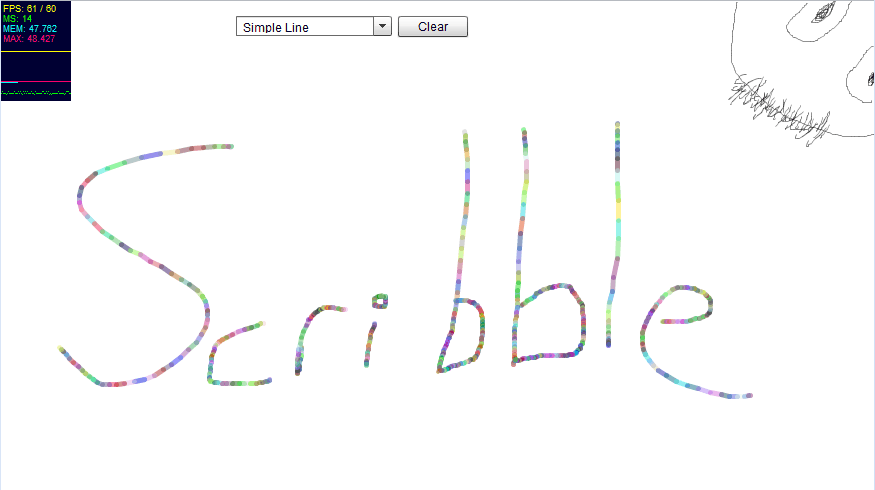
Scribble v0.1 ... Harmony, but in Flash.. kinda!

Well as you can probably tell from my last few posts, I have been loving the simple browser drawing app called Harmony. Well, while playing with it I thought to myself, "Is there a reason this cant be done in Flash?". Well this is the answer to my question.


I have called it Scribble and its very basic at the moment, not containing even many of the simple features in Harmony, I do however intend to keep adding to it. So over the course of several weeks I hope to add bit by bit till it becomes a fun little place to Scribble!

Anyways, you can check out the current state of the thing here --> http://www.mikecann.co.uk/flash/Scribble_v0-1/Scribble.html

Splendid!

Sunday, 14 March 2010

Windows 7 Taskbar Monitor

Well this will learn me!

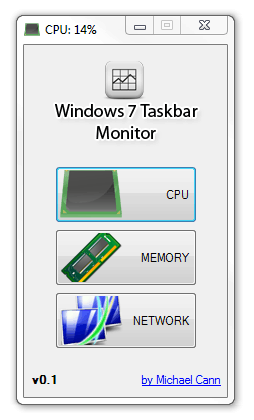
A while back, I had an idea for a very simple application that would sit in your taskbar and give you at-a-glance performance info about your system, similar to iStat Pro for OSX. This weekend I finally had time to clean up the code up for release.

The problem is that while looking for a couple of images for the app I happened to stumble across Taskbar Meters, which is pretty much the exact same idea I had. Looks like he has made a better job out of it that me too :P

Ah well, I have decided to release my version of the app nonetheless:


You can open the app multiple times and set each one to monitor a different value:


I have also decided to post the source up on google code: http://code.google.com/p/win7-taskbar-mon/

Anyways you can grab version 0.1 here: http://win7-taskbar-mon.googlecode.com/files/Windows7_Taskbar_Monitor_v0.1.zip

Sunday, 21 February 2010

Resizeable Chromeless Window AIR

Thought I would share this little ditty. Been working in AIR recently and decided to make the window "chromeless" which means there are no controls so no resizing.

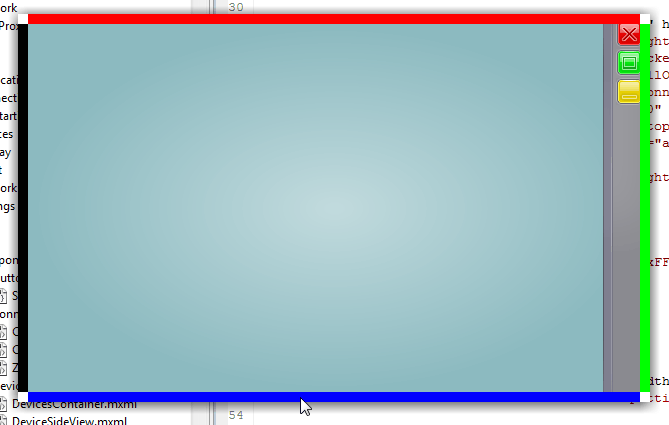
Thankfully however adobe provide the tools to allow for resizing the native window. So I produced this little mxml component to let you resize the window:


The coloured edges indicate where the application is draggable, including the white corner areas.

The component that lets you do this is pretty simple:

[codesyntax lang="mxml"]
<?xml version="1.0" encoding="utf-8"?>
<s:Group xmlns:fx="http://ns.adobe.com/mxml/2009"
xmlns:s="library://ns.adobe.com/flex/spark"
xmlns:mx="library://ns.adobe.com/flex/halo">

<fx:Script>
<![CDATA[
import flash.display.NativeWindowResize;
import flash.events.MouseEvent;

import mx.managers.CursorManager;
public static const RESIZE_AREA : int = 10;

protected function onRollOver(event:MouseEvent):void
{
}

protected function onRollOut(event:MouseEvent):void
{
}

protected function onMouseDown(event:MouseEvent):void
{
var grp : Group = event.target as Group;
var resizeFrom:String = "";

if (grp==topSide){ resizeFrom=NativeWindowResize.TOP; }
else if (grp==rightSide) { resizeFrom=NativeWindowResize.RIGHT; }
else if (grp==bottomSide) { resizeFrom=NativeWindowResize.BOTTOM; }
else if (grp==leftSide) { resizeFrom=NativeWindowResize.LEFT; }
else if (grp==topLeft) { resizeFrom=NativeWindowResize.TOP_LEFT; }
else if (grp==topRight) { resizeFrom=NativeWindowResize.TOP_RIGHT; }
else if (grp==bottomRight) { resizeFrom=NativeWindowResize.BOTTOM_RIGHT; }
else if (grp==bottomLeft) { resizeFrom=NativeWindowResize.BOTTOM_LEFT; }
else { return; }

stage.nativeWindow.startResize(resizeFrom);
}

]]>
</fx:Script>

<s:Group id="topSide" rollOver="onRollOver(event)" rollOut="onRollOut(event)" mouseDown="onMouseDown(event)"
x="0" y="0" width="{width}" height="{RESIZE_AREA}">
<s:Rect width="100%" height="100%">
<s:fill>
<s:SolidColor color="0xFF0000" />
</s:fill>
</s:Rect>
</s:Group>

<s:Group id="rightSide" rollOver="onRollOver(event)" rollOut="onRollOut(event)" mouseDown="onMouseDown(event)"
x="{width-RESIZE_AREA}" y="0" width="{RESIZE_AREA}" height="{height}">
<s:Rect width="100%" height="100%">
<s:fill>
<s:SolidColor color="0x00FF00" />
</s:fill>
</s:Rect>
</s:Group>

<s:Group id="bottomSide" rollOver="onRollOver(event)" rollOut="onRollOut(event)" mouseDown="onMouseDown(event)"
x="0" y="{height-RESIZE_AREA}" width="{width}" height="{RESIZE_AREA}">
<s:Rect width="100%" height="100%">
<s:fill>
<s:SolidColor color="0x0000FF" />
</s:fill>
</s:Rect>
</s:Group>

<s:Group id="leftSide" rollOver="onRollOver(event)" rollOut="onRollOut(event)" mouseDown="onMouseDown(event)"
x="0" y="0" width="{RESIZE_AREA}" height="{height}">
<s:Rect width="100%" height="100%">
<s:fill>
<s:SolidColor color="0x000000" />
</s:fill>
</s:Rect>
</s:Group>

<s:Group id="topLeft" rollOver="onRollOver(event)" rollOut="onRollOut(event)" mouseDown="onMouseDown(event)"
x="0" y="0" width="{RESIZE_AREA}" height="{RESIZE_AREA}">
<s:Rect width="100%" height="100%">
<s:fill>
<s:SolidColor color="0xffffff" />
</s:fill>
</s:Rect>
</s:Group>

<s:Group id="topRight" rollOver="onRollOver(event)" rollOut="onRollOut(event)" mouseDown="onMouseDown(event)"
x="{width-RESIZE_AREA}" y="0" width="{RESIZE_AREA}" height="{RESIZE_AREA}">
<s:Rect width="100%" height="100%">
<s:fill>
<s:SolidColor color="0xffffff" />
</s:fill>
</s:Rect>
</s:Group>

<s:Group id="bottomRight" rollOver="onRollOver(event)" rollOut="onRollOut(event)" mouseDown="onMouseDown(event)"
x="{width-RESIZE_AREA}" y="{height-RESIZE_AREA}" width="{RESIZE_AREA}" height="{RESIZE_AREA}">
<s:Rect width="100%" height="100%">
<s:fill>
<s:SolidColor color="0xffffff" />
</s:fill>
</s:Rect>
</s:Group>

<s:Group id="bottomLeft" rollOver="onRollOver(event)" rollOut="onRollOut(event)" mouseDown="onMouseDown(event)"
x="0" y="{height-RESIZE_AREA}" width="{RESIZE_AREA}" height="{RESIZE_AREA}">
<s:Rect width="100%" height="100%">
<s:fill>
<s:SolidColor color="0xffffff" />
</s:fill>
</s:Rect>
</s:Group>

</s:Group>

[/codesyntax]

To use it in your app just add the component into your existing view somewhere:

[codesyntax lang="mxml"]
<?xml version="1.0" encoding="utf-8"?>
<s:SkinnableContainer xmlns:fx="http://ns.adobe.com/mxml/2009" xmlns:s="library://ns.adobe.com/flex/spark" xmlns:mx="library://ns.adobe.com/flex/halo">

<components:WindowResizer width="{width}" height="{height}" alpha="0" buttonMode="true" />

</s:SkinnableContainer>

[/codesyntax]

Setting the alpha to zero will obviously hide the coloured areas at the side of the window.

Grab the mxml here: WindowResizer.mxml

Wednesday, 10 February 2010

On the Bleeding Edge

Well it thought it was about time I did some posting about my personal project im working on at the moment as I havent spoken about my coding for a while.

For a while now (alot longer than I had hoped for) I have been working on a project that falls outside the realms of my usual kind of games-related projects. Im not ready do describe exactly what it is yet but im excited about it.

For months I have been struggling with the techinal challenges the project has entailed and I have dabbled with many new and highly diverse technologies including JavaFX (Java), Qt (C++) and Mono (C#).  I have been looking for a cross-platform technology that will get the job done that I need and doing it in an elegant manner.

I thought I had found it with a combination of JavaFX and straight Java using the PureMVC framework. I however was plagued with problems throughout with Bonjour, jGroups, JmDNS, JNI and JNA.

So after months of work, hardship and struggles I read a very interesting article on the up-and-coming Adobe AIR 2.0  that was opened for beta in December. With 2.0 Adobe are bringing NativeProcess  to Air. What this means is that you can you can execute native code (.dlls, .so, .jar etc) from Air. To me this was bloody brilliant as I had been playing with Air reccently and my day-job heavily involves Flex and I simply love the power and beauty of Flex.

So what this meant to me was that I could write the bulk of my project including its interface in my much preferred Adobe Flex (Air) and then use Native Process to communicate with a small kernel of Java that would do all the dirty work that Air itself cant do.

So after a little playing with Flerry for Air->Java bridge I started to think about the structure of the code and the framework I would use. For my initial few runs at this project I had been using the Java version of PureMVC. I really like some aspects of PureMVC but I think its can be so overly cumbersome in some circumstances (ill write another post on this in the future I think). So instead I looked at the alternatives.

I have been using Mate alot recently at work and on my own mini-project the Audio Book Organiser. However as this project is partly for my own learning and personal growth I decided to look at what else there was out there. From the videos by Jessie Warden I had heard about Robot Legs. Apparently this framework has been around for a while, but it was the first I had heard of it. Taking at look at it I immediately became very excited as it looks like it offers all the things that make PureMVC great but without the extra coding-baggage that goes with it.

To add to my interest it appears another very interesting, very new action-script technology has been introduced into Robot Legs called Signals by Robert Penner. Signals is an alternative to the standard events dispatching method found throughout flash (more on this in another post).

So why have I called this post "the bleeding edge?". Well Adobe Air 2.0 is still in beta and has only been for a month or so. Its so new that some parts still havent been documented atall and the only way to find out how they work is to post a msg to the devs on the forums. Signals is also new and its integration into Robot Legs is very new indeed (last coupple of weeks). So at the moment I feel as if im at the forefront of some very new, very exciting technology, a stark contrast to my fiddlings with the ancient Java.

I realise this post is very text and tech-heavy but I needed to post about it before I forgot all the pain I have gone through with this project to get where I am at the moment. Future posts ill be delving a little deeper into some of my experiments with these new technologies ;)

Monday, 11 January 2010

AudioBook Organiser v1.3.0 - Drag'n'Drop


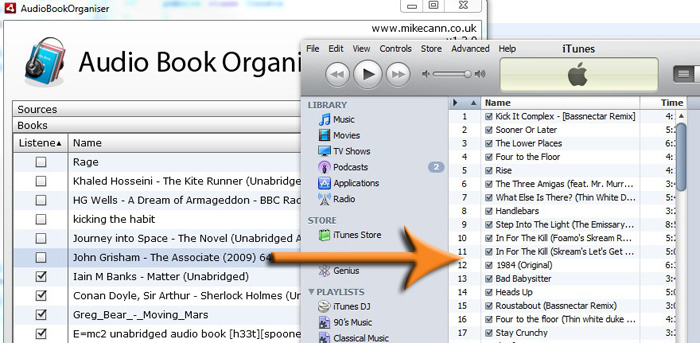
Well I was just doing some audio book organising and realised that it would be great if I could drag and drop a folder straight from my AIR into iTunes ready for upload to my iPhone.

Anyways after a little searching through the docs I came up with this little ditty:
var cp : Clipboard = new Clipboard();
cp.setData(ClipboardFormats.FILE_LIST_FORMAT, [new File(book.url)], false);
NativeDragManager.doDrag(null,cp);

Which gets fired by my DataGrid in the view:


<mx:DataGrid width="100%" height="100%" dataProvider="{books}" editable="true"

itemEditEnd="{dispatchEvent(new BooksEvent(BooksEvent.PROPERTY_CHANGED));}"

dragEnabled="true"

dragStart="{dispatchEvent(new BooksEvent(BooksEvent.BOOK_BEGIN_DRAG, AudioBookModel(event.currentTarget.selectedItem)))}">

Its pretty cool.

Anyways, the latest version and the source is below:


[airbadge]Audio Book Orgainser,http://www.mikecann.co.uk/flash/AudioBookOrganiser/AudioBookOrganiser.air,1,http://www.mikecann.co.uk/flash/AudioBookOrganiser/badgeImg.jpg[/airbadge]
Source: http://www.mikecann.co.uk/flash/AudioBookOrganiser/AudioBookOrganiser_v130_source.zip

Saturday, 9 January 2010

Audio Book Organiser v1.2.0

ScreenHunter_01 Jan. 09 18.34

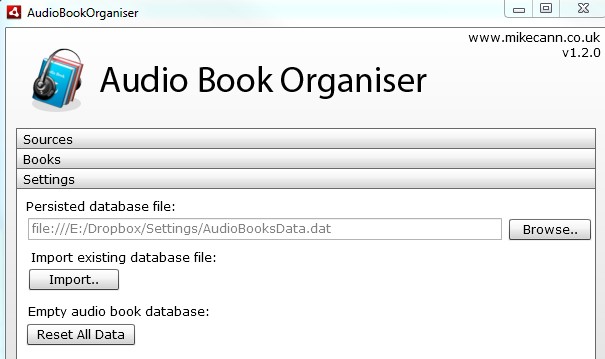
Just did a quick update to the audio book organiser. Added the ability to move the storage database file. This was so that I can put my storage file on Dropbox and it will then be backedup and synced between machines.

New version and sources:

[airbadge]Audio Book Orgainser,http://www.mikecann.co.uk/flash/AudioBookOrganiser/AudioBookOrganiser.air,1,http://www.mikecann.co.uk/flash/AudioBookOrganiser/badgeImg.jpg[/airbadge]


Source: http://www.mikecann.co.uk/flash/AudioBookOrganiser/AudioBookOrganiser_v120_source.zip

Wednesday, 30 December 2009

Audio Book Organiser (AIR, Mate, Flex 4)

Well its been a fun Christmas, I have eaten and drunk to the point that im going to be running it off in the gym till next christmas.

Although there has been merryment abound, the keyboard couldn't keep me away. Its probably okay to say this now as im not under any secrecy act; I have decided to leave Massively Multimedia in Manchester to join a new startup called Ideas Pad in Wilmslow (just south of Manchester).

I cant say too much about exactly what I will be working on just yet but I can say that it will involve my experience in the Flash world. Specifically, I will be working in Adobe Flex again on some fairly sizeable projects. For this reason I wanted to brush up on my Flex as there has been a new release of the IDE (now named Flash Builder) and the SDK.

In addition I wanted to look at the various frameworks in use for Flex these days. I have used the usual Cairngorm, PureMVC before however I stumbled accross a new one called Mate (pronounced mah-tay, like the drink). Mate looked very interesting to me so before I jumped two feet in and used it in a commercial project I wanted to give it a spin in a simple project first.

Finally we get to the point of this post. I have developed a simple Adobe AIR application that allows you to organise audio books. The basic idea is simple you give the application a selection of 'source' directories where your audiobooks belong then you can tick off whether you have listened to each one, and what rating you would give them.

ScreenHunter_02 Dec. 30 12.32ScreenHunter_03 Dec. 30 12.32


The data is persisted to a file that is saved to your hard drive, so when you open the application up again next time it remembers which audio books you have listened to and what ratings you gave them.

I havent tested it very much atall so there is a very high likelyhood of being some strange bugs in there. I am also releasing all the source code for this project for all to see, use and study if they so wish.

[airbadge]Audio Book Orgainser,http://www.mikecann.co.uk/flash/AudioBookOrganiser/AudioBookOrganiser.air,1,http://www.mikecann.co.uk/flash/AudioBookOrganiser/badgeImg.jpg[/airbadge]


Source: http://www.mikecann.co.uk/flash/AudioBookOrganiser/AudioBookOrganiser_v101_source.zip

Sunday, 13 December 2009

Flirting With JavaFX

For the past several months I have been working on a little project completely different to anything I have done before. Its a desktop application that uses a number of novel technologies to do something I think is pretty cool. Ill talk more about what it actually is and does in the coming weeks, but for this post I just want to talk about the struggles and discoveries I have been through and made with the technology.

One of the basic tenants of the app is that it needs to work  cross-platform, so on mac, windows, linux, etc. As my previous experience with any sort of cross-platform coding involves using Java that was my natural first choice.

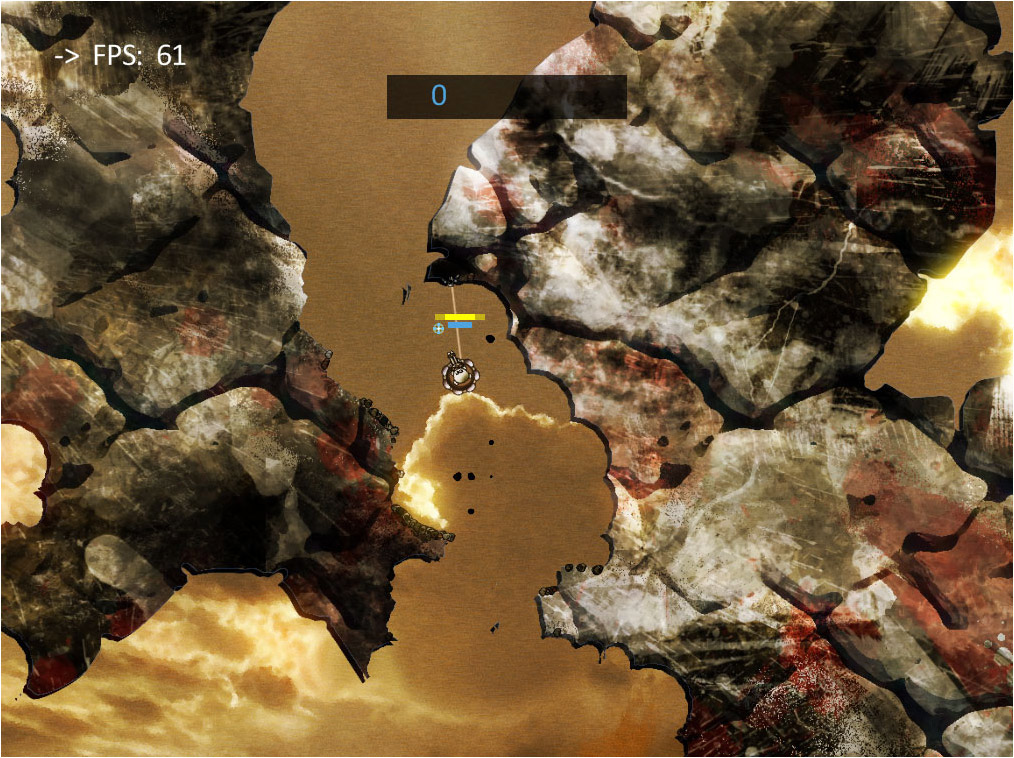
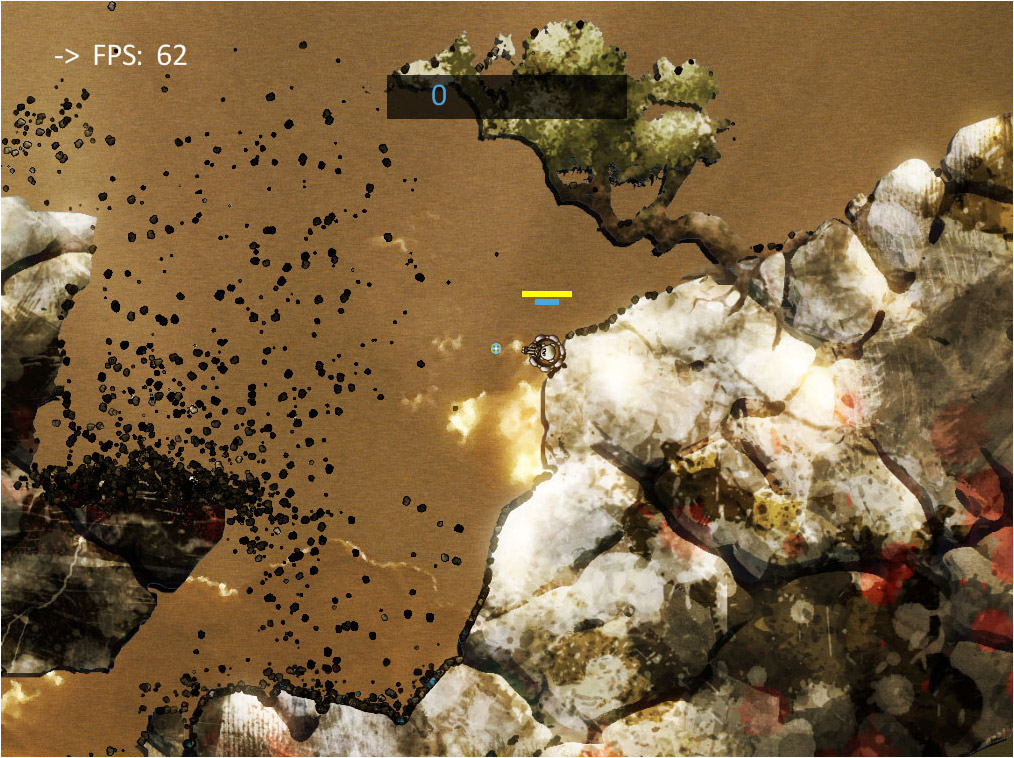
It has been a while since I have coding anything substantial in Java, infact my university project Chain Reaction was my last serious foray into the language:


I knew that I wanted a nice rich interface for the project as it was intended to be sold to non-technical users. My first choice with Java was naturally with Swing. This, however, soon brought back various memories of 'JPanels', 'Layouts' and 'Look and Feels'  and the headaches of trying to make simple things look attractive (tho some cool advances have been made with substance look and feel).

After having worked for years with Flash / Flex I had grown used to the ease of drawing graphics and manipulating Display Objects in the display hierarchy. I was dismayed at how difficult it was to do what I considered 'simple graphic tasks' using Java!  A simple google search for the terms "Java 2d graphics" demonstrates how old some of the concepts and documentation is on the subject.

I ended up writing and rewriting my view using different libraries like G:

ScreenHunter_03 Dec. 13 20.05

I found them all to be unwieldy and too inflexible for what I had in-mind. It all just seemed so archaic and old-hat.

So I was becoming more and more frustrated with myself for not progressing with the project and becoming hung up on something I had taken for granted in the Flash world. It was then that I happened to stumble across (this is after weeks of struggling) the JavaFX project. Now I had heard about this many months back but had dismissed it as Suns rather lame attempt to steal some of Adobe's dominance of the Flash player market (much like Microsoft's attempt with Silverlight).

As I was at the end of my line with Java I thought, hell why not give it a little look. Well it took me by surprise. It turns out that JavaFX is rather neat!

For those who havent heard f JavaFX; taken from Wikipeda:
javafx_logo_color_1JavaFX is a software platform for creating and delivering rich Internet applications that can run across a wide variety of connected devices. The current release (JavaFX 1.2, June 2009) enables building applications for desktop, browser and mobile phones.

TV set-top boxes, gaming consoles, Blu-ray players and other platforms are planned.JavaFX is fully integrated with the Java Runtime Environment (JRE) – JavaFX applications will run on any desktop and browser that runs the JRE and on top of mobile phones running Java ME.

What this means is that you can (with a little jiggery pokery) use JavaFX with normal Java. This is great as I had already written a whole load of code in Java which I didn't want to get rid of.

The language JavaFX Script is great. It took a little getting used to as it is a declarative language (much like Flex's MXML except that instead of using XML as the language it uses a Java Script like notation) but once I was used to it I could immediately see the awesome power it brings.

A little sample of code to give you a feel of how its declarative approach works:
Stage {
    title: "Ello World"
    width: 300
    height: 300

    scene: Scene {
        content: [
             Text {
               font: Font { size: 22 }
               x: 20, y: 90
               textAlignment: TextAlignment.CENTER
               content:"Ello World!"
             }
        ]
     }
}

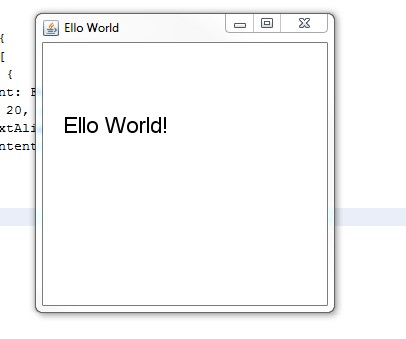
This is your standard "Hello World" (but with a British twist):

ScreenHunter_06 Dec. 13 20.32

The simplicity of rendering things to the screen was just what I was looking for as the for this project, it was a double bonus that the language is powerful.

I love some of the features of the language like the natively build in binding, the sequence manipulations, but Ill talk more about some of these features in another post as I have rambled enough in this one as it is.

For now however, if you want to do some more reading into JavaFX  I HIGHLY  this short set of tutorials: Learning the JavaFX Programming Language - Tutorial


avaFX is a software platform for creating and delivering rich Internet applications that can run across a wide variety of connected devices. The current release (JavaFX 1.2, June 2009) enables building applications for desktop, browser and mobile phones. TV set-top boxes, gaming consoles, Blu-ray players and other platforms are planned.

JavaFX is fully integrated with the Java Runtime Environment (JRE) – JavaFX applications will run on any desktop and browser that runs the JRE and on top of mobile phones running Java ME.

JavaFX is a software platform for creating and delivering rich Internet applications that can run across a wide variety of connected devices. The current release (JavaFX 1.2, June 2009) enables building applications for desktop, browser and mobile phones. TV set-top boxes, gaming consoles, Blu-ray players and other platforms are planned.

JavaFX is fully integrated with the Java Runtime Environment (JRE) – JavaFX applications will run on any desktop and browser that runs the JRE and on top of mobile phones running Java ME.

Thursday, 10 December 2009

The Case of The Transitional Doctype

I took a little break from my 'top secret' project (more on this coming soon) this evening to do some much needed repair work on one of my flash games portals www.worldsbestflashgames.com.

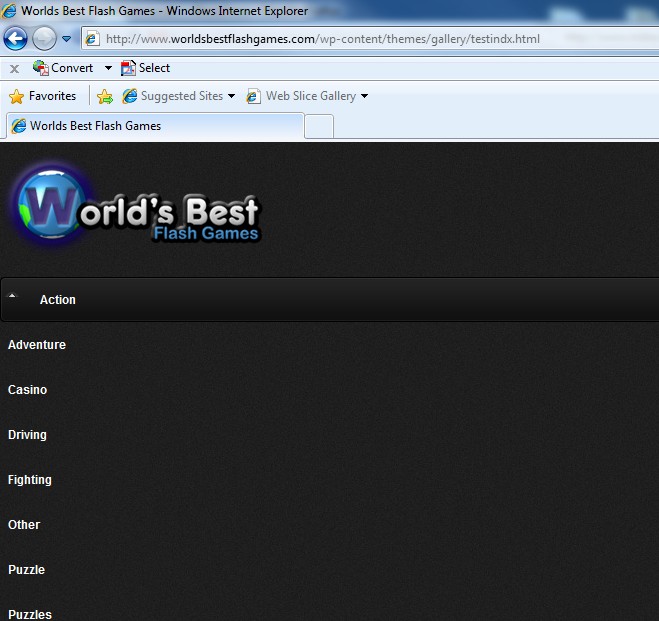
Top of my list was the fact that the index page doesn't render correctly in IE7. What makes it odd is the fact that the category pages which are essentially identical to the index page rendered fine.This is what it looked like:

ScreenHunter_01 Dec. 10 19.28

Normally when you hear that there is an issue with a site on IE and not on FF or other browsers you automatically assume its CSS, and so did I. After stripping the site down to its bear bones however, comparing the index page against the category page I will still getting this oddness.

To cut a long story short I worked my way up from the bottom of the page to the top until I reaced the very top line:
<!DOCTYPE html PUBLIC "-//W3C//DTD HTML 4.01 Transitional//EN">

This line was the only line that differed in the index to the category page, which read:
<!DOCTYPE html PUBLIC "-//W3C//DTD HTML 4.01//EN">

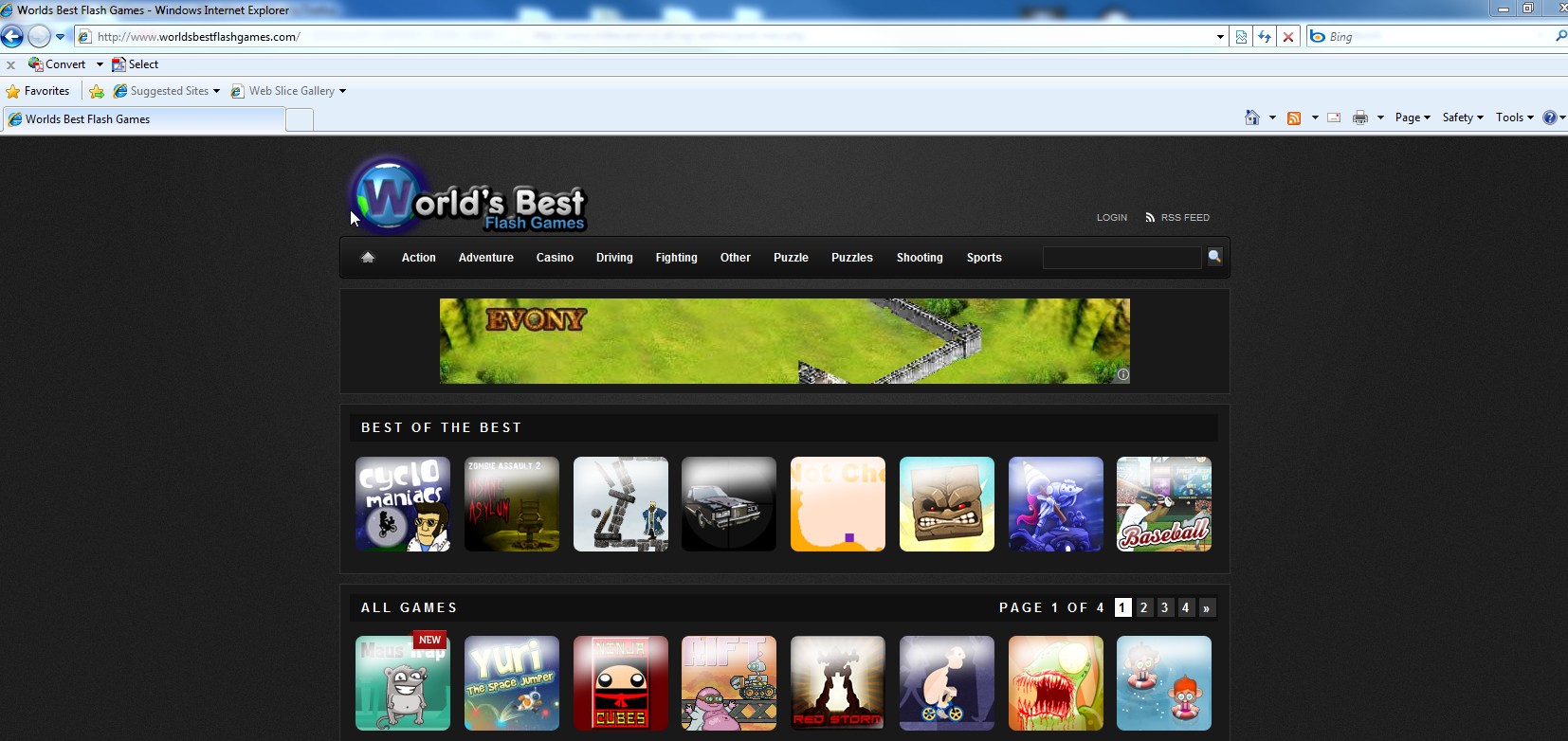
So I took out the "Transitional" and low and behold it worked!

ScreenHunter_02 Dec. 10 19.41

No idea what Transitional does, but I hope this helps someone else out in the future!

Friday, 4 December 2009

BlastWave: Lost at Sea

FINALLY ITS LIVE!!!! Oh my, it has taken literally months and months to get all the deals sorted but finally now its done and out.

Its Oliver and my latest game. It was supposed to be a quick re-skin of BlastWave, but as usual "quick" was a word that got lost during development as we got excited about it and decided to add more and more features.

The Art by Oliver Pitceathly follows a simmilar style to MonkeyMines. Hope you like it!

Tuesday, 24 November 2009

BlastWave: Lost at Sea, so very almost!

It has been months and months since Oliver and I finished (functionally) our latest flash game 'BlastWave: Lost at Sea'. It has taken all this time to sort out sponsorship deals, with all the various portals. We have been through headache after headache but its finally almost time to release to the general public!

The following is a little promotional clip done by MiniClip.com for the game, quite cute we think. Anyways stay tuned, to play the game in the next few days!

Wednesday, 26 August 2009

BlastWave: Lost at Sea - Its almost done!

Its just going through the final polishing and bidding stage at the moment. From the looks of the comments we are getting on FGL it should do quite well :) We have been asked to produce a video of the game for FGL marketing purposes so oliver whipped this little beauty out:

Saturday, 1 August 2009

LieroXNA - Digging up the past..

I received a very pleasant email yesterday from a fine chap Michael Lindholm. He was enquiring about my old project LieroXNA and whether I was still working on it. As it sound like some people are still interested in the project Ill copy / pase the email for the record here:

Hi mike :)

I have read your blog several times now over the last few months(about LieroXNA) and thought i should just let you know i find your LieroXNA project very interesting :)
very impressive work with those particles aswell, very nice work :)
infact... not to long ago i was in the IRC channel #XNA and people was talking about "that XNA liero game with all the particles" so apparently you have made an impression on the world ;) hehe

but the last post seems to be from 2007, are you still working on the project?

Also, One thing that makes me very interested in Liero and XNA related projects is the fact that i am my self working on a Liero3D game in XNA, if you are interested you can find info about it here:
http://liero3d.blogspot.com/

PS: Sorry about my bad spelling (Dyslexia)

take care
/Michael
------- and my reply: --------

Hi Mike,

Firstly its great to hear from someone who appreciates my work. Im surprised that people know about my old little project. Unfortunately it is a dead project now :(

I actually took the game to a high standard, and took it to eidos publishers in Wimbledon to see if they were interested in the game. Unfortunately, despite the backing of my employers Eidos werent interested in an XBLA game not after their other XBLA disasters. From that point on I lost heart in the project, I dont know why but I didnt want to continue it on any more.

Whats worse is I have actually lost everything! I have lost the source code and the binary everything, I cant believe my own stupidity. All I have left is a power point presentation and some screenshots :(

lieroxna1lieroxna2

The game play was actually very good fun, we played quite a few 4-man games in the office.

I may pick up the project again some point in the future, but it wont be for profit, it will be for fun.

I just checked out your 3d-liero project and I must say it looks very interesting! How are you doing the 3d destructibility? Voxels with a polygon mapping algorithm? Have you ever heard of voxlap? http://advsys.net/ken/voxlap.htm very interesting project from a while back, was very interested for a while, was thinking of woking on a voxel engine for my university, but decided against it in the end, the complexity is immense.

Well anyways, im starting to ramble, its good to see you continuing on with liero and I wish you best of luck, ill be watching with keen interest.

Mike
Well the result of this is I have been digging around and have found "some" old source code, its not complete, but over the coming weeks im going to take a look at it and see if I can get it in a state where I can post it up here, it would be a shame to let this one rot.

Wednesday, 15 July 2009

Dev Update: BlastWave - Lost At Sea

Oliver and I have been working hard on the game and we are almost ready to rock.

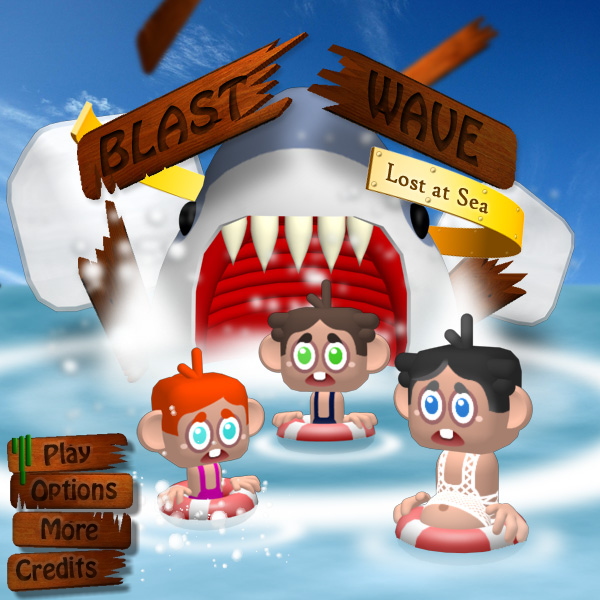
We are wanting to go for a significantly more polished feel to this game and one of the factors that has been abit rough around the edges in the past has been the menu systems. As mentioned in a previous dev update were were looking to for something like Photon Storm's Kyobi as a splash screen:

bwfrontpage

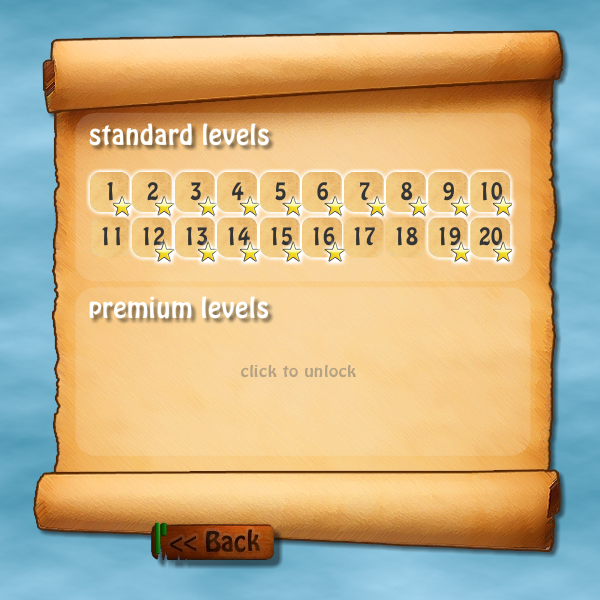
Also we have decided to jump on the micro-payments train and offer unlockable levels likely via the mochi-coins system:

bwlevels

For the price of about $1 you will get 20 more levels with new puzzle features. We are also considering implementing an achievements system with an in-game "best of the best" leader board, but we haven't quite worked out where to put that yet ;)

Now the game is mostly feature complete its onto the slow laborious process of trying to find sponsors for the game.

Im off to France for 10 days tomorrow however so apart from a few emails, work will have to be suspended on this project for a little while. When I return I shall be starting at my new job (more on that when im back!)

Friday, 26 June 2009

BlastWave 2 Development Update

We are still working on BlastWave 2. Over the last 4 days or so we have progressed quite far:

bwupdate

As can be seen by the screeny we have added many of the characters (tho they need some touching up still) and have added some scenery elements. On the code side I have been playing around with the physics provided by Box2D.

The screenshot doesnt give a full impression but Oliver and I are getting excited about how nice this looks and feels when you are flinging the objects all over the place.

Expect more updates over the coming days / weeks.

Thursday, 4 June 2009

8hour Game: Countdown with Neil Haversham

1 Programmer, 1 Artist, 8hours, surely nothing of any quality can be made in that time? Well there you would be wrong because Michael Cann (www.mikecann.co.uk) and Oliver Pitceathly (www.olip.co.uk) present to you "Countdown with Neil Haversham":

Thursday, 28 May 2009

The Next One: Blast Wave 2

Well we have already started development on what will be the next game. Oliver and I have decided to give one of my old titles Blast Wave a bit of a spruce up. We felt that the game had a good solid style with unique elements, the only thing that let it down was its poor graphics / user interface. So as this time around I have an excellent artist we think it can be given the breath of life it deserves.

We started by looking at various parts of the game and what we think let the game down...

Monday, 11 May 2009

Flash Develop Plugin: Go To Definition

Go To Definition
I love the Ctrl & click feature in Eclipse/Netbeans and the Go To Definition feature in Visual Studio and have decided to implement them in Flash develop. After an evening or so of trying to write this myself I come accross the "ASComplete.DeclarationLookup()" method. To my great astonishment, this does exactly what I want. So thankyou to Philippe or whoever wrote this method and did all the hardwork of the plugin for me ;)

Screenshot


DLL
http://www.mikecann.co.uk/Files/GoToDefinition.dll

Source
http://www.mikecann.co.uk/Files/GoToDefinition_source.zip

Post
http://www.flashdevelop.org/community/viewtopic.php?f=4&t=4722

EDIT:
It appears that the same functionality is built as standard into FD with the use of the F4 key. Oh well, you can still use this as a shortcut ;)