Showing posts with label Programming. Show all posts

Thursday, 25 April 2013

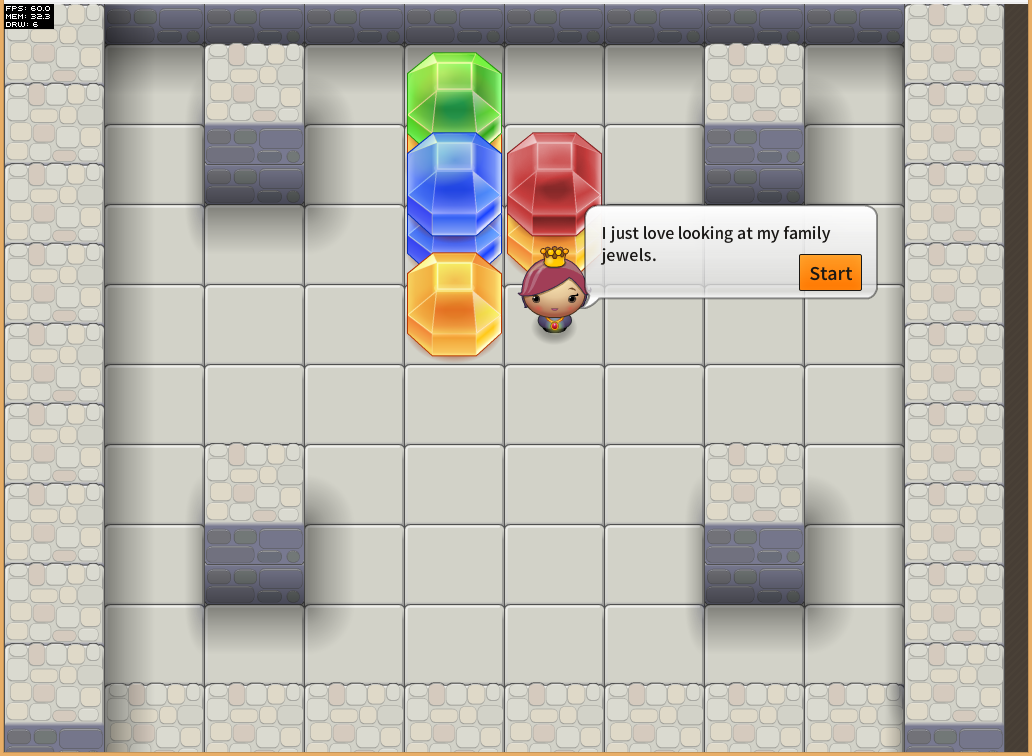
The Three Game Challenge – Part 3 – The Family Jewels

head

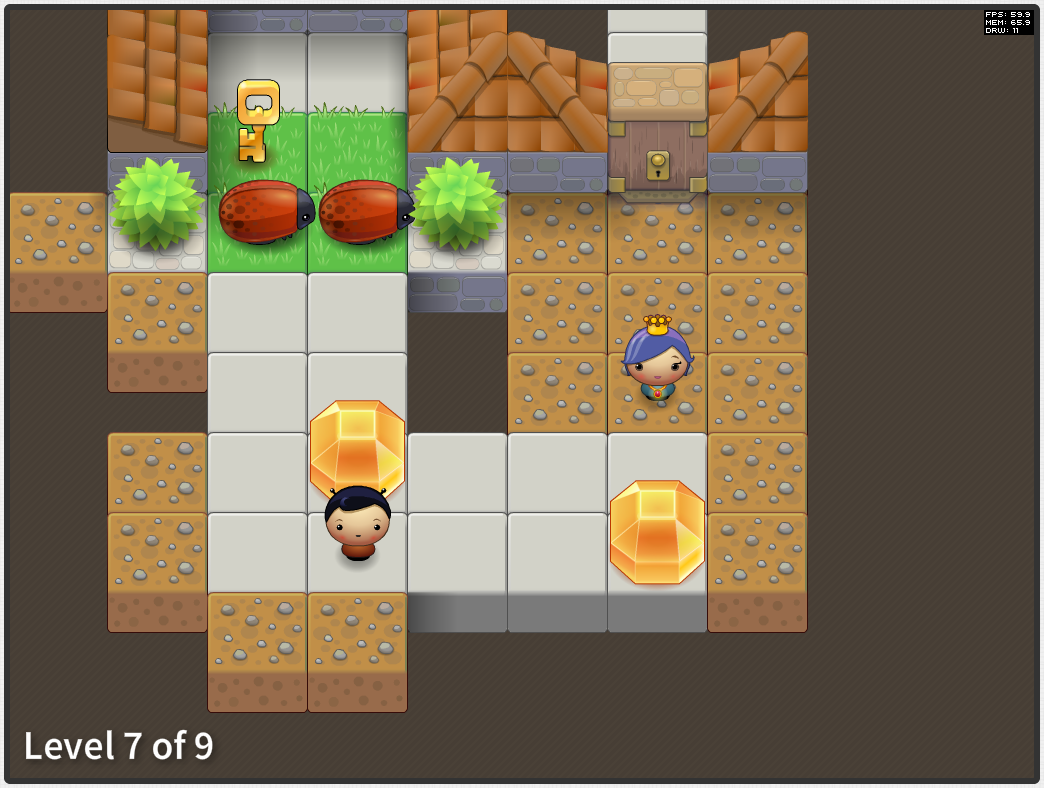
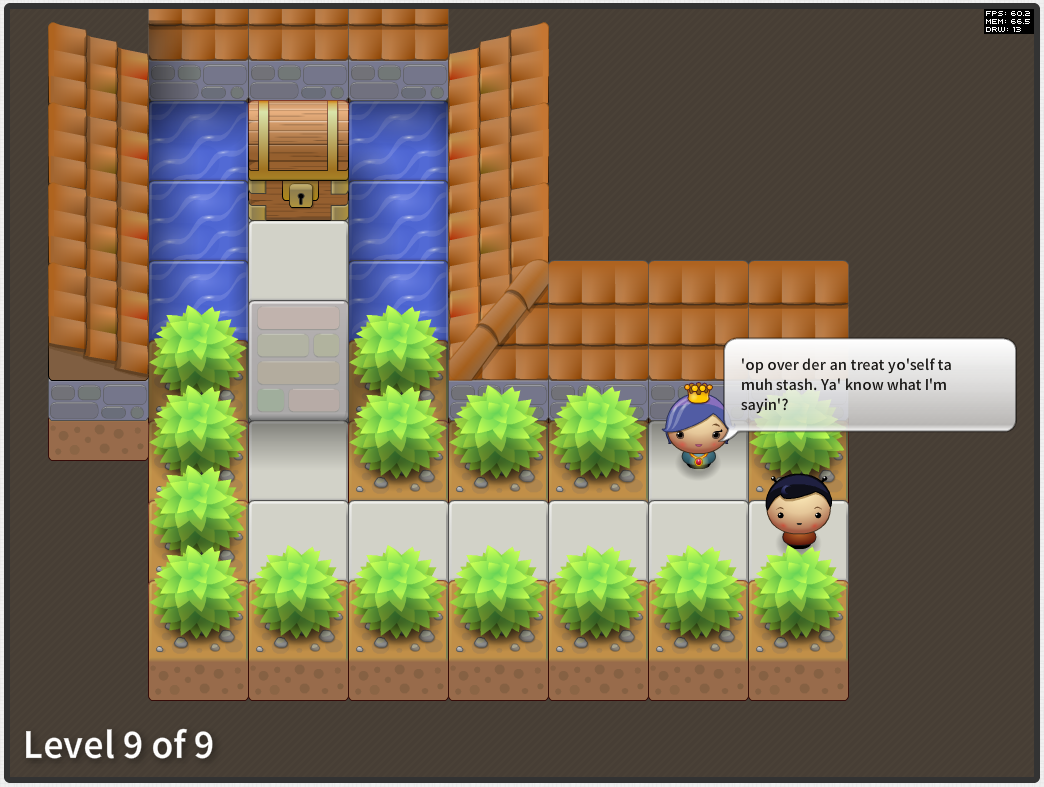
Well this is it! I have completed the third game in my three game prototype challenge. (first game, second game)

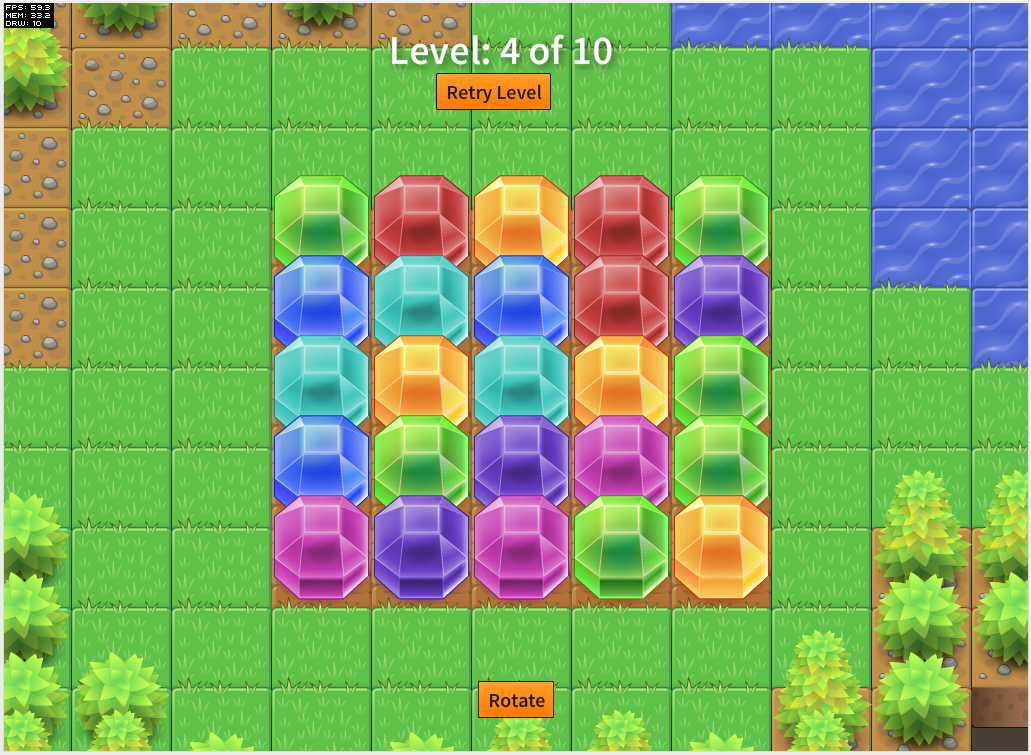
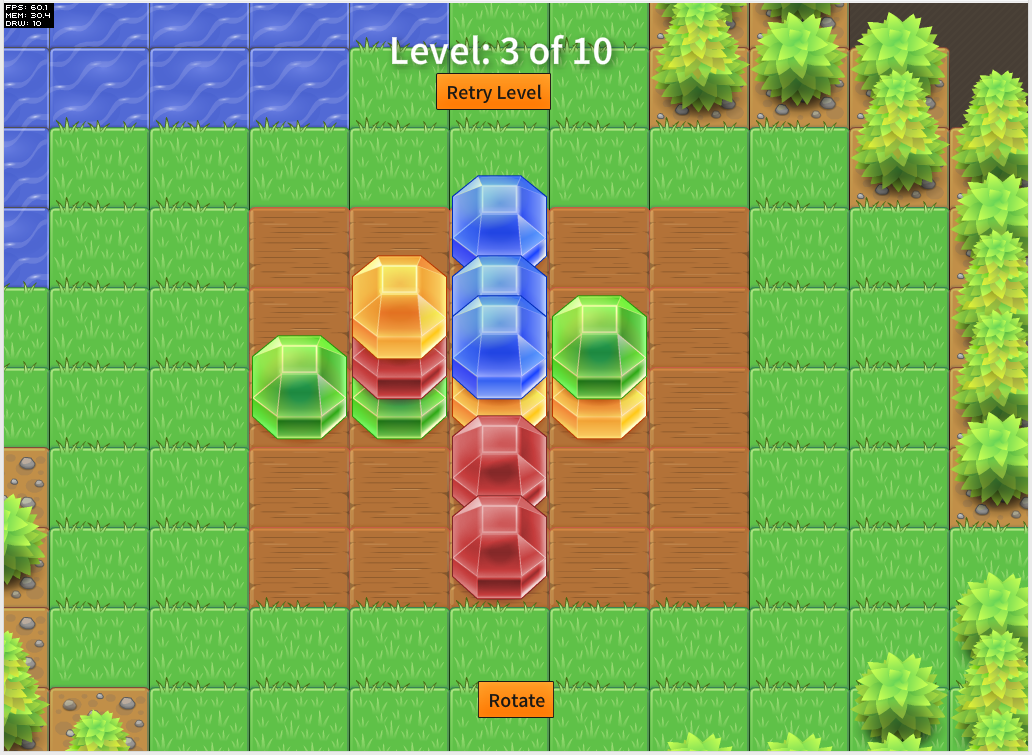
With this one I wanted to try my hand at a very popular game genre at the moment, match-three. Because this is a rather simple style of game I thought it would be really easy and fast to make. Wrong. I spent hours without touching a keyboard trying to come up with some novel twist on the genre.

I toyed around with a gem dropping mechanic but that didn't work so well, then I thought about how someone interacts with match-three games on mobile, by dragging the icons around. So I decided to base my game play on dragging gems around until they make a match.

I originally wanted a "mindless" match-three game like Montezuma, one where you play it as fast as you can without thinking too much about the moves. As I started developing the game play for this one however it seemed to fit a puzzle like game better so that's what I ended up with.

screenshot_01 screenshot_02

screenshot_03 screenshot_04

Anyways give it a go and let me know what you think:

Play The Family Jewels


This one took a little less time at the others at 31hours over 7 days, as per the other two I recorded my time spent:

17th April
11:00 - 12:00
15:00-18:00

20th April
10:00-12:00

21st April
13:00-17:00

22nd April
11:00-13:00
14:00-16:00
20:00-21:00

23rd April
11:00-16:00

24th April
11:00-16:00
18:00-21:00

25th April
11:00-12:00

Well that's the end of my challenge! Im surprised I managed to do it. A little over a week per game seems like hardly any time at all but having that time restriction really is good as it helps to limit your scope, preventing the game from ballooning out into something that could otherwise have taken months and still not have been any fun to play.

As for the tools I used. I used Richard Lord's excellent Ash Game Framework to develop them all alongside Starling with Feathers on top of Flash for the rendering. For rapidly prototyping games they have been excellent. Now im more familiar with Ash I may write a post or two about how to go about structuring certain parts of a game in an enitity-component like manner.

But for the next week or so I need to finish my packing before my mammoth trip to Central and South America.


Friday, 12 April 2013

The Three Game Challenge – Part 2 – A Cunning Plan

head

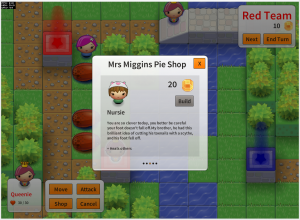
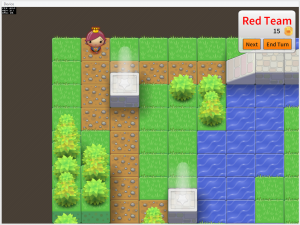
Another week, another game completed as part of my three prototype games challenge (part one, part three) I set myself at the start of this month.

For this one I decided on a type of game that I have been wanting to make for a while, a turn based strategy game. Many moons ago I used to play a J2ME (shudder) game called Ancient Empires. It was a great little game with lots of depth and replayabliltiy and I think it deserved a remake of sorts.

So here is "A Cunning Plan":

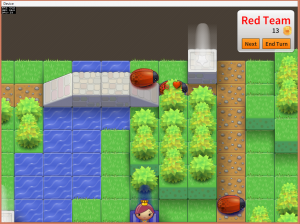
screenshot_16 screenshot_13
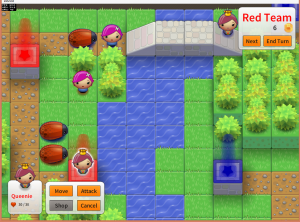
screenshot_14 screenshot_15

You can play the game here:

Play A Cunning Plan

This game was far more complex to create than Latesha's Crib and hence I spent about 43 hours over the last 9 days making this one.

I was able to save some time by reusing parts of the rendering and hopping logic from Latesha's Crib. As usual I used the  Ash Framework with Adobe Starling and Feathers. To code the AI for the computer player I used Tim Conkling's Excellent Godmode Behaviour Trees library which is truly an excellent AS3 library. The way Behaviour Trees work is really cool, I strongly recommend checking them out if you are going to design any sort of AI.

Special thanks go to Mike Rigby for helping with play testing and Ian Callaghan for suggesting I check out Behaviour Trees :)

Let me know what you think of it, if people are feeling it then I may turn it into a full-blown mobile game!

Again I recorded the my time spent making this one, heres the log:

4th April
9:30am - 2pm
3pm - 7pm

5th April
9:30am - 10:30am

6th April
12:00pm - 4pm (-1 for josh, -1 for lunch & spanish)

7th April
2pm - 19:30pm

8th April
1pm - 3:30pm (-1 spanish and lunch)
4pm - 6pm

9th April
3pm - 7pm

10th April
12pm - 7pm

11th April
9am - 10am
1pm - 6pm;

12th April
10am - 1:30pm

Wednesday, 3 April 2013

The Three Game Challenge - Part 1 - Latesha's Crib

head

Well I have just finished off the first of my three prototype games challenge (part two, part three) that I set myself last week.

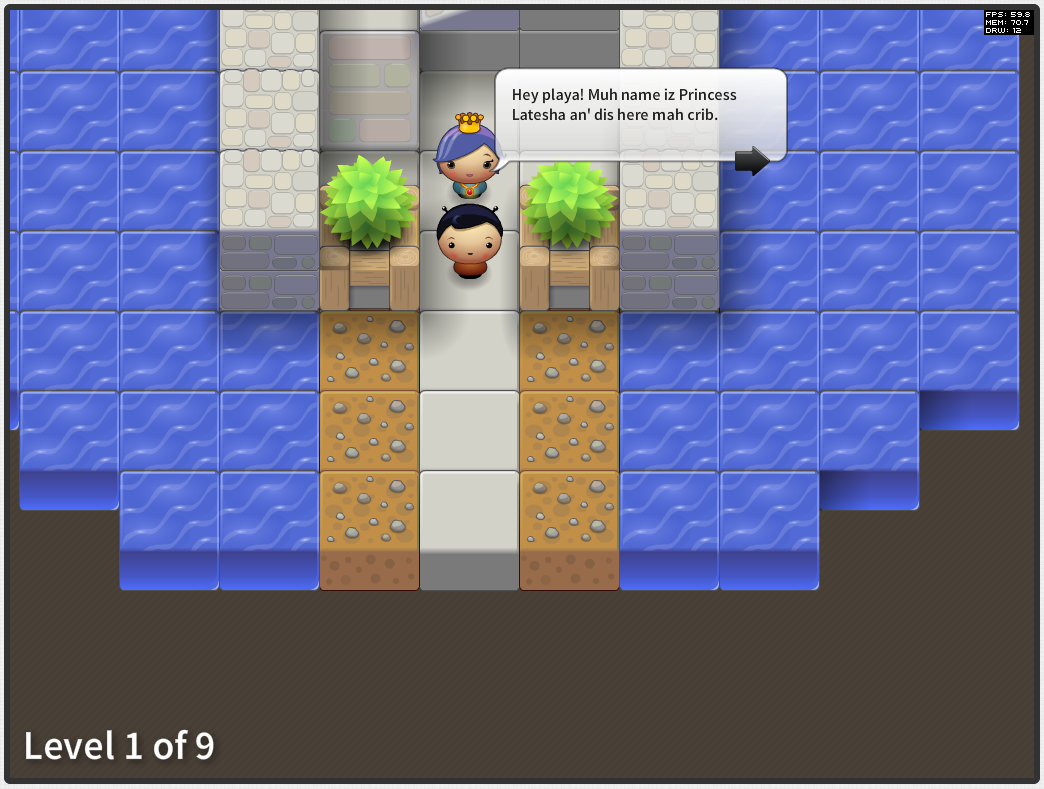
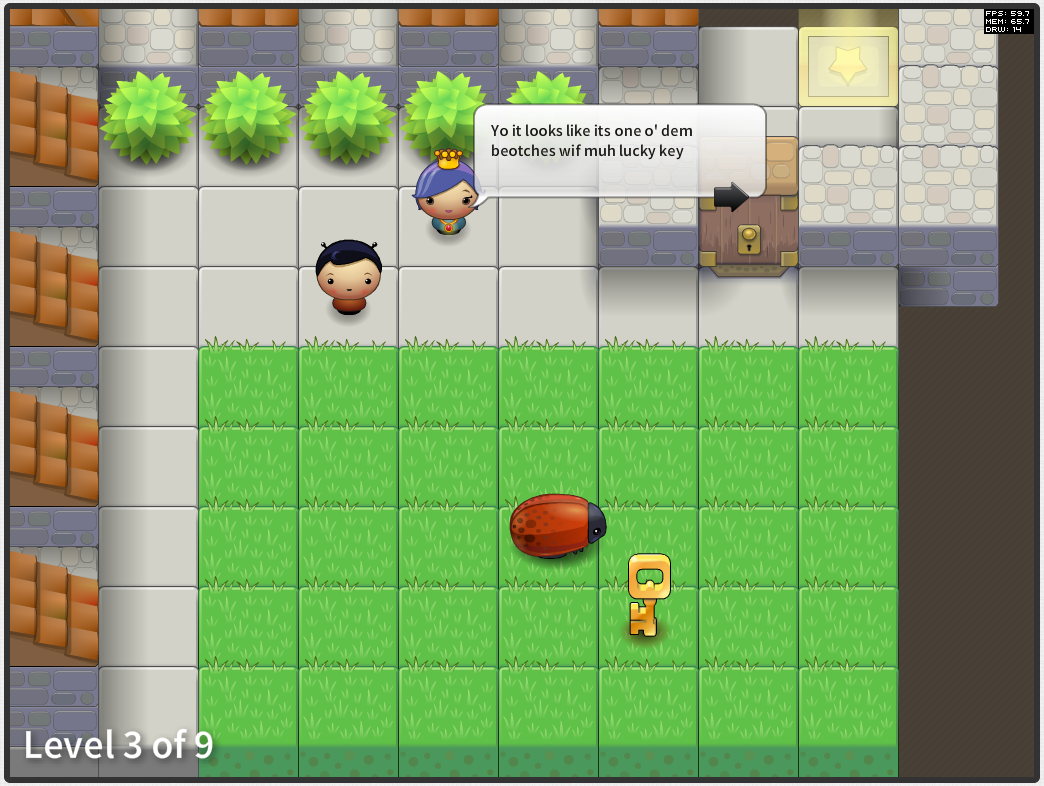
For this one I started off with an idea that I wanted to make a time-based puzzle game. Well it didn't turn out that way, also somewhere along the way I discovered an Ebonics Translator so I decided I would incorporate that for a giggle.

screenshot_05screenshot_06

screenshot_07screenshot_08

Anyways see what you think:

Play Latesha's Crib

In total I spent 31 hours over the last week making this over the past week:

26th March
3pm - 5pm

27th March
10am - 12pm
1pm - 5pm

28th March
10am - 11:30am
3pm - 8pm

29th March
2pm - 5pm

1st April
2pm - 6pm

2nd April
8am - 12pm
2pm - 3pm
5pm - 8pm

3rd April
9:30am - 10:30am
12:pm - 1pm

It was good fun tho I reached a point where I think I had sufficiently prototype the game play so it was time to move onto the next game :)

Let me know what you think. If people really like it then I may turn it into a full-blown mobile game!

Tuesday, 12 March 2013

Ectoplasm, a Game Made in 24 hours (ish)

head

Just before leaving Playdemic we had a company-wide ship-it-day. If you haven't done one of these before they are great and work very similar to game jams like Ludum Dare. Basically you have 24 hours to create something related to the company then you have to present it.

I decided to team up with Laura Whyte a rather excellent artist colleague I have have worked with for years. I knew I wanted to make a quick mobile game using Adobe AIR and Richard Lord's Ash framework but I didn't really have any idea of what game specifically I wanted to make. She had the brilliant idea of making a clone of the classic "helicopter" game that you control with your voice.

So that's what we made. Check out a video of my playing it below:


You will have to excuse the fact I do sound a little like a drunk owl at some points in there.

By the end of the 8-hour day we pretty much had a working game. Since then I have spent a few more evenings here and there tidying up the source code and fixing a few bugs and submitting a build to Apple and Google. In total I would say that 24-hours is a fair time frame for the development of the game.

As previously mentioned we developed the game using Adobe AIR and Ash. The reason being was that I had previously experimented with cross-platform game development with Mr Nibbles which was coded in Haxe and NME and I was keen to see how AIR would compare.

Im pleased to say it held up very well. Where I had a little difficulty was with the Ash Framework. Its a great framework however its still rather new and there aren't many examples out there for how to do certain parts of the game development such as menus and event handling. For this reason I have decided to open source the game so that others can have a look at how I went about constructing parts of the game in Ash.

Ectoplasm source: https://github.com/mikecann/Ectoplasm

I plan on refining the source as I have discussions with others on the Ash Mailing List about how best to go about implementing some of the features, so I suspect that source code may change over the coming weeks.

Because the game is cross-platform that means that it will be accessible on the Apple App Store and Google Play store as soon as it gets approved, for now however you can play the web version over at: http://mikecann.co.uk/projects/ectoplasm/


You may want to toggle your microphone settings (or disable the microphone entirely ;))

Tuesday, 5 March 2013

PostToTumblr v3.18 - Fixed Tumblr oauth change

head


Just a quick update to say I have now fixed the authentication issue my PostToTumblr that quite a few people contacted me about.

What was going on was that Tumblr appear to have changed the format of the data they return from a token request which was causing a library that PostToTumblr relies on to fail.

Before PostToTumblr can post content on a users behalf it first must get an "access token". This token is given to PostToTumblr as part of the authentication flow.

When PostToTumblr first starts up it checks to see if it still has a valid token (they can expire over time and other various reasons). If it doesnt it must go through the authentication flow. Firstly it redirects the user to the grant permission dialog:

screenshot_02

When the user clicks allow Tumblr then returns an "oauth token" and an "oauth verifier" to PostToTumblr, which it can then use to get an "access token" which is used to do the posting.

The problem that this update fixed was that the "oauth verifier" that was returned from Tumblr changed:

screenshot_03

You see at the end of the query string there is now a "#_=_" well this was causing havoc with the URL parameter parsing code in the Google oauth library I was using.

My solution is quick and dirty, just strip out the "#_=_" from the url while parsing:
// MIKE HACK!!	  
if(param.indexOf('oauth_verifier=')!=-1)
{
param = param.replace('oauth_verifier=','');
param = param.replace('#_=_','');
decoded['oauth_verifier'] = ChromeExOAuth.fromRfc3986(param);
}
else
{
var keyval = param.split("=");
if (keyval.length == 2) {
var key = ChromeExOAuth.fromRfc3986(keyval[0]);
var val = ChromeExOAuth.fromRfc3986(keyval[1]);
decoded[key] = val;
}
}


Well I hope this helps anyone else that may encounter this issue too!

Thursday, 14 February 2013

Tinkering With Ash

Last October I was fortunate enough to attend the excellent Try Harder conference for the second time. I have spoken before about how inspirational the event is where every attendant must give a talk on something they are passionate about. One of the talks was by David Wagner's and was on 'The Value of Tinkering' and it inspired me to tinker with TypeScript which led to my Recursive Chrome Extension.

Before I go any further I should mention that there is a Try Harder 'Level Up' session taking place in April that is open to new attendees, I thoroughly recommend you check it out!

Following on in the same 'Tinkering' vein I have decided to investigate an AS3 library by another Try Harder attendee Richard Lord:

logo


What is Ash? Well direct from the Ash Website:
Ash is a high-performance entity system framework for game development.

An entity system is a way to organise the code for a game that is efficient for both code execution and code management. It uses composition rather than inheritance for sharing features between game objects and uses a data-oriented approach to separate the game state from the game logic. This makes it much easier to manage the code and to manage the game state.

Im not going to go into the details too much of why composition over inheritance is a good idea as Richard has already done a much better job than I ever could in these two posts:

If you haven't got a clue what im talking about when I say Entity or Component I strongly recommend checking out his posts first.

The reason why Ash has piqued my interest is because for the last three years I have been working with Entity-Component systems for games but in a totally different way. The way I have been using and developing started with the Push Button Engine (PBE) method and later expanded out to include Dependency Injection culminating in the Swft Framework.

Ill give one example of why am starting to fall in love with Ash:

In PBE and Swft the components contain data and functions. They can also declare dependencies (via [Inject]) which are automatically fulfilled when a component is added to an Entity. The functions in the component are able to act on their own data, other components and interact with the game as a whole.

One problem with this method is that components are largely tied to their entity and once attached aren't really free be removed or added. The reason is because other component may have dependencies that depend on that component being part of the Entity. Removing the component will cause the game to crash. This becomes a problem when you want to enable a certain chunk of functionality for a certain time then disable it, what you tend to end up doing is adding the component at Entity creation time then inside of it toggling its behaviour with a boolean.

In Ash components are pure data with the bulk of the functionality being contained within systems. Sure you can have functions in a component but they only act on their own data. There are no hard dependencies between components. What this means is that components are much more free to be added and removed from Entities. So how do component function together then? Well that's where Systems come in.

Systems are classes that contain the logic that makes up your game. When added to the engine they grab one or many lists of Nodes. A Node simply defines a collection of components that must exist on an Entity. In effect it declares the dependencies that this System needs to operate. What's neat about this is that this list of nodes is constantly changing as components are added and removed from entities. The Ash Engine manages this all for you so all the system need do is iterate over the linked list of Nodes each frame and execute its logic.

Systems also must not declare dependencies between each other. This rule means you don't end up with large dependency hierarchies between Systems. This frees up systems to be added and removed from the Engine with no side effects! This is rather remarkable as it lets you do crazy things that you couldn't normally do when there are many dependencies between systems. For example your game could have a Blitting based rendering system, then halfway through a running the game you could swap that out that System and replace it with a Starling based rendering System!

Thus far I have only spent a limited amount of time tinkering with Ash but I am having a whole lot of fun. I have started work on a little game to experiment around with the framework. At the same time I have been exploring Starling, the hardware accelerated 2D rendering framework built on Stage3D. Thus far I have produced this little map editor:


Click to place a block, shift and click to remove, scroll mouse to change block type and hold control and click to zoom in / out.

Its only a tech demo at the moment and as such hasnt got any game play elements. Im not entirely sure what to turn it into but as a platform for tinkering with Ash its been great.

Its too early to share the code at the moment but if you would like to see how some Ash code looks I strongly recommend you check out Richard's Asteroids example on GitHub. I was really quite taken aback by how neat and modular the code is. The example is provided in 4 different flavours, one using RobotLegs one with Starling one with SwiftSuspenders and one with no dependencies at all. The fact that the code still works and looks simple in all the examples really demonstrates the versatility of the framework :)

Saturday, 29 December 2012

Recursive, Nuts & Bolts Part 3 - Rendering the Results (3 of 3)

screenshot_01

This is part two of my three part series on the internals of Recursive, an extension for Chrome. In the first post I talked about the general structure of Recursive and some of the lessons I learnt from dealing with Typescript. In the second post I discussed how Recursive goes about crawling and parsing the web. In this, the final post, i'm going to talk about how Recursive represents, lays out and renders that crawled data on the screen.

Code Structure


As mentioned in the first post in the series I have tried to keep the rendering logic as separate as possible from the actual crawling logic. This separation between the renderer and the crawler makes things simpler to understand in the code. The crawler is a model and the renderer is the view. The renderer simply displays whatever state the model contains.

Representation


The question how to represent all the masses of data that the crawling process generates was tricky to decide upon and took quite a bit of tinkering before it ended up in its current form. I first toyed with the idea of displaying the data as a simple list of links where each list represents the next depth in the recurse, I demonstrated this concept in an early video:


The problem, as can be seen in the above, is that there is still far too much data to display in that manner. I also wanted something that was more immediately visual, something that lets you see relative importance of nodes in the graph at a glance, simple lists of links couldn't provide this.

I remembered when I first launched Chrome Crawler a while back someone sent a video in which they had cleverly used Chrome Crawler and the open-source graphing program Gephi to great effect:


When thinking about the problem of how to represent the data I was aware that a key difficulty was representing the relative importance of nodes and edges in the crawl graph but not to swamp the user with too much information. I eventually decided that grouping pages and files together under the domains that the crawler found them would be a good way of giving a sense of the relative size of each domain and the number and type of files found there.

screenshot_02

Nodes, I decided, would be joined by a single line from the parent domain that crawled it. This way there wouldn't be too many confusing lines on the render yet you could still see how various domains were connected.

Layout


Once I had the idea how I was going to represent the data from the crawler it was then a matter of working out how to lay out the nodes. I knew that the nodes were going to be circles and I knew that I didn't want them to overlap, I also wanted a dynamic looking graph (like the one in Gephi video above).

To achieve this I decided to use Box2D the popular physics engine to take some of the difficulties with positioning away for me. Using Box2D each edge between the nodes is a distance joint and the nodes themselves are simple circle shapes. Then I just let the simulation run and the nodes move and naturally try to separate from each other.

screenshot_03

This solution worked in some situation however it was sub-optimal in others. The problem is that because each crawl is different you can end up in situations where there are many small nodes grouped about a parent or a few very large nodes:

ScreenHunter_01 Dec. 27 12.49

I spent a good long while trying to ‘frig’ it so that the length of the distance joints between the nodes were right in most instances so that the nodes didn't overlap. The code was starting to look really messy and complex incorporating rules that depended on the number of children / siblings, the relative size of the nodes, the total length of the sibling nodes, the area values with proportion to the total area and so on.

No matter how many times I multiplied here, divided here I couldn't hack it into a form that worked for every crawl. So I decided to go back to the drawing board and rethink the layout problem.

ScreenHunter_02 Dec. 27 12.54

After some scribbling I decided that what I needed to calculate was the total amount of space required for a node and the amount of space its parent had to allocate to fit it. Once I could correctly calculate those two it should be a relatively simple matter of spacing child nodes correctly about their parent.

I also noted that each node’s required area is simply the recursive sum of the space required by its children:

ScreenHunter_03 Dec. 27 12.59

At the smallest scale the total space required by a single node is just its radius. If you add a child to that node then total space required is the nodes radius plus a constant distance plus the diameter of the child.

ScreenHunter_04 Dec. 27 13.00

As you add more children however you run into the problem that there won't be enough space about the parent:

ScreenHunter_05 Dec. 27 13.02

So now you must layer those children into concentric rings so that there is definitely enough space for each child. So how to do that. Well that was the tricky part and required some trigonometry (just about the only thing I remembered from high school maths).

ScreenHunter_06 Dec. 27 13.13

Because we know the distance between the centre of the child and its parent and we know the radius of the child we can calculate the angle between two lines that extend from the parent and lie on points on the outside of the child’s radius and are perpendicular to the child's centre.

When we have this angle its a simple matter of looping through all of the (sorted smallest to largest) children adding up the angle required until you reach the maximum 360 degrees. Then you increase the distance between the parent by the diameter of the last node and start again on the second layer of children. This way you can guarantee that every child will have sufficient space about the parent.

ScreenHunter_01 Dec. 29 12.31

Rendering


I knew that the graph would get very large and would be complex to render so performance was critical. I didn't want to spend ages messing around with WebGL, having done some before I knew that potentially it could take a lot longer than the relatively simple canvas2d. Because Chrome has a hardware accelerated canvas2d I reasoned that the performance should be okay.

Unfortunately even on a decent machine, the rendering is still rather slow, so that you usually cant crawl beyond about a depth of 3. I tried all the common tips and tricks that can be found on the internet such as minimizing context switches when drawing lines and circles and caching commonly drawn things together in an image so that there are fewer draw calls. I even tried to assist chrome by putting the icons on one large image sheet, thinking it would be represented by a single texture behind the scenes thus minimise context switches when rendering to the GPU.

It seems however, that if you want performance in the browser you are going to have to go with WebGL.

Improvements


Given more time it would be nice to explore swapping out the 2d rendering pipeline with a purely 3d one using WebGL, that should increase the speed of things a great deal. One idea is I could use point-sprite particles to render each icon within a 3d graph with wireframe lines to represent the edges between the nodes.

I did some work on point sprite particles in WebGL a little while ago so I know it should be possible to render millions (literally) of nodes and edges that way.

Finally


Well thats the end of my series on the internals of Recursive, I hope you have enjoyed it. I haven't decided whether I want to release the source code just yet, I may return to the project in the future, but if you are interested in looking over the code send me an email: mike.cann@gmail.com

Thursday, 27 December 2012

Recursive, Nuts & Bolts Part 2 - Crawling the World Wide Web (2 of 3)

screenshot_05

This is part two of my three part series on the internals of Recursive, an extension for Google Chrome. In the first post I laid the groundwork for the contents of this and the next post. In this post i'm going to talk a little about what Recursive does internally once given  a URL.

Chrome Crawler


Recursive is actually based on an extension called Chrome Crawler I wrote about a year ago, but I had to change the name of due to Google's branding policy for Chrome Extensions. So although Recursive was rewritten from the ground up, a lot of the ideas discussed below stem from that project.

Cross-Origin XMLHttpRequest


Much in the same way that search engine crawlers work, Recursive, downloads a url, scans it for links then recursively follows them.

Normally this sort of behaviour isn’t permitted to Javascript (or Flash for that matter) when running within a web page due to the Same Origin Policy without specific permission from the server you are calling. Chrome extensions however don't have this restriction and thus (with permission given in the extension manifest) the extension is able to download content from any server.

This special behaviour is called the Cross-Origin XMLHttpRequest and is what allows Recursive to work its magic.

Code Structure


As briefly mentioned in the previous post the Crawling logic is separated from the Rendering logic. This differs from how Chrome Crawler was implemented where he rendering and crawling logic were mushed together. This separation took a little more thought and planning the result however is that the crawling logic makes much more sense and doesn't contain anything that doesn't purely pertain to the logic and data involved with crawling.

The crawling code is split up into three main files the Graph, the Crawler and the Parser.

screenshot_06

The Graph is the central class that drives the crawling process. Only one of these exists for the application. It provides a number of functions for starting, stopping and pausing the crawling process. It also has a number of events (exposed through signals) that it uses to let listeners (the renderer) know when a particular event occurs.

The Crawler represents a single crawl instance. Its responsibility is to follow a single URL then report when it progresses, returns or errors. The Parser takes the returned HTML from the Crawler and scans it looking for links and files. It then returns the results which are then stored in the Crawler instance.

Parsing Problems


One issue I encountered while developing Recursive (and Chrome Crawler) was the performance and security issues involved with parsing the HTML returned from the crawl. The way I originally handled this was to pass the entire HTML to JQuery then ask it for all ‘src’ and ‘href’ attributes:

[codesyntax lang="javascript" lines="normal"]
function getAllLinksOnPage(page)
{
var links = new Array();
$(page).find('[src]').each(function(){ links.push($(this).attr('src')); });
$(page).find('[href]').each(function(){ links.push($(this).attr('href')) });
return links;
}

[/codesyntax]

The problem with this is that behind the scenes jQuery is constructing a DOM which it uses for querying. Normally this is what you want, but in this instance its a problem because its rather slow process, also the browser executes the script tags and other elements when it generates the DOM. The result of which is the crawling is really slow and there were many security errors generated while crawling.

The solution was to use regex to parse the HTML and look for the attributes manually like so:

[codesyntax lang="javascript" lines="normal"]
var links = new string[];

// Grab all HREF links
var results = c.pageHTML.match(/href\s*=\s*"([^"]*)/g);
if (results) results.forEach(s=>links.push(s.split("\"")[1]));

// And all SRC links
results = c.pageHTML.match(/src\s*=\s*"([^"]*)/g);
if (results) results.forEach(s=>links.push(s.split("\"")[1]));

[/codesyntax]

I was worried that the sheer amount of html text that must be parsed by the regex would result in things being really slow however it seems to hold up quite well, and is definitely not the bottle neck in the app.

Custom File Filter


One addition to the result parsing that was added in v.1.1 was the ability to define a custom file filter:

Screenshot_002

Enabling this adds a third regex call into the results parser. Any matches are added to the Crawler’s files as a special kind of file. When the user opens the files dialog all the matches are shown under a special category:

Screenshot_003

Improvements


Although the regex doesn't take very long to execute when parsing the HTML I had the thought that Javascript workers could be used to take advantage of the multiple cores that are present in most CPUs these days. Perhaps if I decide to perform some more complex sort of parsing i'll revisit this idea.

Finally


Thats about it for part two of my three part discussion on some of the internals of Recursive. Head over to the third part to find out more about the layout and rendering of the returned data.

Sunday, 23 December 2012

Recursive, Nuts & Bolts Part 1 - A Typescript Chrome Extension (1 of 3)

screenshot_04

As promised I have decided to write a few blog posts on some of the technology behind my recently release Chrome extension Recursive.

Because there is quite a lot to cover, the discussion is going to be split over three posts. The first part is about the structure of the extension, Typescript and other tools and tech employed. The second will cover the actual recursing / crawling part of the extension. In the final part i'll talk about how I went about representing, laying out and rendering all the data that the crawling part generates.

With that out the way lets get on with the show..

General Page Layout


When a user open a new tab or browses a new page in Chrome a background script in Recursive inspects the URL you are visiting and so long as it is of type http:// or https:// it will add a small icon to the omni bar:

screenshot_02

Clicking this button opens up a new tab with the Recursive app inside. The app consists of a single HTML document “app.htm” with all of the logic split up into multiple Javascript files which mirror the Typescript files that were used to generate them (more on that below).

Twitter Bootstrap


Recursive is the first project I have had the opportunity to use Twitter’s Bootstrap. Bootstrap takes much of the pain (I tend to suffer from) out of generating a decent looking HTML interface. Because of it ubiquity it can cause a lot of sites to look very samey, for Recursive however I wasn't interested in spending all that much time making a unique looking interface so the default style suited me just fine.

General Code Structure


There are three main parts of the application; the HTML and its associated controlling logic (jQuery stuff), the crawling logic and the rendering logic. I have attempted to keep the three parts of the application as separate as possible. The reason being that hopefully it will make things easier in the future should I ever wish to swap out one of these features, for example swapping the canvas2d renderer with a 3d one.

Typescript Code Structure


I have already mentioned in a previous post that I took advantage of the new language Typescript from Microsoft to build Recursive. I won't reiterate the reasons I really like Typescript (I should be paid for my evangelizing :P), go check out my previous post if you are interested in hearing my thoughts on the language.

The way I have structured things in Recursive is to have a central context / entry point in the form of a file called app.ts. This file lives in the root of the project and I use it as a sort of globals file. I know, I know what you are thinking, “Globals! Mike, you should know better!”. In this instance however I think because Recursive is a standable app inside an extension it is unlikely to conflict with any other JS (supposing the libraries I use dont declare any global variables). Besides I don't like the alternative that involves using RequireJS or AMD due to all the magic strings and non-type safety involved.

screenshot_03

App.ts also contains references to every other typescript file in the app. This means that when a new TS file is created I only have to add a single reference back to app.ts and all the classes and types contained in the other files will be available (this solution actually feels kind of icky, much in the same way as globals do, but one of the samples on the Typescript homepage uses this ‘driver’ method so I guess its okay!).

One thing you have to remember with this 'driver' method is that every time you create a new TS file, you must also manually add the generated JS file to the html page. Also you must insert the JS files in the correct order in the page head else the types won't be available when the script is loaded. It would be nice if I could just have included app.js in the html page and then have all other .js files automatically added in the correct order for me. This is what RequireJS is supposed to do for you I guess. Another solution would be to use source-maps to map to the original Typescript code (when debugging in chrome) however I had a great difficulty with getting this to work in Chrome so decided to move on.

One important lesson I learnt while working with Typescript on Recursive and with working with JS in general is to try not to fight it too much. Just because you have type safety doesn't mean you HAVE to make everything type safe all the time, particularly if its going to take you hours to implement it in a type safe way. Just because you can separate all your classes out into separate files doesn’t mean you have to, sometimes it makes more sense and is easier to implement if a few enums or helper classes sit inside the same file.

L-System


Finally, as a little extra I decided to put in a splash screen when you first start up Recursive:

screenshot1

While designing this I was also trying to come up with a logo and name for the app. I was toying with the name Recursive and it got me thinking about fractals and L-Systems. As I am easily distracted I decided to quicky have a go at writing an L-System for the splash screen. It wasn't hard to implement but tweaking all the parameters turned out to be a lot more fun than I was expecting so I spent most of one Sunday evening just playing with it :P

Finally


Well that's about it for the first part of my discussion on the internals of Recursive. This post didn’t didn't contain too many details on what Recursive actually does and how it does it rather it was intended to lay the groundwork for those topics in the next two posts. So stick around for those coming up in the next few days!

Tuesday, 4 December 2012

Recursive - Explore the endless web


Wow, well that took longer than expected! 44 days ago I blogged that I had started work on a second version of my Chrome Crawler extension and have only just managed to get it to a state I was happy with enough to release it. To be fair I had been on a trip to New York during that period so perhaps I can be excused. Having said that however I think the time has been well spent and am fairly proud of the result.

TL;DR


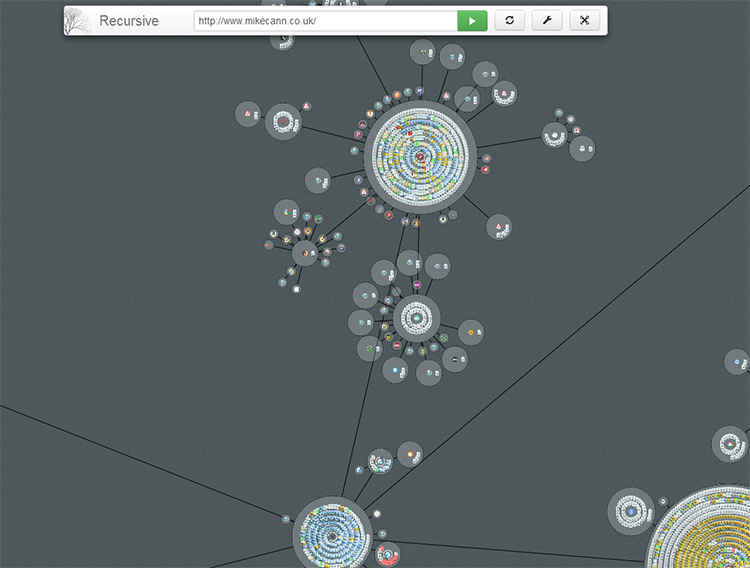
Recursive is an experimental tool for visualising the world wide web. Given a URL it downloads the page search for links and then recursively downloads those. The information is then displayed in a node-based graph.

The Name


So what's this all about? Why is it called 'Recursive', why not 'Chrome Crawler 2'?

Although I would like to have called the spiritual successor to 'Chrome Crawler', 'Chrome Crawler 2' Chrome's branding guidelines forbid using the Chrome name or logo (they brought this in since the launch of Chrome Crawler 1).

With that in mind I decided that rather bend Chrome Crawler's name and logo to fit the guidelines I would create a whole new logo, name and app. The app is a total rewrite from the previous iteration anyway so I thought it justified.

According to dictionary.com there is no definition for "Recursive" or "Recurse" but there is one for "Recursion":
2. the application of a function to its own values to generate an infinite sequence of values.

So a tool that downloads pages, follows the links on that page to download other pages seemed like a rather apt description of something that is "Recursive".

Video


Before I go much further, I put together this little video demonstrating some of the extensions core functionality:


Installing


Installing and upgrading is dead simple thanks to how Google Chrome's extension system works. Just head over to this link and hit install:

https://chrome.google.com/webstore/detail/recursive/hbgbcmcmpiiciafmolmoapfgegbhbmcc

Then to launch it visit any website and hit the little icon in the Omnibox:


How it works


Recursive works by taking in a starting URL which it uses to download the page it points to:


Once that page is downloaded Recursive parses it looking for links and files. If it finds things it thinks are files then it records them against that URL. It then proceeds to visit all the links in turn, downloading the page then parsing the for yet more files and links.

This cycle continues until a certain "depth" is reached which is the maximum number of links away from the starting URL. You can set the maximum depth allowed in the settings:


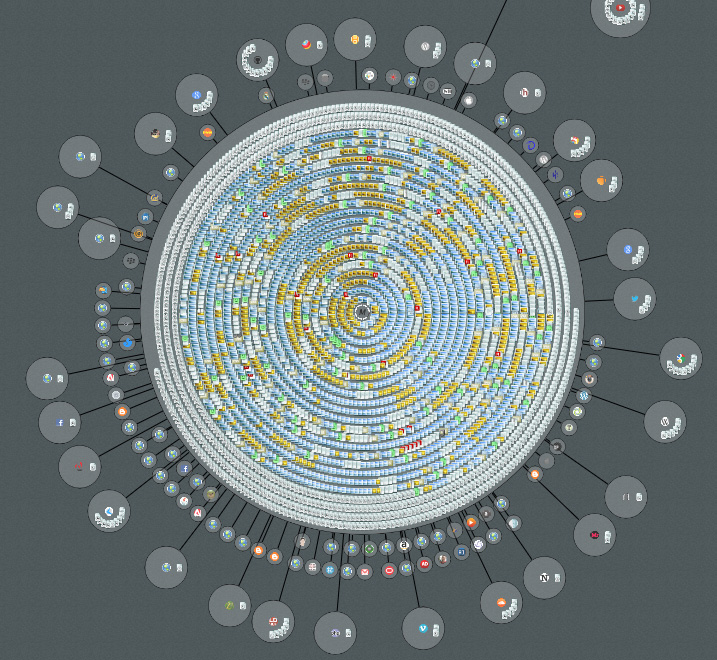
One of the key improvements of Recursive over Chrome Crawler is the way it visualises the data as it is returned:


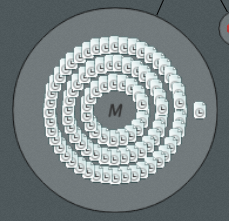
Every page is grouped by its domain and is represented by a circular "node".


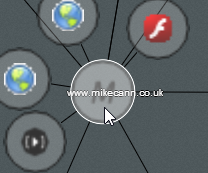
So for example "http://mikecann.co.uk/personal-project/tinkering-with-typescript/" would be grouped under the "mikecann.co.uk" domain. Any other pages found while running that match this domain are added as little page icons inside the host node.


Any files that are found on a given page are given an appropriate icon and added to that page's domain node.


As Recursive downloads pages and follows links it records the path it takes. It then draws lines between the nodes that are linked:


Interacting


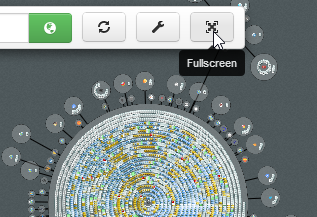
Using the mouse wheel you can zoom in and out to get a better perspective. Click and drag to move about the recursive space. You can also run the app in fullscreen if you so desire.


If you click on a node it tells Recursive to explore that node for one extra level depth.

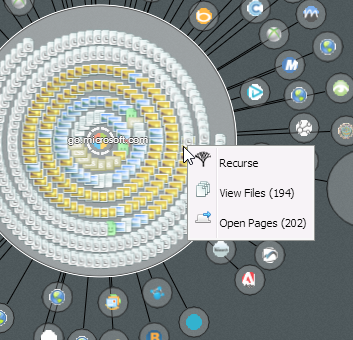
Right clicking a node opens a menu that lets you either open all the pages contained in that node or view the files for that node.


Files


By using the context menu for a node you can checkout all the files that Recursive found for that node. The files are separated into various categories which you can toggle on or off:


Then if you wish you can download all the files as a zip.

The tech


I think i'll leave this section for the next blog post as this one is long enough already.

If you would like specific info on the tech in the meantime however or have some suggestions for features then don't hesitate to contact me: mike.cann@gmail.com

Well that's about it hope you like it. I had a blast making it even if it did take alot longer than I was expecting. It doesn't have much purpose really but there is a lot of cool new tech in there, which is reason enough to make it surely?