Showing posts with label Chrome Crawler. Show all posts

Tuesday, 4 December 2012

Recursive - Explore the endless web


Wow, well that took longer than expected! 44 days ago I blogged that I had started work on a second version of my Chrome Crawler extension and have only just managed to get it to a state I was happy with enough to release it. To be fair I had been on a trip to New York during that period so perhaps I can be excused. Having said that however I think the time has been well spent and am fairly proud of the result.

TL;DR


Recursive is an experimental tool for visualising the world wide web. Given a URL it downloads the page search for links and then recursively downloads those. The information is then displayed in a node-based graph.

The Name


So what's this all about? Why is it called 'Recursive', why not 'Chrome Crawler 2'?

Although I would like to have called the spiritual successor to 'Chrome Crawler', 'Chrome Crawler 2' Chrome's branding guidelines forbid using the Chrome name or logo (they brought this in since the launch of Chrome Crawler 1).

With that in mind I decided that rather bend Chrome Crawler's name and logo to fit the guidelines I would create a whole new logo, name and app. The app is a total rewrite from the previous iteration anyway so I thought it justified.

According to dictionary.com there is no definition for "Recursive" or "Recurse" but there is one for "Recursion":
2. the application of a function to its own values to generate an infinite sequence of values.

So a tool that downloads pages, follows the links on that page to download other pages seemed like a rather apt description of something that is "Recursive".

Video


Before I go much further, I put together this little video demonstrating some of the extensions core functionality:


Installing


Installing and upgrading is dead simple thanks to how Google Chrome's extension system works. Just head over to this link and hit install:

https://chrome.google.com/webstore/detail/recursive/hbgbcmcmpiiciafmolmoapfgegbhbmcc

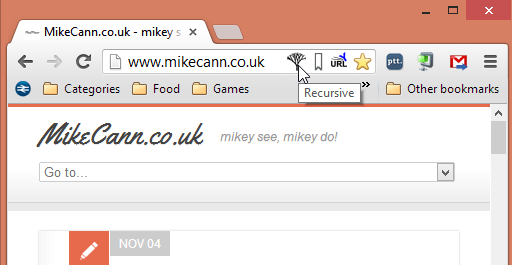
Then to launch it visit any website and hit the little icon in the Omnibox:


How it works


Recursive works by taking in a starting URL which it uses to download the page it points to:


Once that page is downloaded Recursive parses it looking for links and files. If it finds things it thinks are files then it records them against that URL. It then proceeds to visit all the links in turn, downloading the page then parsing the for yet more files and links.

This cycle continues until a certain "depth" is reached which is the maximum number of links away from the starting URL. You can set the maximum depth allowed in the settings:


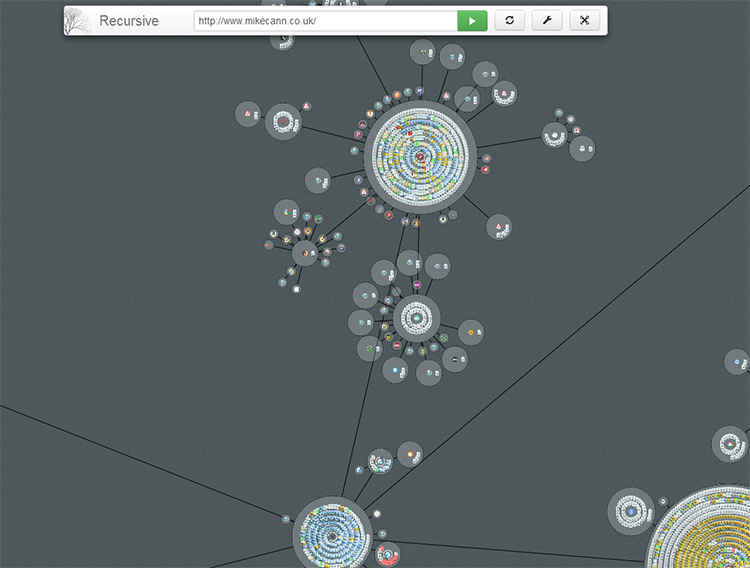
One of the key improvements of Recursive over Chrome Crawler is the way it visualises the data as it is returned:


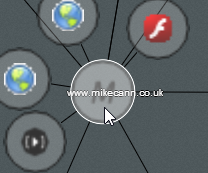
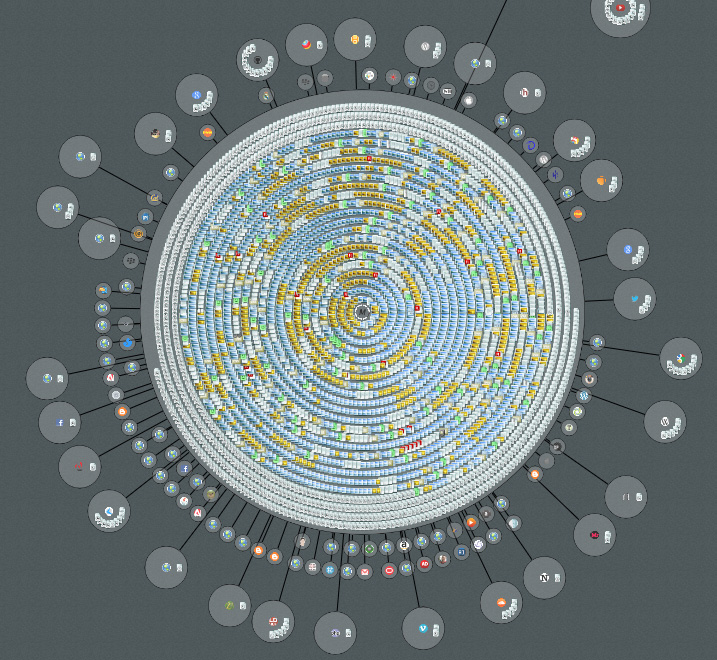
Every page is grouped by its domain and is represented by a circular "node".


So for example "http://mikecann.co.uk/personal-project/tinkering-with-typescript/" would be grouped under the "mikecann.co.uk" domain. Any other pages found while running that match this domain are added as little page icons inside the host node.


Any files that are found on a given page are given an appropriate icon and added to that page's domain node.


As Recursive downloads pages and follows links it records the path it takes. It then draws lines between the nodes that are linked:


Interacting


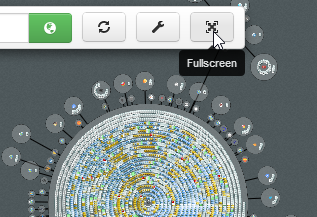
Using the mouse wheel you can zoom in and out to get a better perspective. Click and drag to move about the recursive space. You can also run the app in fullscreen if you so desire.


If you click on a node it tells Recursive to explore that node for one extra level depth.

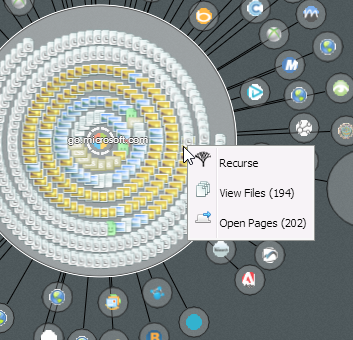
Right clicking a node opens a menu that lets you either open all the pages contained in that node or view the files for that node.


Files


By using the context menu for a node you can checkout all the files that Recursive found for that node. The files are separated into various categories which you can toggle on or off:


Then if you wish you can download all the files as a zip.

The tech


I think i'll leave this section for the next blog post as this one is long enough already.

If you would like specific info on the tech in the meantime however or have some suggestions for features then don't hesitate to contact me: mike.cann@gmail.com

Well that's about it hope you like it. I had a blast making it even if it did take alot longer than I was expecting. It doesn't have much purpose really but there is a lot of cool new tech in there, which is reason enough to make it surely?

Friday, 19 October 2012

Tinkering With TypeScript


In the spirit of David Wagner's try { harder } talk on 'the value of tinkering' I decided to do a little tinkering with a new language from Microsoft called TypeScript.

TypeScript attracted me for three reasons. Its the new project from Anders Hejlsberg the creator of C#, it brings type safety to JavaScript and im a sucker for new technology.

TypeScript is basically a superset of Javascript much in the same way C++ is to C. So every single JS project is a valid TS project. This is good if you are familiar with JS already, you should be able to pick up TS fast and then get to grips with the other cool bits it bring.

TS compiles down to JS much in the same way that that JS target of Haxe compiles down to JS. Unlike Haxe however the generated code is much more readable and so although there is no integrated debugger (yet) you can just use Chrome's developer console to debug with without too much pain.

Before I get too much more into the specifics of the language I want to mention the project I am tinkering with TS for. A while back I wrote an extension for Chrome called Chrome Crawler. It is a rather simplistic web crawler written in JS and released as a Chrome extension (because of the cross-domain scripting limitations with normal JS).

Over the intervening couple of years I have returned to the project on occasion with an idea to do a second version, however I never actually completed one. So I thought it may be nice if I gave it a go again but this time using TypeScript and at the same time see how it compares to the Haxe JS target.

Chrome Crawler v2 isnt ready for release but checkout the quick video I put together below to see how its coming along:


The original idea was to lay out the crawling in a left to right fashion. So each crawl depth is put in its own column, but as you can probably tell from the video above, things start getting a little unmanageable when you get to just level 3 of crawler depth. So I think im going to have to rethink how I display the nodes in the crawl graph. I have some ideas, but that's going to have to wait until I return from my trip to NY next week.

More on that in later posts, lets take a look at a few key TypeScript features:

Typing


One of the key features of TypeScript is that it allows you to structure your code in a type-safe way. You can declare Classes, interfaces (inequivalent to typedef in Haxe) and modules as types then use them later.

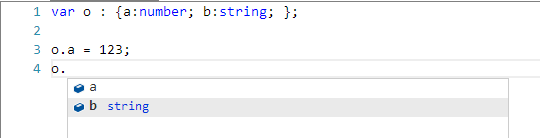
TS also has structural typing so you can define a structure as part of a function or variable definition without first declaring a Class or Interface for it. For example:


This is great for many reasons but the big one for me is the way it assists tooling particularly when coupled with the excellent VisualStudio 2012 you get all the things you would expect such as intellisense, go to definition, find references and refactoring. For me it takes much of the pain out of the dynamic nature of JS.

As with AS3 and Haxe typing is optional. You can if you wish declare everything as "any" (dynamic in Haxe or * in AS3). Doing so however would forfeit many of the strengths of TS.

Like Haxe you can 'define' things as being available at runtime, this means you can reuse existing JS libraries without having to totally rewrite them in TS. By declaring an "interface" you can just tell the compiler that this type will exist at runtime (we did this with extern's in Haxe) and thus you can use the existing library in a type-safe way. For example here is a definition for the Facebook SDK:

https://github.com/mientjan/typescript-facebook-definition/blob/master/facebook.d.ts

Alot of the type-safe TS stuff is familiar to me because of Haxe. I think some things in TS are nicer fit because its only designed to compile to JS unlike Haxe which can compile to many different languages. For example TS has function overriding baked into the language also strongly typed functions in my option are a little nicer:

[codesyntax lang="text" lines="normal"]

(index: any, domElement: Element) => any

[/codesyntax]

is a function type that takes in two params and returns anything (including void), its Haxe inequivalent:

[codesyntax lang="text" lines="normal"]

Dynamic -> Element -> Dynamic

[/codesyntax]

These things however are just my opinion, but it does tie nicely into one of my favourite features of TypeScript...

Lambda Functions


Lambda functions are basically syntactical sugar to anonymous function definitions so instead of:

[codesyntax lang="javascript" lines="normal"]

var fn = function(a, b) { return a+b; }

[/codesyntax]

You could write this as:

[codesyntax lang="javascript" lines="normal"]

var fn = (a, b) => a+b;

[/codesyntax]

Which is really nice when looping over arrays:

[codesyntax lang="javascript" lines="normal"]

var a = [4,2,1,6,5];
a.sort((a,b)=>a-b).forEach(i=>console.log(i));

[/codesyntax]

Because TS uses type-inference all the variables in the above are type safe. I really love how terse this syntax is and have had quite a few discussions about introducing it into Haxe.

There is one big difference between function() and lambda definitions however and that is the way they handle scoping of "this".

For example take this example from the javascriptplayground.com blog post:

[codesyntax lang="javascript" lines="normal"]

$("myLink").on("click", function() {
console.log(this); //points to myLink (as expected)
$.ajax({
//ajax set up
success: function() {
console.log(this); //points to the global object. Huh?
}
});
});

[/codesyntax]

This is a common gotcha in JS coding and the usual solution is to do something like the following:

[codesyntax lang="javascript" lines="normal"]

$("myLink").on("click", function() {
console.log(this); //points to myLink (as expected)
var _this = this; //store reference
$.ajax({
//ajax set up
success: function() {
console.log(this); //points to the global object. Huh?
console.log(_this); //better!
}
});
});

[/codesyntax]

In TypeScript lambda functions "this" is scoped to the block in which the lambda was defined so the above can be written more simply as:

[codesyntax lang="javascript" lines="normal"]

$("myLink").on("click", function() {
console.log(this); // points to myLink (as expected)
$.ajax({
success: () => console.log(this); // points to myLink
});
});

[/codesyntax]

this.


One minor thing that does annoy be about TS is the necessity to put "this." in front of every single member variable access. For example:

[codesyntax lang="javascript" lines="normal"]

class Crawler {
constructor(private url:string){}

crawl(){
console.log(url); // error
console.log(this.url) // okay
}
}

[/codesyntax]

Some may consider it rather minor but I find it annoying coming from a Haxe / AS3 / C# perspective where member variable access is implied. I guess the reasoning is because in JS if you dont supply a var before a variable declaration / usage you are referring to global scope, thus in that above example "console.log(url);" would be trying to log global.url which is undefined.

Tooling


The tooling support for TS is pretty good so far. Visual Studio has a plugin for the language and has reasonably good support. There is still quite a bit of room for improvement here however. Things such as integrated debugging, code generation for functions event handlers etc and source formatting would be nice.

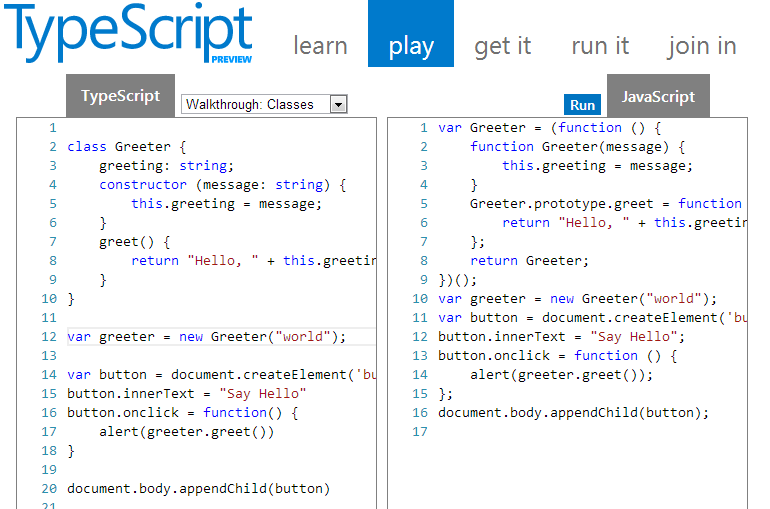
Because the TS compiler is written in TS they are able to create really cool things such as the TypeScript Playground:


With it you can mess around with TS and see its generated JS as you type. It even includes a version of intellisese for that type-hinting goodness.

Conclusion


I must admit I really like TypeScript. It provides a light-weight layer over the top of Javascript giving just enough of the type-safe goodness and language enhancements without making it totally alien to a JS coder.

The generated JS looks very similar to the source TS (and will look even more so once ES6 is mainstream) which is important when you are trying to debug a problem. I discovered this to be an important point when developing the Haxe version of my Post To Tumblr chrome extension. Haxe although awesome tends to generate alot of alien looking JS making it tricky to work out where to put a breakpoint.

More important than any particular nuance of the language however is who is backing it. Microsoft is a huge company with a massive following of developers. It pays many people to work on the language and evangelise it. What this results in is a much bigger community. A bigger community means you have more questions asked on Stack Overflow, more API definitions written and more job positions specialising in the language. Also having Anders Hejlsberg, the father of C#, behind it you can be confident that the language will continue to develop in a manner that (if you are a C# fan) makes sense.

I have been having a whole lot of fun in TypeScript, and have high hopes for its future.

Sunday, 12 June 2011

Chrome Crawler, HaXe, Three.js, WebGL and 2D Sprites


Had a little free time this weekend so thought I would scratch an itch that has been bugging me for a while.

I started the second version of my Chrome Crawler extension a little while back. I have been using the language HaXe to develop it in. It's a great language and I wanted to explore its JS target a little more so I thought, why not make a chrome extension using it. I have had several emails from various people requesting features for Chrome Crawler so I thought I would extend the extension and rewrite it in HaXe at the same time.

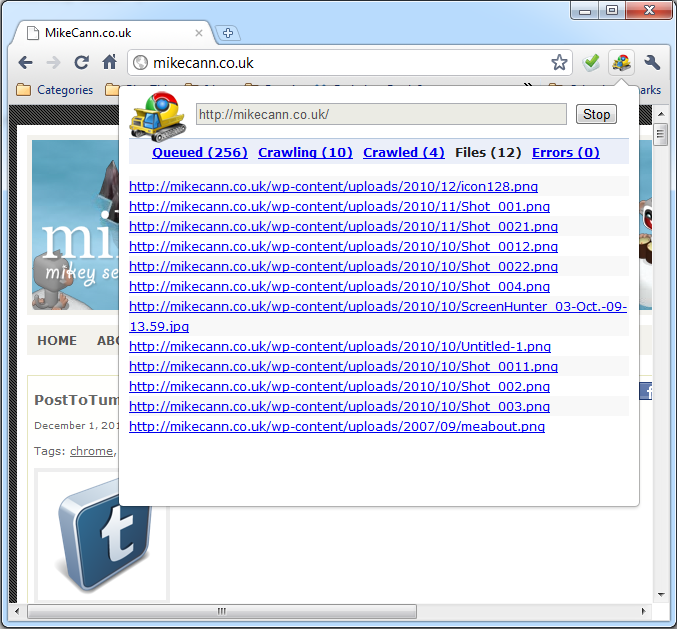
I managed to get the basics of the crawler working a few months back but through lack of time got no further. The second thing I wanted to work on after the basic crawling code was how to represent the crawled data. The current method is simply as a list:


A while back however I recieved a mail from "" who sent me a link to a video he had made using Chrome Crawler and Gephi:


As you can see its pretty cool, visually graphed out as a big node tree.

So it got me thinking, can I replicate this directly in Chrome Crawler? To do this I would need to be able to render thousands of nodes and hopefully have them all moving about in a spring like manner determined by the relationships of the crawled pages.

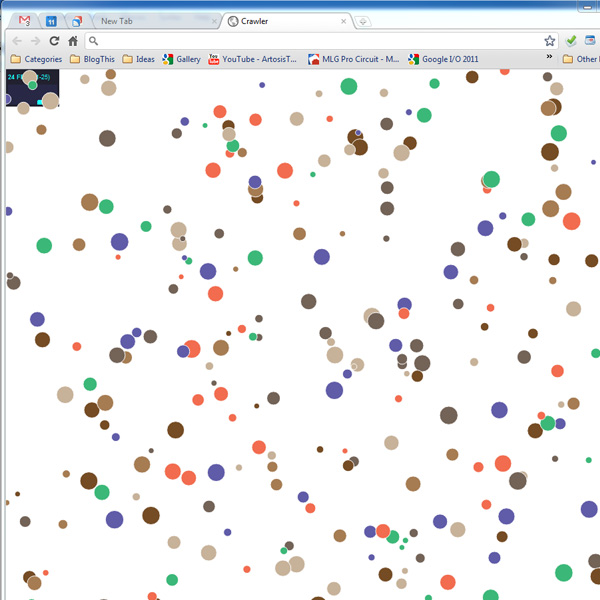
The first thing I tried was using the HaXe version of the Raphael library. The library is designed for graphing and uses the Canvas with SVG for rendering, so I thought it would be perfect for replicating Gephi. I tested it however and only managed about 300 circles moving and updating at 25FPS:


300 nodes just wasnt going to cut it, I needed more.

Enter the recent HaXe externs for Three.js and its WebGL renderer. Three.js is rapidly becoming the defacto 3D engine for Javascript and takes alot of the headaches away from setting up and rendering to WebGL.

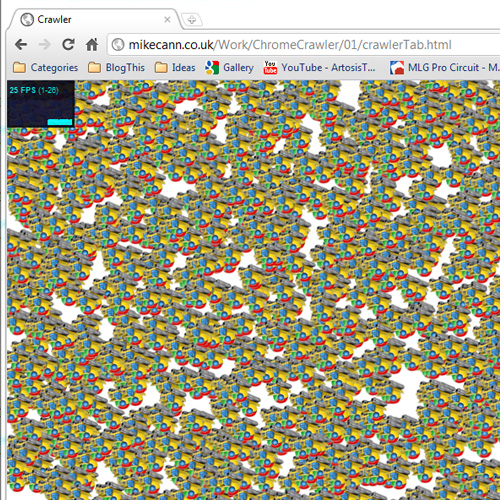
After a little jiggery pokery with the still very new externs I managed to get something running:


Thats 2000 sprites running at 25fps which is less that I would have hoped for WebGL but still probably enough for ChromeCrawler. Im not too sure why the sprites are upside-down, nothing I can do seems to right them, perhaps someone can suggest the solution?

If you have a compatible browser you can check it out here. I have also uploaded the source to its own project if you are interested.

The next step is to take the data from the crawl and then render it as a node graph, exiting stuff!

Saturday, 14 May 2011

Chrome Crawler v0.5


Just a quick update to my Chrome Crawler extension for chrome this afternoon after I received an email from Vinit Agrawal who had spotted and fixed a bug in the code :)

This is likely to be the last update of Chrome Crawler in its current form. Im currently working on a HaXe version of the extension which I hope will be better!

Anyways, it should update automatically but if not head over to the extension page: https://chrome.google.com/webstore/detail/amjiobljggbfblhmiadbhpjbjakbkldd

Monday, 11 April 2011

URI Parser For HaXe

Continuing on my theme of the moment haXe, I have another post  regarding the development of my haXe rewrite of  ChromeCrawler.

I was in need of a way to split a URL into its various parts. To do this in previous versions of ChromeCrawler I used a ready built one I found on the web.

I thought it should be a fairly simple matter to port this to haXe, unfortunately however this wasn't the case. The problem was that haXe, unlike JS, doesnt have the exec() method on its regular expression function. What this meant is that the URL couldnt be split in the same way.

Confused I jumped on the haXe IRC, unfortunately the solutions the kind people there provided didnt work. Instead I posted a message on the mailing list and within a few hours I had my answer. The solution was to use EReg.match() then EReg.matched() to get each part.

Anyways, I promised to share the code when I was done so here it is:

[codesyntax lang="javascript"]
package utils;
import haxe.Http;

/**
* ...
* @author mikecann.co.uk
*/

class URLParser
{
// Publics
public var url : String;
public var source : String;
public var protocol : String;
public var authority : String;
public var userInfo : String;
public var user : String;
public var password : String;
public var host : String;
public var port : String;
public var relative : String;
public var path : String;
public var directory : String;
public var file : String;
public var query : String;
public var anchor : String;

// Privates
inline static private var _parts : Array<String> = ["source","protocol","authority","userInfo","user","password","host","port","relative","path","directory","file","query","anchor"];

public function new(url:String)
{
// Save for 'ron
this.url = url;

// The almighty regexp (courtesy of http://blog.stevenlevithan.com/archives/parseuri)
var r : EReg = ~/^(?:(?![^:@]+:[^:@\/]*@)([^:\/?#.]+):)?(?:\/\/)?((?:(([^:@]*)(?::([^:@]*))?)?@)?([^:\/?#]*)(?::(\d*))?)(((\/(?:[^?#](?![^?#\/]*\.[^?#\/.]+(?:[?#]|$)))*\/?)?([^?#\/]*))(?:\?([^#]*))?(?:#(.*))?)/;

// Match the regexp to the url
r.match(url);

// Use reflection to set each part
for (i in 0..._parts.length)
{
Reflect.setField(this, _parts[i], r.matched(i));
}
}

public function toString() : String
{
var s : String = "For Url -> " + url + "\n";
for (i in 0..._parts.length)
{
s += _parts[i] + ": " + Reflect.field(this, _parts[i]) + (i==_parts.length-1?"":"\n");
}
return s;
}

public static function parse(url:String) : URLParser
{
return new URLParser(url);
}
}

[/codesyntax]

So for example the following use:

[codesyntax lang="javascript"]
trace(new URLParser("http://www.mikecann.co.uk/programming/haxe/haxe-jqueryextern-gotcha?somevar=1242#home"));

[/codesyntax]

Will print the following:

[codesyntax lang="text"]
For Url -> http://www.mikecann.co.uk/programming/haxe/haxe-jqueryextern-gotcha?somevar=1242#home
source: http://www.mikecann.co.uk/programming/haxe/haxe-jqueryextern-gotcha?somevar=1242#home
protocol: http
authority: www.mikecann.co.uk
userInfo: undefined
user: undefined
password: undefined
host: www.mikecann.co.uk
port: undefined
relative: /programming/haxe/haxe-jqueryextern-gotcha?somevar=1242#home
path: /programming/haxe/haxe-jqueryextern-gotcha
directory: /programming/haxe/haxe-jqueryextern-gotcha
file:
query: somevar=1242
anchor: home

[/codesyntax]

Simples!

Im not sure how performant the reflection usage would be on the various platforms haXe targets but atleast it would work and its fairly elegant to boot ;)

Edit: Thank you Adrian Cowen for posting this as a haXe snippet: http://haxe.org/doc/snip/uri_parser

Sunday, 19 December 2010

Chrome Crawler v0.4 - Background Crawling & More!


I have been asked by several peeps now to add the ability to persist crawls when the pop-up window closes so I rolled out this update.

Now when you close the Chrome Crawler popup your crawl is saved so that when you open it up again you can resume.

Not only that but thanks to the awesomeness of the background page API in chrome I have now added the ability to crawl even when the popup isnt open.

To enable this head over to the option and untick the "Pause crawling when popup closes" option.

While I was at it I made a few other changes and improvements. The main one being that the "src" attribute on tags is also searched for when you crawl. What this means is that "interesting" images should show up in the files tab if you have images as interesting file types.

You should automatically get the update next time you restart chrome, or if you dont have the extension yet head over to the gallery to get it!

Monday, 6 December 2010

Chrome Crawler - A web-crawler written in Javascript


EDIT: I now have a newer, better version of this called "Recursive"

Depending on your level of geekness you may or may not enjoy this one.

I proudly present Chrome Crawler, my latest Google Chrome extension:


The idea is simple really. You just give it a URL, it then goes off and finds all the links on that page then follows them to more pages then gets all the links and follows them and so on and so on.

Along the way it checks each page to see if there are any 'interesting' files linked there, if it finds an interesting link it will flag it for you so you can check it out.

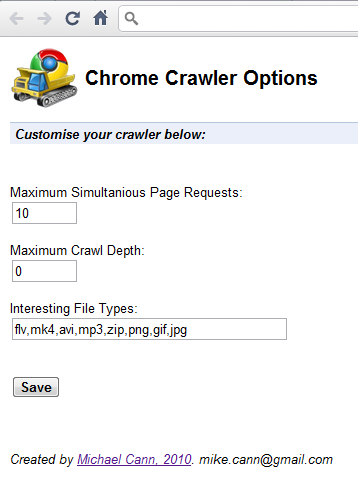
Theres an options page that lets you customise the way it all works:


If you are still confused check out the video below:


So why did I make this? Well to be frank, I made it mostly "just 'cause I can"!

Also having learned from my last Chrome Extension project PostToTumblr I realised the Chrome API allowed you to do some things that you wouldn't normally be allowed to do on a website (nameley the Cross-Origin XHR) and I wanted to do something to take advantage of it.

It didnt take me long to knock out this project, one lazy Saturday for the majority of the code and today for a quick fix or two and to write this post and make the video. As such I expect there to be many bugs and problems so if you encounter one drop me an email (my address is found in the options page).

Oh finally, I wouldnt try using this on a google page as you will likely end up seeing this quite often:


Anyways you can grab it over on the Chrome extensions gallery here. If you enjoy it please leave me a review / comment, much love!