Showing posts with label WebGL. Show all posts

Saturday, 29 October 2011

Terrainicles [WebGL & HaXe]


I have been playing with this thing, tweaking it, making changes for weeks. Theres so many different things I want to add. Different options, scenarios, optimisations etc. I decided however just to follow the 'release early and often' mantra and get this thing out now.

Before I go any further check out what im talking about here:

http://mikecann.co.uk/projects/WebGLTerrainicles/
(You will need a WebGL compatible browser, that means no IE) 


Its a continuation of my earlier work on GPU particles using WebGL and HaXE. Im trying to emulate some work I did years ago in XNA, on the LieroXNA project.

It uses the same techniques for updating and rendering particles entirely on the GPU as my previous post. What that means is that is possible have millions of particles interacting updating and rendering simultaneously as all the operations are performed on the GPU.

What I have added this time is another texture for the particles to collide with as they move. I was originally working with the same dirt and grass texture as my XNA project but I thought as it was Halloween I would get into the spirit a little ;)

There are several options on the right hand side that can be used to tweak the properties of the simulation. I spent alot of time playing around with these, there are some really cool effects you can achieve with just simple modifications.

There are so many things I could add to improve this. You can see some of them in a video I made years ago:


There we have some cool stuff like Bloom, forces and multiple rendering layers going on. It would be nice to get those in this sample too.

For now however I think im going to have a break from this sample. I have spent quite a few weeks to get to this point so far, and I think I need a break for a little bit so I can work on other things. I may come back to it soon tho If people are interested or if (probably more likely) I think of some 'cool new thing' that will 'only take 5 mins'.

I have uploaded the source for this sample to Github for people to lookat/fork if they wish:

https://github.com/mikecann/WebGLTerrainicles

Enjoy!


Friday, 21 October 2011

Why Developing for WebGL Sucks!


For some time now I have been working with WebGL and have developed a sort of love/hate relationship with it. I love the ability to instantly target millions of people with GPU accelerated code without any plugins or barriers (excluding the targets that dont support it). However as a developer, writing code that takes advantage of WebGL kinda sucks.

Procedural Based


First off is the way you have to structure your GL calls. For example take a look at the following generic bit of webGL harvested from the net:

[codesyntax lang="javascript" lines="normal"]
texture = gl.createTexture();
gl.activeTexture(gl.TEXTURE0);
gl.bindTexture(gl.TEXTURE_2D, texture);
gl.pixelStorei(gl.UNPACK_ALIGNMENT, 1);
gl.texImage2D(gl.TEXTURE_2D, 0, gl.RGB, 64, 64, 0,
gl.RGB, gl.FLOAT, new Float32Array(pix));
gl.texParameteri(gl.TEXTURE_2D, gl.TEXTURE_MIN_FILTER, gl.NEAREST);
gl.texParameteri(gl.TEXTURE_2D, gl.TEXTURE_MAG_FILTER, gl.NEAREST);

texture1 = gl.createTexture();
gl.activeTexture(gl.TEXTURE1);
gl.bindTexture(gl.TEXTURE_2D, texture1);
gl.pixelStorei(gl.UNPACK_ALIGNMENT, 1);
gl.texImage2D(gl.TEXTURE_2D, 0, gl.RGB, 64, 64, 0,
gl.RGB, gl.FLOAT, new Float32Array(pix1));
gl.texParameteri(gl.TEXTURE_2D, gl.TEXTURE_MIN_FILTER, gl.NEAREST);
gl.texParameteri(gl.TEXTURE_2D, gl.TEXTURE_MAG_FILTER, gl.NEAREST);

FBO = gl.createFramebuffer();
gl.bindFramebuffer(gl.FRAMEBUFFER, FBO);
gl.framebufferTexture2D(gl.FRAMEBUFFER, gl.COLOR_ATTACHMENT0,
gl.TEXTURE_2D, texture, 0);
FBO1 = gl.createFramebuffer();
gl.bindFramebuffer(gl.FRAMEBUFFER, FBO1);
gl.framebufferTexture2D(gl.FRAMEBUFFER, gl.COLOR_ATTACHMENT0,
gl.TEXTURE_2D, texture1, 0);
if( gl.checkFramebufferStatus(gl.FRAMEBUFFER) != gl.FRAMEBUFFER_COMPLETE)
alert(err + "FLOAT as the color attachment to an FBO");

[/codesyntax]

All it does is create a couple of textures, setting their starting values and creates two frame buffers for rendering to. Its just it looks complicated and difficult to understand.

GL works on a procedural basis, so you tell GL that you are about to work on something by calling a function like "bindTexture()" then on the next line you perform an operation on it such as "pixelStorei()". Now this may have made perfect sense back when we were writing everything in C which is procedural anyway however this is Javascript (or haXe in my case) which is an Object based language, code like this is difficult to understand and follow.

The procedural nature of WebGL means you have to be much more careful about unsetting things you have previously set. For example if you bind a texture to perform some operation, you must then remember to unbind it else you could inadvertently cause operations to be applied to it on subsequent calls elsewhere in your codebase. It this 'hidden state' that has caused me alot of headaches when developing my samples.

The principal behind WebGL was to provide a very low-level library which other developers can build upon to build more complex and abstracted libraries. And there are numerous libraries out there. I personally have tried several of them including the very popular three.js. Three.js is great for doing common things like loading models and putting quads on the screen. I however encountered a problem with render targets which I struggled with for days before I discovered that you had to set "needsUpdate" to true on your texture before using it. In the end I decided to drop three.js beacuse of another issue I encountered and instead attempt to reduce my complications by working with webGL directly.

Flash11's Stage3D has the same philosophy as webGL, to provide a low level API for other developers to build libraries upon. The thing is Flash11's low-level API makes more sense and is more readable. For example the following to me is much more readable than its webGL equivalent:

[codesyntax lang="actionscript3" lines="normal"]
texture = c.createTexture(logo.width, logo.height, Context3DTextureFormat.BGRA, false);
texture.uploadFromBitmapData(logo);

[/codesyntax]

The Stage3D API also uses language like "upload" to let you know when you are transferring data to the GPU, for a new comer to GL you have no clue when things are going to the GPU. Its small things like this that reduce the "WTF?" factor when tackling the tricky world of hardware-accelerated 3D programming.

Cross-domain textures


This one cropped up around July time this year and took me ages to work out what was going on. For some inexplicable reason (or so it seemed) my code one day stopped working. When I looked for demo code online it all worked fine, however when I downloaded it and run it locally it also didnt work. I was getting errors like the following:

Uncaught Error: SECURITY_ERR: DOM Exception 18
Uncaught Error: SECURITY_ERR: DOM Exception 18 

I was so baffled that I posted about it on the HaXe mailing list asking for help, thinking it was something I was doing wrong with HaXe. It turns out (after much wall-head-butting) this was a change that they brought into Chrome 13 and Firefox 5 to combat a security problem when using shaders that use textures from a different domain to the one running the code:

http://blog.chromium.org/2011/07/using-cross-domain-images-in-webgl-and.html

Now I have no problem with cross-domain issues, im used to this from Flash where we have the same sort of setPixel() restrictions on cross-domain BitmapData's. The thing is, it appears that this restriction applies when running code locally too. So If you are developing something on your local machine and trying to access a texture from disk it throws the same security errors because the browser thinks you are reaching across domains to access the image.

At the time the only way to get around this was to create your own webserver that you run on localhost to server up the files. So to do that I had to download python so I could run a simple localhost commandline webserver from my bin directory. What an effort! There may be easier ways these days to solve it but at the time it really frustrated me and formed yet another barrier to developing webGL.

No Error Messages


This is by far the most annoying thing about developing for WebGL. So many times I have been trying to write something that I know SHOULD work but for some reason it doesn't. I dont get any error messages, nothing. It makes writing something from scratch neigh on impossible.

In my last post "GPU State Preserving Particle Systems with WebGL & HaXe" I started with an idea. I attempted to code it 'bottom-up'. That is start with nothing and then add more code until I reached what I wanted. Unfortunately having no error messages in WebGL makes this very difficult indeed. I would spend some time writing something really simple, like trying to get a textured quad to render on the screen only to find I get nothing. I double check my camera matrices my vertex and texture buffers, my shader and still nothing. Eventually I found that I hadn't bound something first before trying to operate on it *sigh*

In the end I found the best way to get anywhere is to go from the other direction, a 'top-down' method. Start with something kind of simmilar to what you want then cut bits out one line at a time until you get what you want. Its extremely time consuming and frustrating, but its less frustrating than going from the other way.


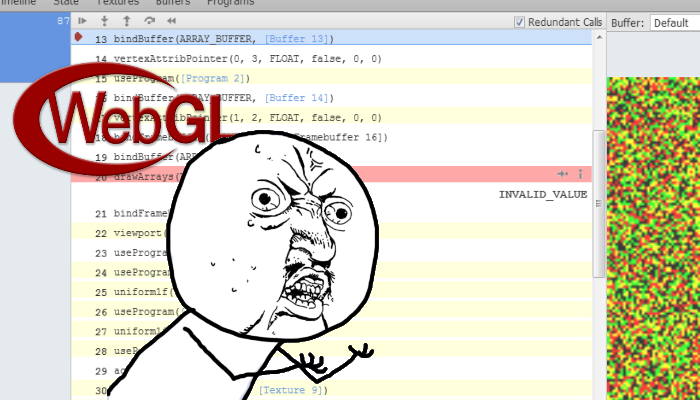
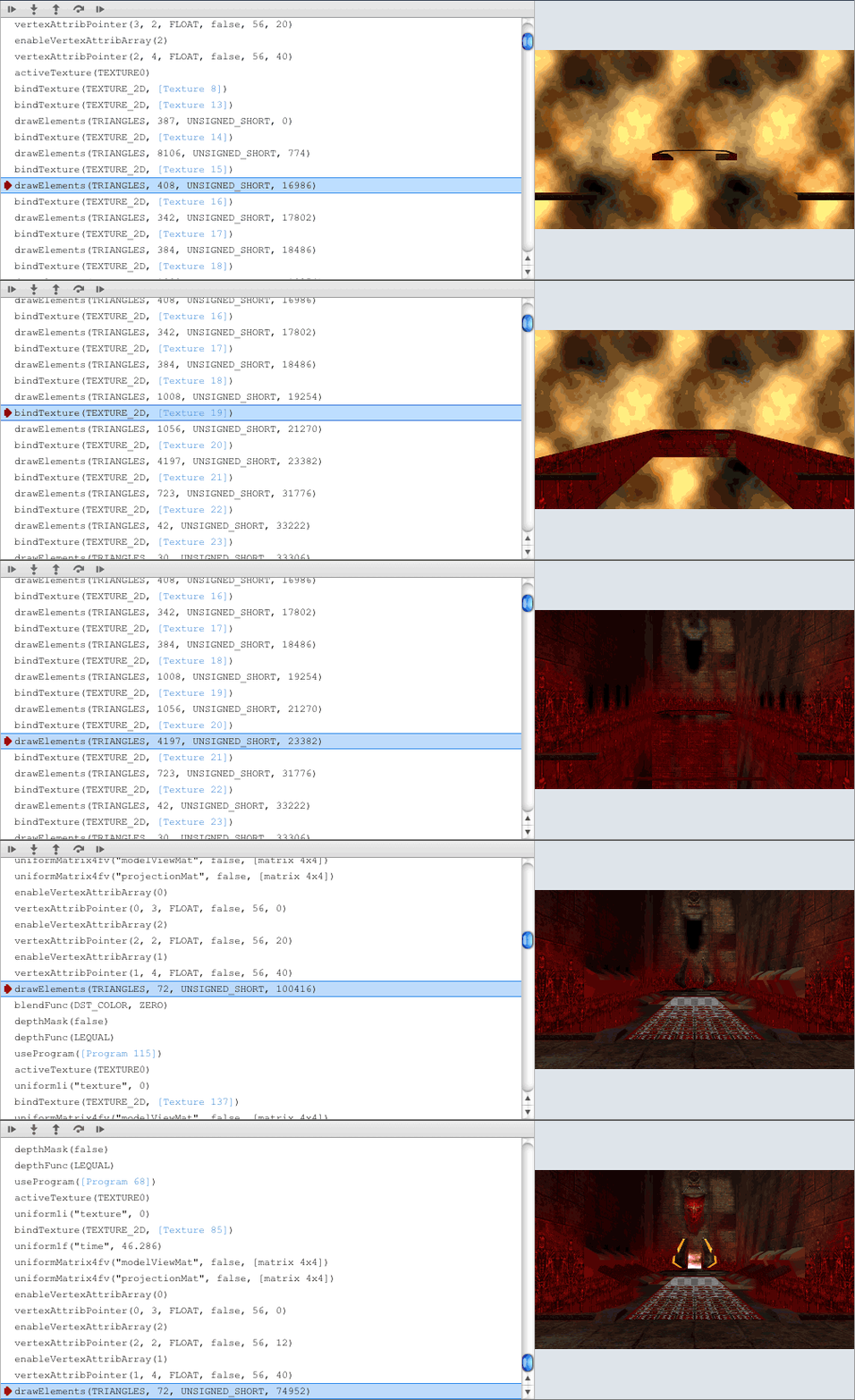
There are tools out there that help with debugging what is going wrong. Namely the WebGL Inspector (see above) is intended to provide gDEBugger / PIX like debugging information about what is going on inside webGL. Its a clever bit of tech, it lets you inspect buffers and traces each gl call, however it suffers from the same underlying problem of having no errors. You setup a buffer incorrectly and what you get is "INVALID_VALUE". No indication as to which of the values is invalid or what part of the call you messed up on :(

Googling Doesn't Help


If you do happen to get an error message (unlikely) or you word your problem in a sufficiently succinct and googaleble way you will then run into the next big problem with WebGL; theres very few people using it. Now I know I am likely to be flamed for that comment, but it just seems that way to me. Whenever I tried to google my problem, or google for what I was trying to achieve (because working bottom-up doesnt work) there would be a very sparse smattering of relevant posts. Usually the results are forum posts and are OpenGL not WebGL related and are from 5-10 years ago.

But..


Now having just ranted on for several hundred words about why it sucks im going to finish it off by saying that im going to continue to develop for WebGL using haXe regardless. Why? Well I just like making pretty things that run fast and GPGPU programming appeals to me for some unknown (likely sadistic) reason.

Thursday, 20 October 2011

GPU State Preserving Particle Systems with WebGL & HaXe


Well this is the post I didnt think was going to happen. I have been struggling for weeks with this little bit of tech, ill explain more about why it has been so difficult in another post. For now however, ill just talk about this sample.

So the idea was to build upon what I had been working with previously with my stateless particles systems with WebGL and HaXe. The intention from the start was to replicate some of my very early work (from 2007) on state preserving particle systems in WebGL.

Before I go any further, you can check it out in action here:
http://mikecann.co.uk/projects/HaxeWebGLParticles/ 

First a quick reminder. The difference between a stateless and state-preserving particle simulation is that in the latter we store and update the positions, velocities and other properties of each particle per frame, allowing us to interact and control the simulation. This differs from the stateless particle simulation (detailed in my previous post), where the position for each particle is calculated each frame based on a fixed algorithm.

A fairly reccent addition to WebGL made this possible, namely texture lookups in the vertex shader (aka Vertex Texture Fetch). I wont go over the exact details how this makes state preserving particle systems possible as I have already documented it in my earlier work. A brief explanation is that it allows you to use the fragment shader to perform the updates on particle state stored in textures then use the vertex shader to map those states to a point-sprite vertex buffer.

Basically what this means is that the entire particle simulation can be contained and updated on the GPU, which means no read-back. This allows us to achieve simulations of millions of particles without too much difficulty (depending on GPU ofcourse).

I have uploaded the source for people to perouse at their leisure:
https://github.com/mikecann/HaxeWebGLParticles

As usual it was written using the JS target of HaXe so it should be fairly easy to understand whats going on if you have written any Ecma-script-like-language. Im going to detail this in my next post, but the code isnt the best I have ever written as its a result of a mish-mash of various samples and examples I have found on the web. If anyone has any comments on things that are wrong or could be done better I would be very happy to hear about them.

Thursday, 11 August 2011

5,000,000 Chrome Crawlers? Why not [haXe & WebGL]


Following on from my previous experiments into the world of haXe and HTML5 I have been playing around again with trying to get as many 2D sprites on screen as I can.

I started by reading some posts by google on how to render things fast in HTML5, and it got me thinking. Where I was likely going wrong with my HaXe + Three.js experiments was that I was making a separate draw call to WebGL for each and every crawler. Draw calls are expensive and hence I was reaching the draw call bottleneck at just 2000 sprites being rendered at once.

What I needed to do was batch the draw calls together and render them at once. I knew from my work on XNA you could group sprite render calls together quite nicely. So I started off coding up a WebGL equivillant of SpriteBatch from XNA.  I managed to get it kind-of working but as is often the way another thought struck my brain, and I decided to tackle that instead.

My thought was; why not just render everything as 2D point sprites? I remembered from my XNA days you could achieve quite staggering numbers of 2D sprites in DirectX by using point spites.

So after a little bit of fiddling and hacking I managed to get point sprites correctly rendering:


You can play with it here: http://mikecann.co.uk/projects/HTML5SpeedTests/HaXeWebGL/bin/

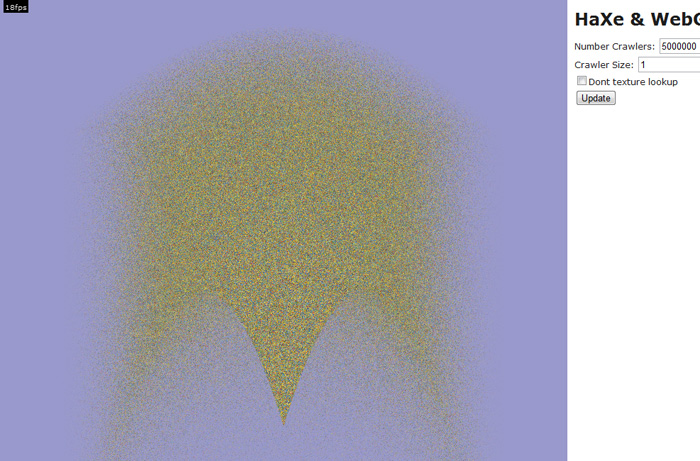
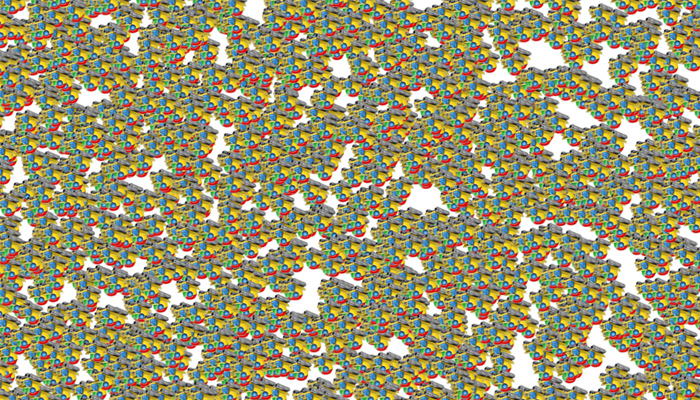
The great thing about point sprites is that I only use one draw call per frame and the GPU is very good at rendering them. The only bottleneck really is the number of pixels you need to draw. With that in mind if you drop the size of the point sprite down to 1x1 you can render a very large (5million) points at interactive framerates (18fps):


I added a "dont use texture" option just out of interest to see how expensive the texture lookup in the fragment shader was, it didnt seem have much of an effect.

There are a few caveats to using point sprites:

Firstly in WebGL has a limit on how large you can make them currently it differs between graphics cards and browsers, a safe minimum is 64x64 so this means you cant have them and bigger and still want it to work in all situations.

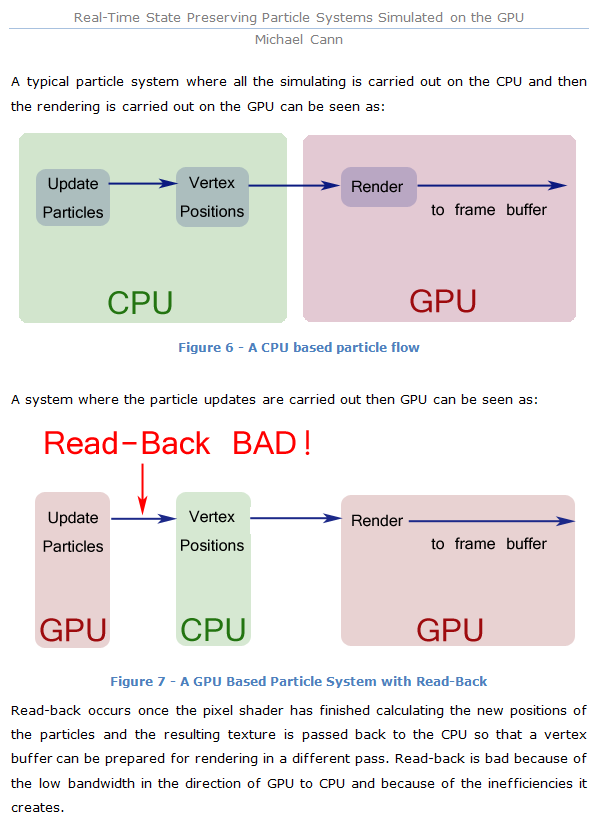
Secondly, and this one is more important I cheated to get the numbers above. In my other experiments with haXe and WebGL I was using the CPU to update the positions of the crawlers each frame, having them bounce off the screen edges. In this point sprites demo however I have the points flowing out of a fountain, the simulation of which is entirely calculated on the GPU. The reason for this I talked about in a paper I wrote for a university project 4 years ago:


If I wasn't to perform the upates on the GPU but instead just use the CPU to update the crawlers that would mean the javascript (CPU) would need to update 5million crawlers each frame then re-upload the point sprite positions back to the GPU for rendering. This would obviously be a bad idea.

So I kind of cheated. The fountain simulation on the GPU isn't the same as my other examples. The crawlers don't bounce off the side of the screen. To make that that happen each crawler needs to somehow preserve its state between frames.

Currently each crawler's position is calculated in the vertex shader each frame like so:

[codesyntax lang="glsl"]
attribute float maxAge;
attribute float startingAge;
attribute float velX;
attribute float velY;

uniform float uTime;
uniform float uPointSize;

varying float invAgeRatioSq;

void main(void)
{
float age = mod(uTime+startingAge, maxAge);
float ageRatio = age / maxAge;
float invAge = 1.0 - ageRatio;
invAgeRatioSq = 1.0 - (ageRatio * ageRatio);

gl_Position = vec4((-velX*ageRatio*0.8), (velY*ageRatio)+(-0.4*age*ageRatio)-0.5, 0., 1.);

gl_PointSize = uPointSize;
}

[/codesyntax]

To preserve state between frames I need to use textures to record each crawlers position and velocity, then using Vertex Texture Fetch a vertices position can be calculated.

That however will have to wait for another evening ;)

I have uploaded the source for this project here incase anyone was interested:

http://mikecann.co.uk/projects/HTML5SpeedTests/HTML5SpeedTests_2.zip

I warn you its ugly and uncommented, however it should be enough of a start for anyone looking to do something similar.

Sunday, 12 June 2011

Chrome Crawler, HaXe, Three.js, WebGL and 2D Sprites


Had a little free time this weekend so thought I would scratch an itch that has been bugging me for a while.

I started the second version of my Chrome Crawler extension a little while back. I have been using the language HaXe to develop it in. It's a great language and I wanted to explore its JS target a little more so I thought, why not make a chrome extension using it. I have had several emails from various people requesting features for Chrome Crawler so I thought I would extend the extension and rewrite it in HaXe at the same time.

I managed to get the basics of the crawler working a few months back but through lack of time got no further. The second thing I wanted to work on after the basic crawling code was how to represent the crawled data. The current method is simply as a list:


A while back however I recieved a mail from "" who sent me a link to a video he had made using Chrome Crawler and Gephi:


As you can see its pretty cool, visually graphed out as a big node tree.

So it got me thinking, can I replicate this directly in Chrome Crawler? To do this I would need to be able to render thousands of nodes and hopefully have them all moving about in a spring like manner determined by the relationships of the crawled pages.

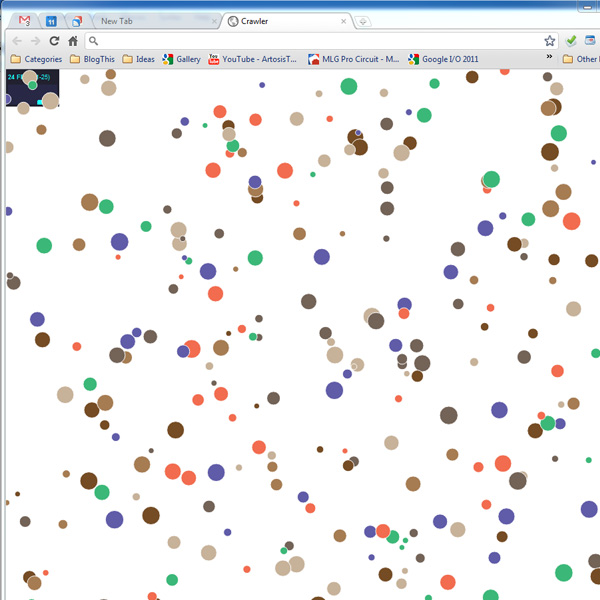
The first thing I tried was using the HaXe version of the Raphael library. The library is designed for graphing and uses the Canvas with SVG for rendering, so I thought it would be perfect for replicating Gephi. I tested it however and only managed about 300 circles moving and updating at 25FPS:


300 nodes just wasnt going to cut it, I needed more.

Enter the recent HaXe externs for Three.js and its WebGL renderer. Three.js is rapidly becoming the defacto 3D engine for Javascript and takes alot of the headaches away from setting up and rendering to WebGL.

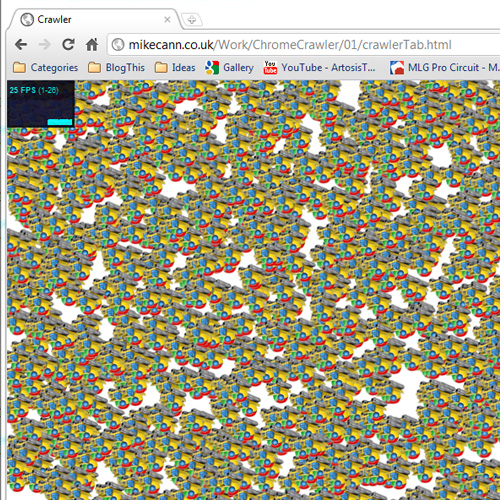
After a little jiggery pokery with the still very new externs I managed to get something running:


Thats 2000 sprites running at 25fps which is less that I would have hoped for WebGL but still probably enough for ChromeCrawler. Im not too sure why the sprites are upside-down, nothing I can do seems to right them, perhaps someone can suggest the solution?

If you have a compatible browser you can check it out here. I have also uploaded the source to its own project if you are interested.

The next step is to take the data from the crawl and then render it as a node graph, exiting stuff!