Showing posts with label Plugin. Show all posts

Sunday, 12 June 2011

Chrome Crawler, HaXe, Three.js, WebGL and 2D Sprites


Had a little free time this weekend so thought I would scratch an itch that has been bugging me for a while.

I started the second version of my Chrome Crawler extension a little while back. I have been using the language HaXe to develop it in. It's a great language and I wanted to explore its JS target a little more so I thought, why not make a chrome extension using it. I have had several emails from various people requesting features for Chrome Crawler so I thought I would extend the extension and rewrite it in HaXe at the same time.

I managed to get the basics of the crawler working a few months back but through lack of time got no further. The second thing I wanted to work on after the basic crawling code was how to represent the crawled data. The current method is simply as a list:


A while back however I recieved a mail from "" who sent me a link to a video he had made using Chrome Crawler and Gephi:


As you can see its pretty cool, visually graphed out as a big node tree.

So it got me thinking, can I replicate this directly in Chrome Crawler? To do this I would need to be able to render thousands of nodes and hopefully have them all moving about in a spring like manner determined by the relationships of the crawled pages.

The first thing I tried was using the HaXe version of the Raphael library. The library is designed for graphing and uses the Canvas with SVG for rendering, so I thought it would be perfect for replicating Gephi. I tested it however and only managed about 300 circles moving and updating at 25FPS:
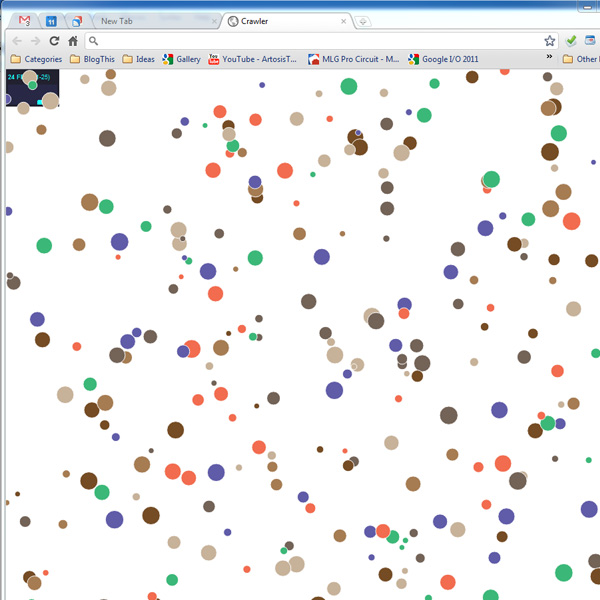


300 nodes just wasnt going to cut it, I needed more.

Enter the recent HaXe externs for Three.js and its WebGL renderer. Three.js is rapidly becoming the defacto 3D engine for Javascript and takes alot of the headaches away from setting up and rendering to WebGL.

After a little jiggery pokery with the still very new externs I managed to get something running:
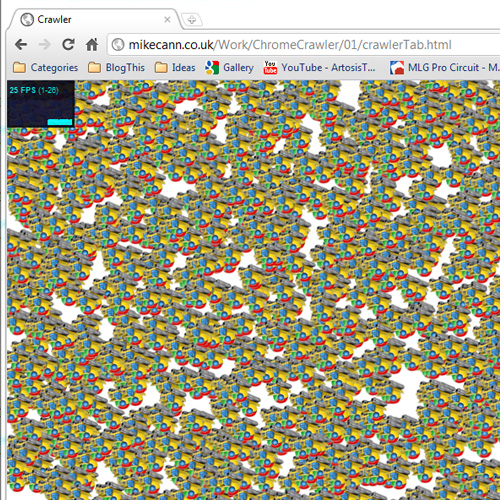


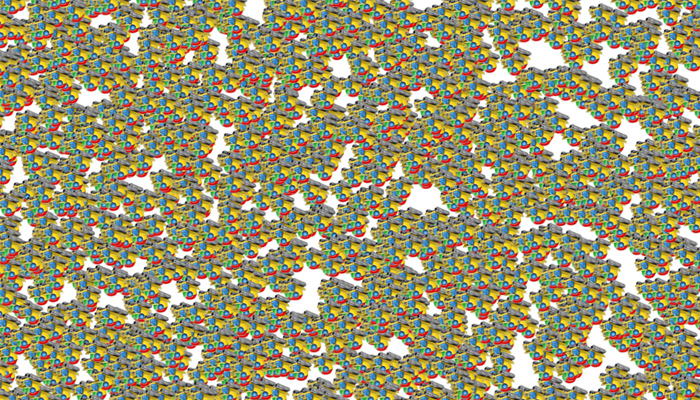
Thats 2000 sprites running at 25fps which is less that I would have hoped for WebGL but still probably enough for ChromeCrawler. Im not too sure why the sprites are upside-down, nothing I can do seems to right them, perhaps someone can suggest the solution?

If you have a compatible browser you can check it out here. I have also uploaded the source to its own project if you are interested.

The next step is to take the data from the crawl and then render it as a node graph, exiting stuff!

Sunday, 31 October 2010

Post To Tumblr Version 0.3


Just made a quick little update to my chrome extension "Post To Tumblr".

In this update I finally worked out how to catch bad username or password returns from the Tumbr API. Basically it just involved me using the ajax rather than the post jQuery function and using "async:false" like so:

[codesyntax lang="javascript"]
$.ajax({
url: 'http://www.tumblr.com/api/write',
type: 'POST',
data:o,
async: false,
complete: function(transport)
{
if(transport.status == 200 || transport.status == 201)
{
postingNote.cancel();
var postedNote = webkitNotifications.createNotification('images/icon48.png', "Image Posted!", info.srcUrl);
setTimeout(function() { postedNote.cancel(); }, 5000);
postedNote.show();
}
else if(transport.status == 403)
{
postingNote.cancel();
var errorNote = webkitNotifications.createNotification('images/icon48.png', "Posting Error!", "Bad email or password");
setTimeout(function() { errorNote.cancel(); }, 5000);
errorNote.show();
}

}
});

[/codesyntax]

In addition I have added some notifications to indicate when the extension is doing something.

I have made a little demo video below to show this off:


Chrome should auto update for you. If you dont have the extension yet head over to the extension gallery to grab it now!

Thursday, 14 October 2010

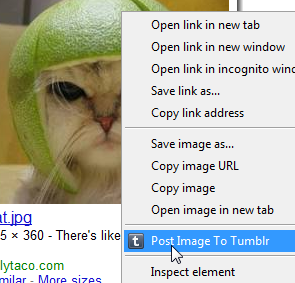
My First Chrome Extension - "Post To Tumblr"


Mummy wow! Im a big boy now! I have just published my first Chrome extension.

It was really annoying me that when I found a funny cat or some other silly image I would have to go through a whole ball-ache process to get that image on my Tumblr account.

What I really wanted was some right-click-post action going on and wondered why no one had one it yet. So with an hour or so to spare I whipped this extension up really quick.

It uses the Chrome 6 Context Menu API so you obviously need to have Chrome 6 to be able to use it.

Currently it only posts images as that's all I needed for now but if enough people want more then ill whip out the other data types.

The source couldn't be any simpler really, infact this is it here:

[codesyntax lang="javascript" lines="normal" blockstate="expanded"]
chrome.contextMenus.create({"title": "Post Image To Tumblr", "contexts":["image"], "onclick": postImage});

function postImage(info, tab)
{
var email = localStorage["tumblr_email"];
var password = localStorage["tumblr_pass"];

if(!email || email=="" || !password || password=="")
{
alert("Need to set your Tumblr username and password in the options before posting!");
}
else
{
var o =
{
"email":email,
"password":password,
"type":"photo",
"source":info.srcUrl
};

var success = function(data,textStatus,request)
{
if(textStatus=="success"){ alert("Image posted to Tumblr. Image -> "+info.srcUrl); }
else { alert("Bad email or password"); }
}

$.post("http://www.tumblr.com/api/write",o, success);
}
}

[/codesyntax]

Simples!

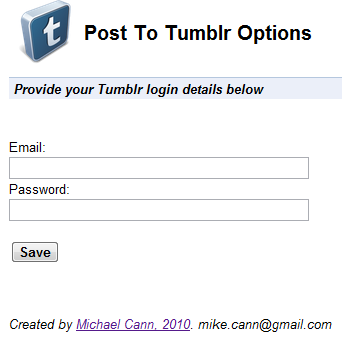
Theres even an option page where you put in your Tumblr details:


Oh, there is one issue.

No matter what I tried I couldn't manage to get the Tumblr API to return an error. So if you enter your username or password incorrectly it still reports success, not entirely sure why, if someone knows I would love to hear why!

Interested? You can go grab it over on the chrome extensions gallery page -> HERE

Monday, 11 May 2009

Flash Develop Plugin: Go To Definition

Go To Definition
I love the Ctrl & click feature in Eclipse/Netbeans and the Go To Definition feature in Visual Studio and have decided to implement them in Flash develop. After an evening or so of trying to write this myself I come accross the "ASComplete.DeclarationLookup()" method. To my great astonishment, this does exactly what I want. So thankyou to Philippe or whoever wrote this method and did all the hardwork of the plugin for me ;)

Screenshot


DLL
http://www.mikecann.co.uk/Files/GoToDefinition.dll

Source
http://www.mikecann.co.uk/Files/GoToDefinition_source.zip

Post
http://www.flashdevelop.org/community/viewtopic.php?f=4&t=4722

EDIT:
It appears that the same functionality is built as standard into FD with the use of the F4 key. Oh well, you can still use this as a shortcut ;)

Monday, 4 May 2009

Highlight Selected Plugin, updated by David Hancock

This sort of things brings a big smile to my face; I got an excellent email yesterday from a chap named Dave Hancock asking my permission to post an update he had made to my Highlight Selected plugin.

Its an excellent upgrade and brings some extra features that were lacking in my very basic version.

Copy / Paste of his update:

Liked the plugin so much I decided to add a few features! Posting here with Mike's permission.

Screenshot


Updates
Added 4 plugin setting options:

Highlight Color (Choose a color for the highlight)
Highlight Whole Words (Choose whether to highlight whole words only or include partial text)
Match Case (Choose whether to match the case of the selection or not)
Add Line Marker (Display a line marker next to highlighted text)

No longer highlights white-space characters

Installation
+ Open FlashDevelop, Click Tools -> Application Files
+ Copy the DLL to the "Plugins" directory
+ Restart FlashDevelop

DLL
http://gonegothic.com/files/flashdevelo ... ection.dll

Source
http://gonegothic.com/files/flashdevelo ... ection.zip

Thursday, 30 April 2009

Proof of Concept: TwittBot

Well for the last few evenings I have been working on this little proof of concept. One of my work colleague Ade (@6t8) came up with the idea "someone should make a game that you can play over twitter". Well after abit of excitement and talk I decided to have a go at coding this idea. Once I had started I realised that it could be possible to do alot more with this, so I decided to make the project a little more generic and turn it into a pluggable bot for automating twitter.

After a few evenings work however I decided that this project was going to take up a bit too much of my time, especially when I had so much other work to do. So I have decided to release what I have done and let other take it and develop it if they wish.

You login using a twitter account:

1