Showing posts with label version. Show all posts

Sunday, 19 June 2011

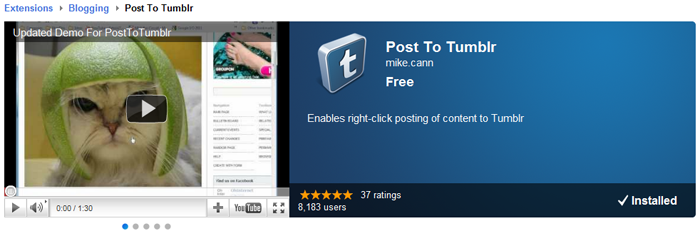
PostToTumblr 0.8 - 8000 Users and Counting


I cant believe how well my humble little extension for the chrome browser is doing. 8000 users when just a few months ago I was celebrating 1.5k.

There were so many requests for new features and things that I thought I would push an update out this evening to add a little more functionality.

From the change log:
- v.0.8 -- 19/06/11 --
+ Text, Page, and Links are now supported in addition to Images
+ Added an app icon to the bar for easy access to the options

To highlight these new changes I decided to update the promo video too:


I have also added a donation button into the options. I have no idea if anyone will click it, an interesting experiment tho.

If you have it installed it should auto-update, if not go grab it over on the chrome app store: https://chrome.google.com/webstore/detail/dbpicbbcpanckagpdjflgojlknomoiah

Wednesday, 1 December 2010

PostToTumblr v0.6


Just a quick update to my chrome extension tonight. I recently had an email asking if there was a way I could make it so that you could send a Tweet at the same time as posting to Tumblr.

After a quick check on the Tumblr API to confirm that yes Tumblr supports the "post-to-twitter" option I spun out this little option.

So now you have three options for tweeting when posting: "no", "auto" and "prompt".

Chrome should auto-update the extension for you soon. If you dont have it hope over to the gallery page here.

Sunday, 31 October 2010

Post To Tumblr Version 0.3


Just made a quick little update to my chrome extension "Post To Tumblr".

In this update I finally worked out how to catch bad username or password returns from the Tumbr API. Basically it just involved me using the ajax rather than the post jQuery function and using "async:false" like so:

[codesyntax lang="javascript"]
$.ajax({
url: 'http://www.tumblr.com/api/write',
type: 'POST',
data:o,
async: false,
complete: function(transport)
{
if(transport.status == 200 || transport.status == 201)
{
postingNote.cancel();
var postedNote = webkitNotifications.createNotification('images/icon48.png', "Image Posted!", info.srcUrl);
setTimeout(function() { postedNote.cancel(); }, 5000);
postedNote.show();
}
else if(transport.status == 403)
{
postingNote.cancel();
var errorNote = webkitNotifications.createNotification('images/icon48.png', "Posting Error!", "Bad email or password");
setTimeout(function() { errorNote.cancel(); }, 5000);
errorNote.show();
}

}
});

[/codesyntax]

In addition I have added some notifications to indicate when the extension is doing something.

I have made a little demo video below to show this off:


Chrome should auto update for you. If you dont have the extension yet head over to the extension gallery to grab it now!

Monday, 25 October 2010

Inputtie - Version 0.1.6

Made a few small stability changes with Inputtie tonight, thought I would share.

Release notes are as follows:

Inputtie Version 0.1.6 (25/10/10)

+ Inputtie now checks for updates every 12 hours
+ Mouse can now correctly reach all the way to the edge of the screen
+ Mouse now remains in the last position it was before the connection closes

Sunday, 17 October 2010

Inputtie - Version 0.1.5


Just a few small changes in this update:

From the release notes:

Inputtie Version 0.1.5 (17/10/10)

+ Middle mouse input is now caught and transferred between devices
+ More errors are caught in the client
+ Keys are now depressed when a connection is cut, no more lingering Shift, yey!

The new version should automatically download, but if you don't yet have it go grab it on the download page -> http://www.inputtie.com/download/

Wednesday, 22 September 2010

Inputtie - Beta Release!


Woooo Hooo! Finally after almost a years worth of toiling we have finally released the beta version of Inputtie.

Now I have only performed a limited amount of testing so im sure there are going to be bugs-a-plenty. If you find something I would love to hear about it. We dont currently have a dedicated email address you can use for this so just use the contact box on the side of the inputtie page to get in touch.

Anyways, here are the release notes for this version:

Inputtie Version 0.1.3 (22/03/10)
+ Beta Release!
+ Fixed an issue that was causing the mouse pointer to not quite reach the edge of the screen
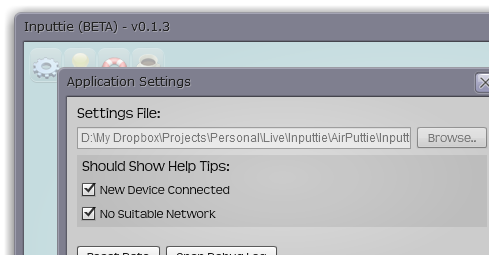
+ Fixed it so that you can now choose not to show the "new device" help tip.
+ New Icons, yey!

Grab the download over on the download page now!

Oh BTW we decided to go with the "e" in a bordered square for our app icon: