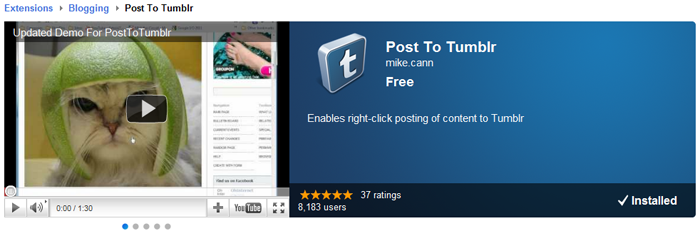
I have finally found some time to do a long overdue update to my popular Chrome extension PostToTumblr built using Haxe. 30,000 people currently have the extension installed and they post about 10,000 images, links, quotes per day so I thought it was about time to give it some love.
The list of improvements are: + One-Click posting now available in the options + Tall images now no longer appear off the screen + Notifications now used instead of popups + Improved error detection + Improved authorization process
The main feature in the update is the one-click posting. This much-requested feature was available in the original PostToTumblr but for various reasons never made it into the latest reincarnation.
Once enabled in the options it enables the user to bypass the post preformatting window that usually pops up and instead posts with some default settings. If you have more than one blog the post menu gives you the option for which blog you would like the post to go to:
The normal popup "posting.." window has been replaced with HTML5 notifications.
This should make posting a smoother, less intrusive process.
If you haven't got the extension already you can grab it on the Chrome Store else Chrome should auto-update the extension for you very soon!
I have found a little more time this evening to fix some bugs and make some improvements to my Chrome extension Recursive. The changes are as follows:
----- v.1.1 ------ - Now only displays recursive icon on tabs with http:// and https:// - Full screen now works (uncommented that line of code, doh!) - Pause and reseting a recurse now works correctly - Renamed the title page of the app - Some Performance improvments - There is now an option in the settings to define a custom file filter - There is now a setting to disable removing duplicate files
One of the main new additions is the ability to add a custom filter in the settings which recursive uses when parsing a file:
If any are found they are then displayed in the files dialog:
As I say, just a quick update this evening. I plan on writing some more in-depth blog posts this week explaining some of the nuts and bolts of Recursive.
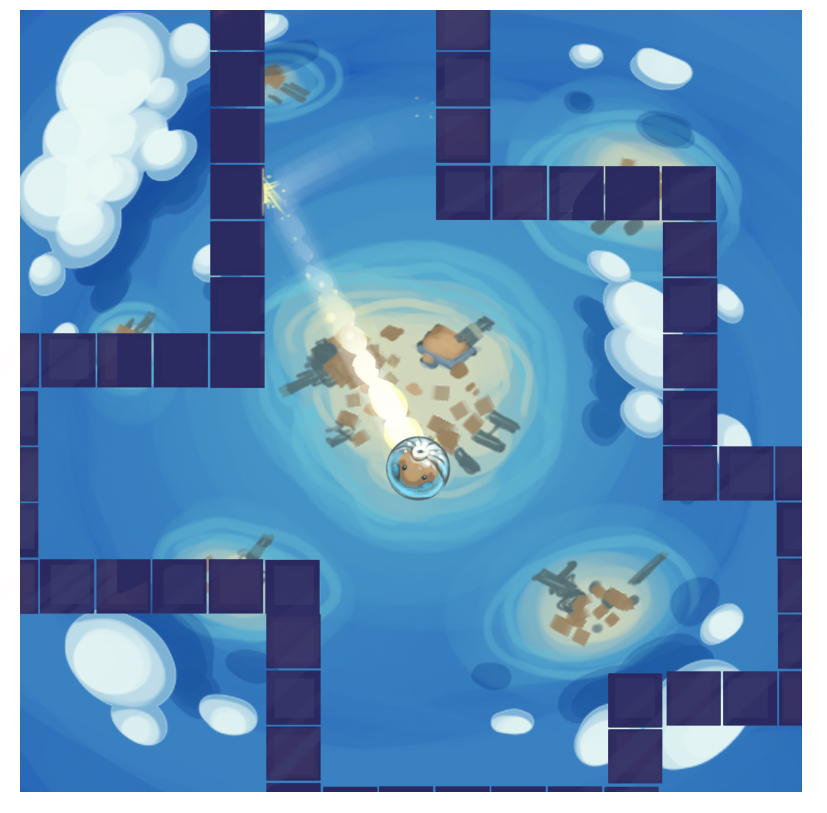
.. and we have progress! See above. Use the keyboard to control the 'player'.
The first thing you will noticed is that there is a world populated with solid blocks and some orange circle things that may look a little like collectables :P To generate this level I decided to take a page out of Notch's book and build the levels at the pixel level in Paint.NET. That way the image editing software becomes the level editor. So as an example, the data that builds the level for above looks like:
That's a 50x50 pixel image which represents a world 50x50 tiles wide. Each pixel in the image has a colour which corresponds to a tile type in the game. Black is a solid wall, red is the player spawn point and orange is a 'collectable'. As the game develops we will be adding more tile types and hence colours.
At runtime all I do is load the level data image and loop through the pixels, grab the colour value and populate the world with the appropriate object. A problem I soon encountered however is that for some reason on different platforms Haxe reads the colour value different. This made things problematic so instead what I have done is make another 8x8 image as a "key":
Loading this key first I can then determine what colour the platform will be recognising a particular tile type as. So to generate the level the code looks like:
[codesyntax lang="actionscript3"]
class LevelManager
{
	public static var TYPES : Hash<Class<Dynamic>>;

	public var gridW : Int;
	public var gridH : Int;
	public var tiles : Array<BaseObject>;

	public function new()
	{
		if (TYPES == null)
		{
			var objectTypes = [null, SolidBlock, SpawnPoint, Ring];
			TYPES = new Hash<Class<Dynamic>>();
			var bmd =  Assets.getBitmapData("assets/levels/key.png");
			if (bmd == null) throw new Error("key png is null for some reason!");
			var i = 0;
			for (y in 0...bmd.height) for (x in 0...bmd.width) if(i<objectTypes.length) TYPES.set("" + StringTools.hex(bmd.getPixel(x, y), 6), objectTypes[i++]);
		}
	}

	public function loadLevel(stageIndex:Int, levelIndex:Int)
	{
		var bmd =  Assets.getBitmapData("assets/levels/s" + stageIndex + "_l" + levelIndex+"/world.png");
		gridW = bmd.width;
		gridH = bmd.height;
		tiles = [];

		for (y in 0...gridH)
		{
			for (x in 0...gridW)
			{
				var c = StringTools.hex(bmd.getPixel(x, y), 6);
				var t = TYPES.get(c + "");
				if (t == null) { continue; }
				var o : BaseObject = Type.createInstance(t, []);
				o.x = x * Game.GRID_SIZE;
				o.y = y * Game.GRID_SIZE;
				Game.I.addObject(o);
				tiles[y * gridW + x] = o;
			}
		}
	}
...
[/codesyntax]
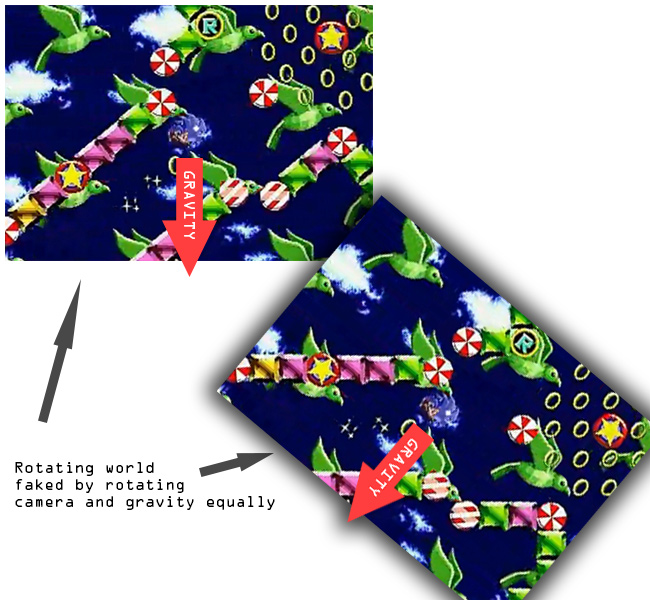
Once I had the level populating I started getting the basics of the physics sorted. At first I thought it was going to be a nightmare as in the original version of the game it appeared as if the whole world rotated about the player (see video for reminder), I worried about how I was going to handle the complex physics of a grid at odd angles while continually rotating. After a while however I realised that what was actually going on was that the world was standing still and all that was happening was that the camera was rotating at same rate at which the gravity vectyor was changing, thus giving the illusion of a rotating world, eg:
Once I realised this fact it made my life a whole lot easier. Calculating the physics for the world should now just be a matter of solving a circle against a static grid without rotations. I decided to go with my own physics solution rather one of the existing solutions such as Box2D or Nape as I thought that it should be pretty simple to calculate and I knew from a previous project that using Box2D or Nape would have issues at the joins between tiles.
The solution it turns out took a little longer than I thought but I eventually cracked it. The key was to use the Separating Axis Theorem with Voroni Regions, there is a great tutorial on it over at magnet software, they have a handy SWF that demonstrates the concept really well:
As can be seen from above that all you need do is split the problem up into a grid, then in turn check each of the 8 neighbouring cells from the current cell. The north, east, south and west cells can be classed as one type and only need to have their relevant axis checked against the radius of the player wheres the corner cells need to be checked against the distance from the closest point. In code this looks something like:
[codesyntax lang="actionscript3"]
// From Player.hx
override public function update(delta:Int) : Void { #if !mobile if (Ctrl.instance.isDown("up")) vel.y -= 1; if (Ctrl.instance.isDown("left")) vel.x -= 1; if (Ctrl.instance.isDown("right")) vel.x += 1; //if (Ctrl.instance.isDown("down")) vel.y += 1; #end
if (Ctrl.instance.mouseDown) vel.y -= 1;
var d = delta * 0.01; vel.x += gravity.x * d; vel.y += gravity.y * d;
var newPos = new Vec2(x + vel.x * d, y + vel.y * d); var ntx : Int = Std.int(newPos.x / Game.GRID_SIZE); var nty : Int = Std.int(newPos.y / Game.GRID_SIZE);
private function checkTileCollide(fromTX:Int, fromTY:Int, toTX:Int, toTY:Int, pos:Vec2, vel:Vec2) : Bool { var tile = game.level.getTile(toTX, toTY); var dTX = fromTX - toTX; var dTY = fromTY - toTY; if (tile != null && tile.is(SolidBlock)) { if (dTX == 0) { var d = Math.abs(pos.y-((toTY - fromTY) > 0?toTY * Game.GRID_SIZE:fromTY * Game.GRID_SIZE)); if (d < radius) { pos.y += dTY * (radius - d); vel.y = 0; return true; } } if (dTY == 0) { var d = Math.abs(pos.x-((toTX - fromTX) > 0?toTX * Game.GRID_SIZE:fromTX * Game.GRID_SIZE)); if (d < radius) { pos.x += dTX * (radius - d); vel.x = 0; return true; } } else { var tp = new Vec2((dTX>0?fromTX:toTX)*Game.GRID_SIZE, (dTY>0?fromTY:toTY)*Game.GRID_SIZE); var vToCorner = new Vec2(tp.x - pos.x, tp.y - pos.y); if (vToCorner.lengthSqr() < radius * radius) { var ang = Math.atan2(vToCorner.y, vToCorner.x); pos.x = tp.x - Math.cos(ang) * radius; pos.y = tp.y - Math.sin(ang) * radius; //vel.x = vel.y = 0; return true; } } } return false; }
[/codesyntax]
Its not 100% perfect, there is some oddness when the player hits a corner but will do for now.
On the art side of the project Moh has been making good progress coming up with themes for the game. We have been playing around with the idea that the player is a Hamster lost in space, which I really like the idea of. To test this idea he made little mock-up, which looks great:
You may have noticed that currently the game is in Flash. That's because with NME you can target Flash as one of your outputs. This makes developing and testing the game alot easyier (a lot faster to compile and run). I have however been very aware of the problems I could cause myself if I developed the whole game solely in flash and only testing on mobile right at the end. Trying to track down an obscure problem in a fully written game would be a nightmare. So I have been making progress with getting the game to run on my iPhone 4.
One of the problems I faced (and I banged my against the wall for a while on this one) was that for some reason when the level was populating from the PNG, certain tiles weren't being built. I couldn't for the life of me work out why. To cut a long story short, apparently when building for iOS in Haxe you MUST put the super call in the constructor BEFORE any other call, else the code before the super call in the constructor wont be executed:
[codesyntax lang="actionscript3"]
class Player extends BaseObject
{

	public function new()
	{
		trace("This will not be executed when built for iOS but WILL be executed when built for flash");
		super();
		trace("This will be execute on flash AND iOS");
	}

...
[/codesyntax]
A small thing to remember but quite a gotcha for the NME Haxe newbie!
Another issue I have run into is the fact that my iPhone currently has iOS 5.1 on it, this means that to use it as a testing platform I had to upgrade my Macbook to OSX Lion which meant I have to leave it running over night and this morning downloading and installing. Not a biggie as I have been meaning to upgrade for a while anyways, but an inconvenience when you want to sit down to test your shiny new game out!
We have quite a way to go, but im happy with the progress we have made in 3 days thus far :)
Just a quick update to my Chrome Crawler extension for chrome this afternoon after I received an email from Vinit Agrawal who had spotted and fixed a bug in the code :)
This is likely to be the last update of Chrome Crawler in its current form. Im currently working on a HaXe version of the extension which I hope will be better!
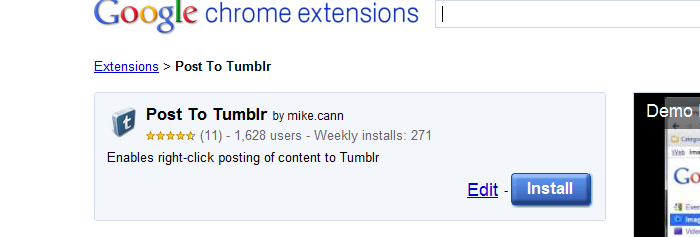
To celebrate the 1,628th user of my Chrome extension PostToTumblr I have just uploaded a new version that adds a requested feature.
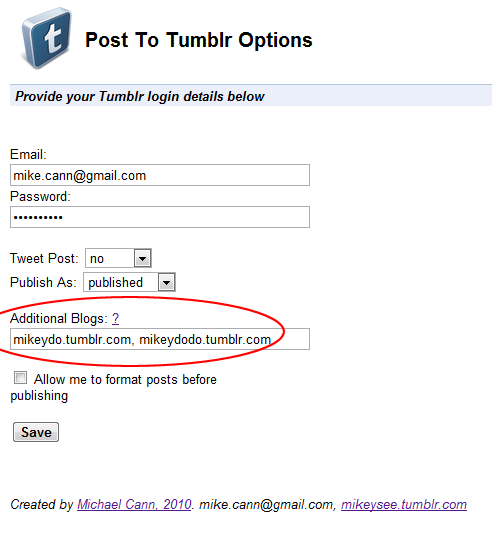
The new feature allows the user to post to multiple Tumblr blogs.
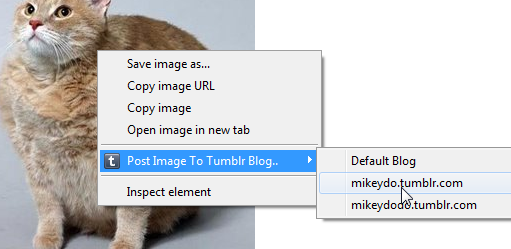
Once specified in the options you are now presented with a sub-menu when posting images allowing you to choose your alternative blogs or just the default blog:
Important to note is that you are only presented this sub-menu if you have specified alternative blogs in the options.
Chrome should auto-update the extension for you soon!
I have been asked by several peeps now to add the ability to persist crawls when the pop-up window closes so I rolled out this update.
Now when you close the Chrome Crawler popup your crawl is saved so that when you open it up again you can resume.
Not only that but thanks to the awesomeness of the background page API in chrome I have now added the ability to crawl even when the popup isnt open.
To enable this head over to the option and untick the "Pause crawling when popup closes" option.
While I was at it I made a few other changes and improvements. The main one being that the "src" attribute on tags is also searched for when you crawl. What this means is that "interesting" images should show up in the files tab if you have images as interesting file types.
You should automatically get the update next time you restart chrome, or if you dont have the extension yet head over to the gallery to get it!
Just a quick update to my chrome extension tonight. I recently had an email asking if there was a way I could make it so that you could send a Tweet at the same time as posting to Tumblr.
After a quick check on the Tumblr API to confirm that yes Tumblr supports the "post-to-twitter" option I spun out this little option.
So now you have three options for tweeting when posting: "no", "auto" and "prompt".
Chrome should auto-update the extension for you soon. If you dont have it hope over to the gallery page here.
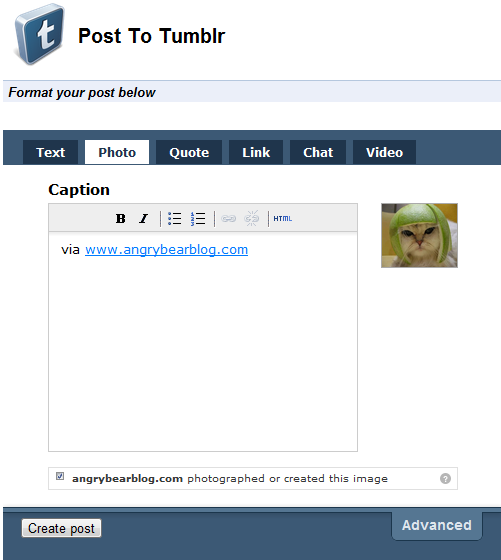
I have updated my Post To Tumblr extension again. I was getting a couple of requests for the ability to add a 'caption' to a post before the image is uploaded so I cranked out this little feature. You can enable it in the options.
Once enabled rather than immediately posting the image it will popup a new tab allowing you to add a caption or whatever to your post:
Its not perfect, I would have preferred the pre formatting window to open in a div popup on the current page instead of a whole new tab, but for now this solution is simple and it works.
I must admit I borrowed the idea from another Tumblr posting extension called "Share on Tumblr". The code is ultra simple:
[codesyntax lang="html4strict"]
<html>
<head>
<script>

	// Thanks to share on tumblr extension for this
	chrome.tabs.getSelected(null, function(tab)
	{
		var url = getParam(tab.url,"u")
		//var url = encodeURIComponent(getParam(tab.url,"u"));
		var finalurl="http://www.tumblr.com/share?v=3&u="+url+"&s=";
		document.getElementById("container").src=finalurl;
	});

	// Thanks http://www.netlobo.com/url_query_string_javascript.html
	function getParam( url, name )
	{
	  name = name.replace(/[\[]/,"\\\[").replace(/[\]]/,"\\\]");
	  var regexS = "[\\?&]"+name+"=([^&#]*)";
	  var regex = new RegExp( regexS );
	  var results = regex.exec( url );
	  if( results == null )
		return "";
	  else
		return results[1];
	}

</script>
<link rel="stylesheet" href="main.css" type="text/css"/>
</head>
<body>
	<div id="header">
      <h1>Post To Tumblr</h1>
    </div>
    <div class="section-header first"><em>Format your post below</em></div>
    <br >
	<iframe id="container" style="width:500px;height:430px;border:0px" src=""></iframe></body>
</html>
[/codesyntax]
It just opens an iframe with the Tumblr Share page. Simples!
Just made a quick little update to my chrome extension "Post To Tumblr".
In this update I finally worked out how to catch bad username or password returns from the Tumbr API. Basically it just involved me using the ajax rather than the post jQuery function and using "async:false" like so:
+ Middle mouse input is now caught and transferred between devices + More errors are caught in the client + Keys are now depressed when a connection is cut, no more lingering Shift, yey!
The new version should automatically download, but if you don't yet have it go grab it on the download page -> http://www.inputtie.com/download/
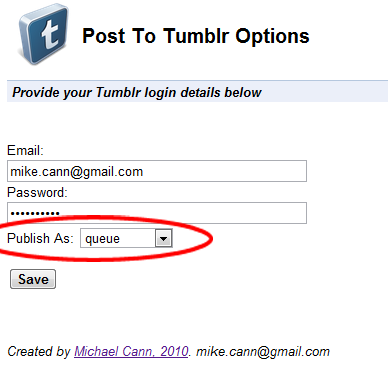
Following a request someone left in the comments I have now added an option to set how the post should be published. So now you can choose whether you want your cat with a lime on its head to be posted to your drafts or your queue or simply to your default wall.
Well as it appears that every day there is a new "Must Join" social network and I appear to have joined most of them I thought I would write a little rundown post of where you can find my digital presence.
Tumblr is a reccent addition to my collection. Im primarily using it as a dumping ground for stuff that amuses me. Expect photos, videos and madness inside... oh and plenty of cats!
Oliver and I have been working hard on the game and we are almost ready to rock.
We are wanting to go for a significantly more polished feel to this game and one of the factors that has been abit rough around the edges in the past has been the menu systems. As mentioned in a previous dev update were were looking to for something like Photon Storm's Kyobi as a splash screen:
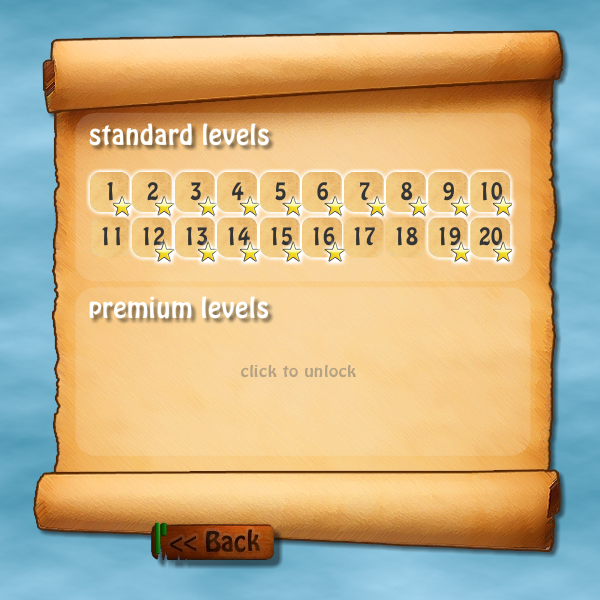
Also we have decided to jump on the micro-payments train and offer unlockable levels likely via the mochi-coins system:
For the price of about $1 you will get 20 more levels with new puzzle features. We are also considering implementing an achievements system with an in-game "best of the best" leader board, but we haven't quite worked out where to put that yet ;)
Now the game is mostly feature complete its onto the slow laborious process of trying to find sponsors for the game.
Im off to France for 10 days tomorrow however so apart from a few emails, work will have to be suspended on this project for a little while. When I return I shall be starting at my new job (more on that when im back!)