Showing posts with label Actionscript. Show all posts

Thursday, 25 April 2013

The Three Game Challenge – Part 3 – The Family Jewels

head

Well this is it! I have completed the third game in my three game prototype challenge. (first game, second game)

With this one I wanted to try my hand at a very popular game genre at the moment, match-three. Because this is a rather simple style of game I thought it would be really easy and fast to make. Wrong. I spent hours without touching a keyboard trying to come up with some novel twist on the genre.

I toyed around with a gem dropping mechanic but that didn't work so well, then I thought about how someone interacts with match-three games on mobile, by dragging the icons around. So I decided to base my game play on dragging gems around until they make a match.

I originally wanted a "mindless" match-three game like Montezuma, one where you play it as fast as you can without thinking too much about the moves. As I started developing the game play for this one however it seemed to fit a puzzle like game better so that's what I ended up with.

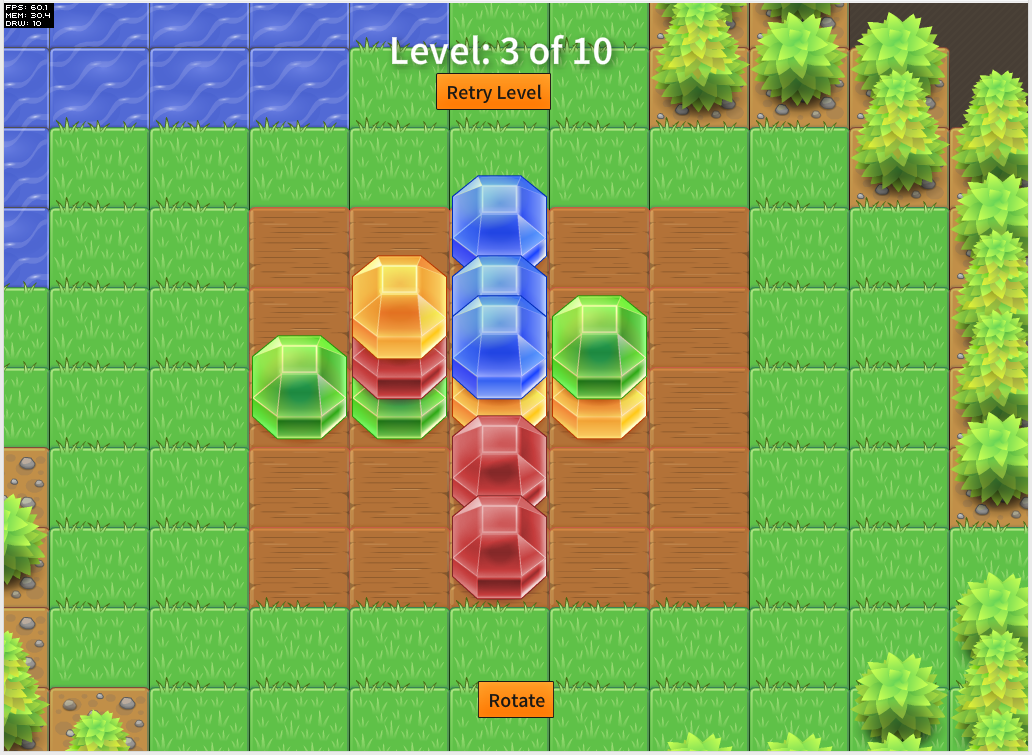
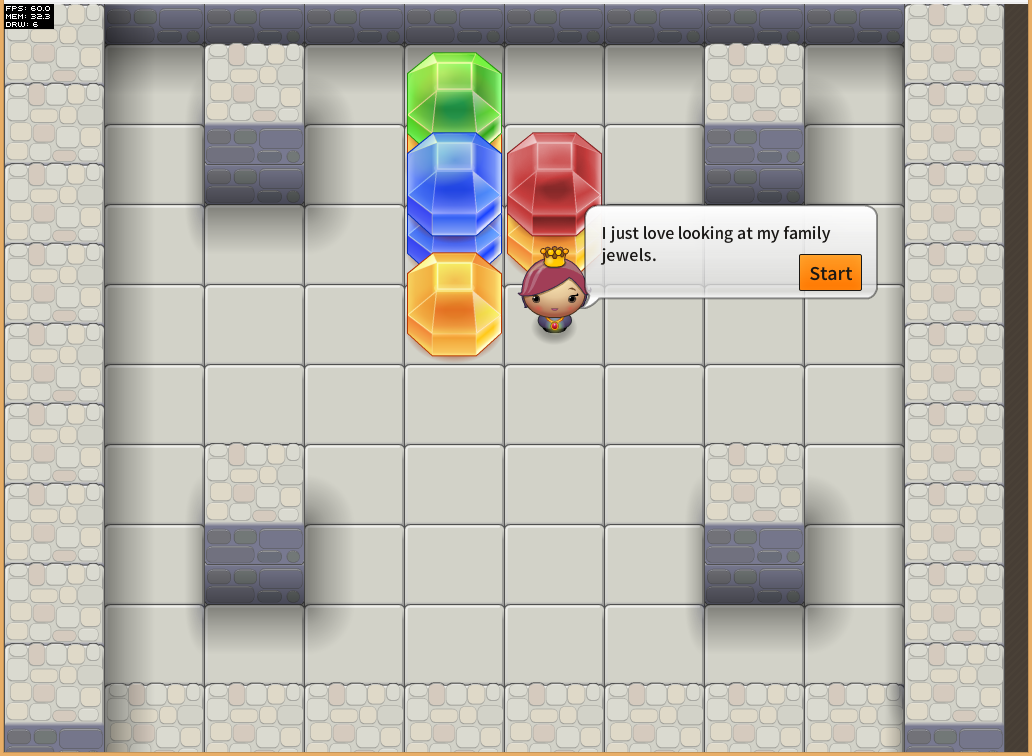
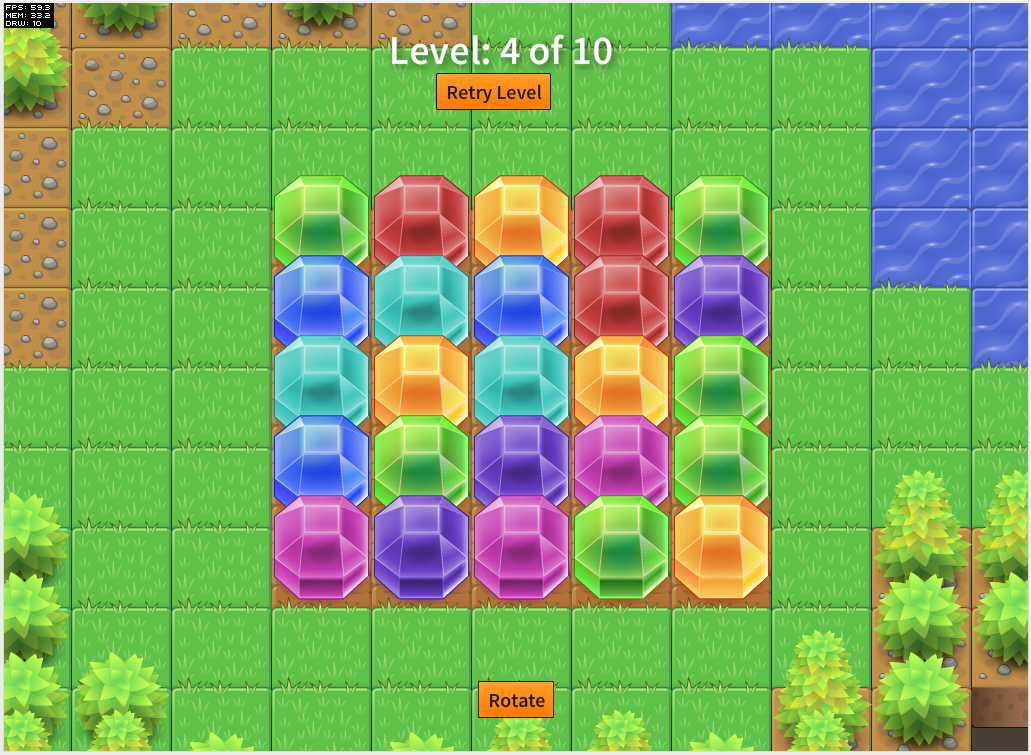
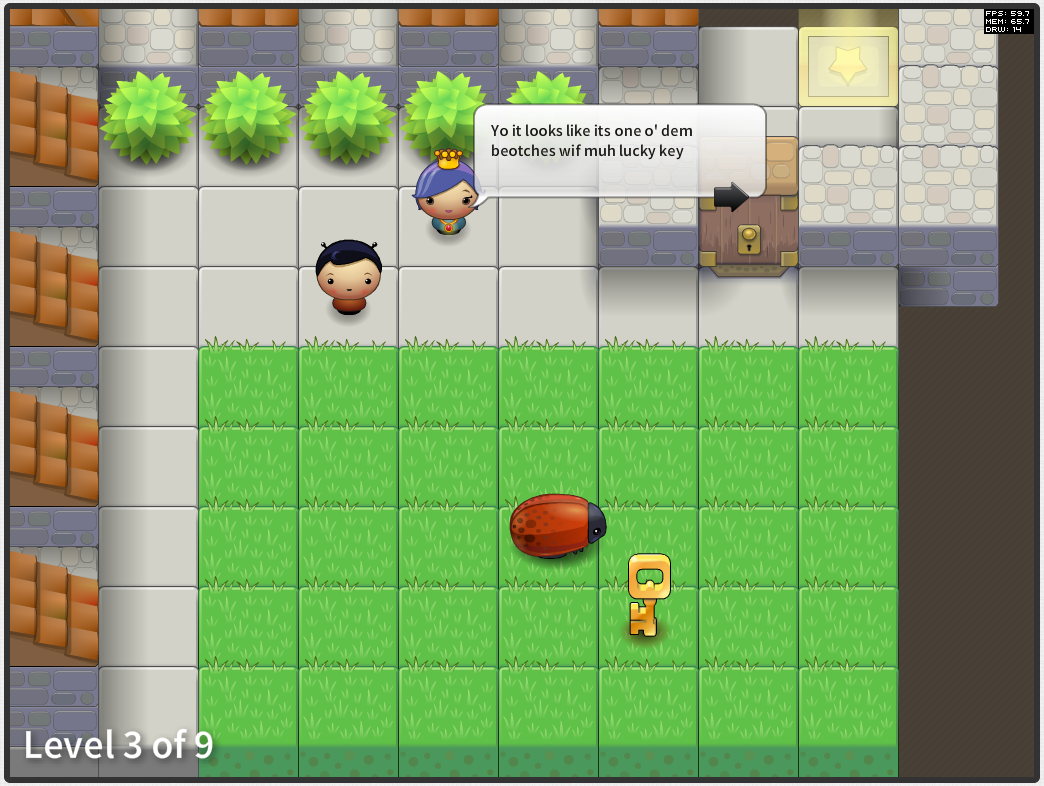
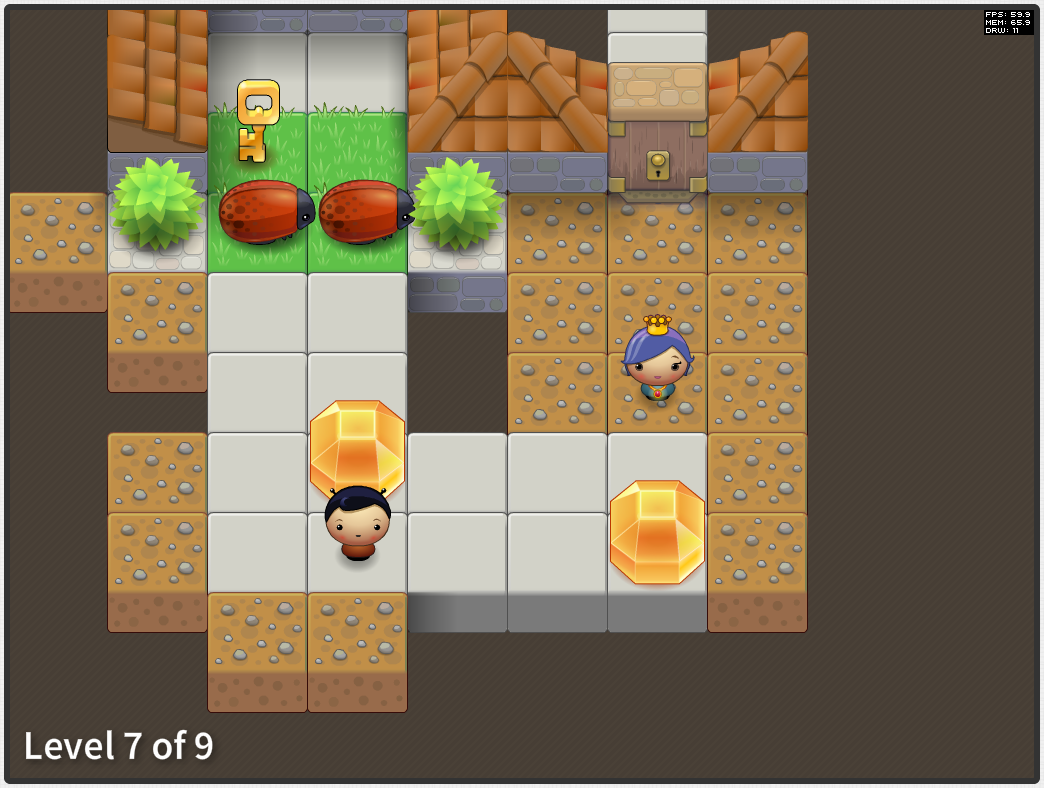
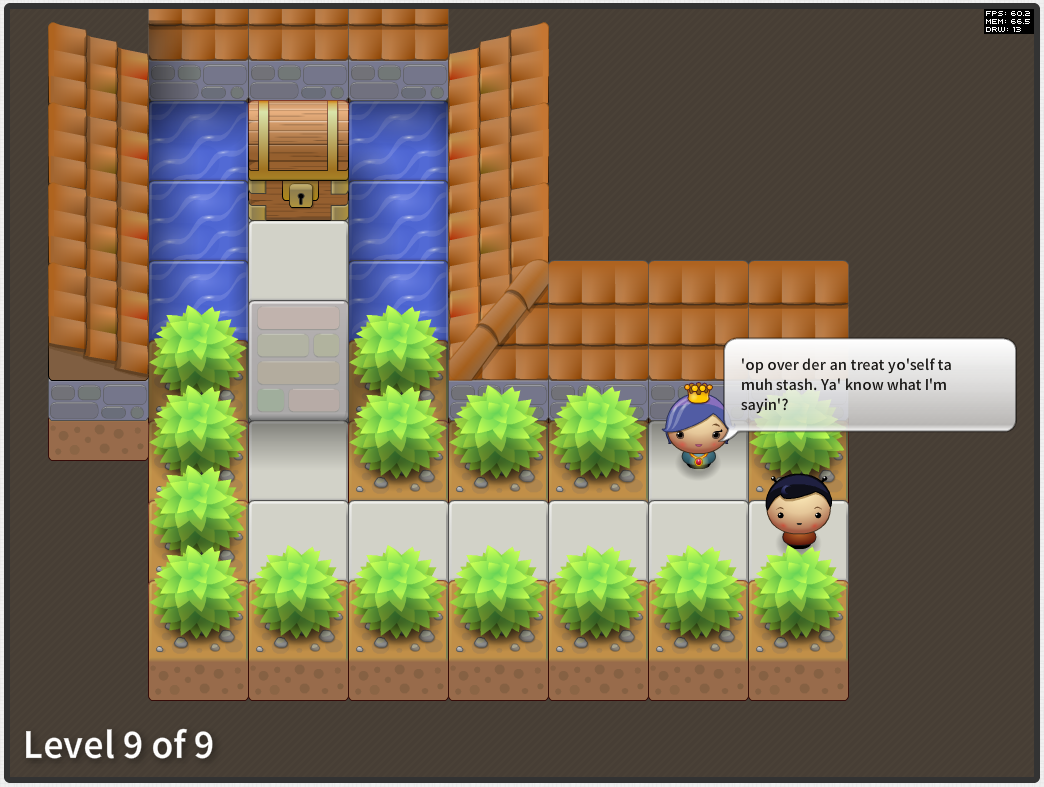
screenshot_01 screenshot_02

screenshot_03 screenshot_04

Anyways give it a go and let me know what you think:

Play The Family Jewels


This one took a little less time at the others at 31hours over 7 days, as per the other two I recorded my time spent:

17th April
11:00 - 12:00
15:00-18:00

20th April
10:00-12:00

21st April
13:00-17:00

22nd April
11:00-13:00
14:00-16:00
20:00-21:00

23rd April
11:00-16:00

24th April
11:00-16:00
18:00-21:00

25th April
11:00-12:00

Well that's the end of my challenge! Im surprised I managed to do it. A little over a week per game seems like hardly any time at all but having that time restriction really is good as it helps to limit your scope, preventing the game from ballooning out into something that could otherwise have taken months and still not have been any fun to play.

As for the tools I used. I used Richard Lord's excellent Ash Game Framework to develop them all alongside Starling with Feathers on top of Flash for the rendering. For rapidly prototyping games they have been excellent. Now im more familiar with Ash I may write a post or two about how to go about structuring certain parts of a game in an enitity-component like manner.

But for the next week or so I need to finish my packing before my mammoth trip to Central and South America.


Friday, 12 April 2013

The Three Game Challenge – Part 2 – A Cunning Plan

head

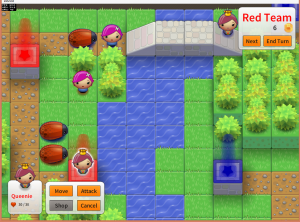
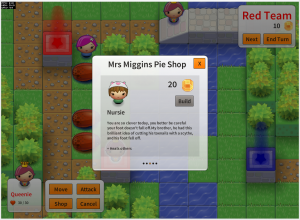
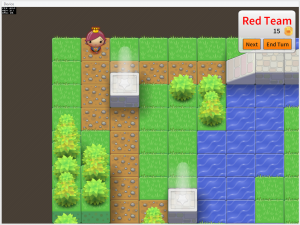
Another week, another game completed as part of my three prototype games challenge (part one, part three) I set myself at the start of this month.

For this one I decided on a type of game that I have been wanting to make for a while, a turn based strategy game. Many moons ago I used to play a J2ME (shudder) game called Ancient Empires. It was a great little game with lots of depth and replayabliltiy and I think it deserved a remake of sorts.

So here is "A Cunning Plan":

screenshot_16 screenshot_13
screenshot_14 screenshot_15

You can play the game here:

Play A Cunning Plan

This game was far more complex to create than Latesha's Crib and hence I spent about 43 hours over the last 9 days making this one.

I was able to save some time by reusing parts of the rendering and hopping logic from Latesha's Crib. As usual I used the  Ash Framework with Adobe Starling and Feathers. To code the AI for the computer player I used Tim Conkling's Excellent Godmode Behaviour Trees library which is truly an excellent AS3 library. The way Behaviour Trees work is really cool, I strongly recommend checking them out if you are going to design any sort of AI.

Special thanks go to Mike Rigby for helping with play testing and Ian Callaghan for suggesting I check out Behaviour Trees :)

Let me know what you think of it, if people are feeling it then I may turn it into a full-blown mobile game!

Again I recorded the my time spent making this one, heres the log:

4th April
9:30am - 2pm
3pm - 7pm

5th April
9:30am - 10:30am

6th April
12:00pm - 4pm (-1 for josh, -1 for lunch & spanish)

7th April
2pm - 19:30pm

8th April
1pm - 3:30pm (-1 spanish and lunch)
4pm - 6pm

9th April
3pm - 7pm

10th April
12pm - 7pm

11th April
9am - 10am
1pm - 6pm;

12th April
10am - 1:30pm

Wednesday, 3 April 2013

The Three Game Challenge - Part 1 - Latesha's Crib

head

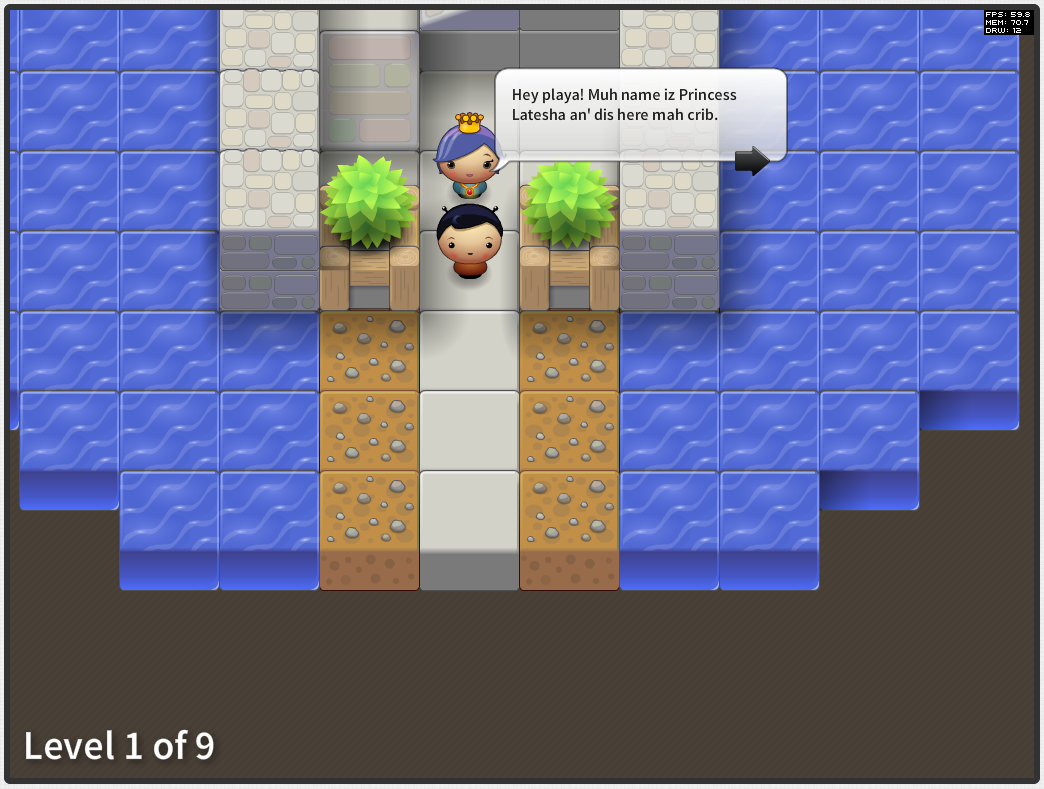
Well I have just finished off the first of my three prototype games challenge (part two, part three) that I set myself last week.

For this one I started off with an idea that I wanted to make a time-based puzzle game. Well it didn't turn out that way, also somewhere along the way I discovered an Ebonics Translator so I decided I would incorporate that for a giggle.

screenshot_05screenshot_06

screenshot_07screenshot_08

Anyways see what you think:

Play Latesha's Crib

In total I spent 31 hours over the last week making this over the past week:

26th March
3pm - 5pm

27th March
10am - 12pm
1pm - 5pm

28th March
10am - 11:30am
3pm - 8pm

29th March
2pm - 5pm

1st April
2pm - 6pm

2nd April
8am - 12pm
2pm - 3pm
5pm - 8pm

3rd April
9:30am - 10:30am
12:pm - 1pm

It was good fun tho I reached a point where I think I had sufficiently prototype the game play so it was time to move onto the next game :)

Let me know what you think. If people really like it then I may turn it into a full-blown mobile game!

Tuesday, 12 March 2013

Ectoplasm, a Game Made in 24 hours (ish)

head

Just before leaving Playdemic we had a company-wide ship-it-day. If you haven't done one of these before they are great and work very similar to game jams like Ludum Dare. Basically you have 24 hours to create something related to the company then you have to present it.

I decided to team up with Laura Whyte a rather excellent artist colleague I have have worked with for years. I knew I wanted to make a quick mobile game using Adobe AIR and Richard Lord's Ash framework but I didn't really have any idea of what game specifically I wanted to make. She had the brilliant idea of making a clone of the classic "helicopter" game that you control with your voice.

So that's what we made. Check out a video of my playing it below:


You will have to excuse the fact I do sound a little like a drunk owl at some points in there.

By the end of the 8-hour day we pretty much had a working game. Since then I have spent a few more evenings here and there tidying up the source code and fixing a few bugs and submitting a build to Apple and Google. In total I would say that 24-hours is a fair time frame for the development of the game.

As previously mentioned we developed the game using Adobe AIR and Ash. The reason being was that I had previously experimented with cross-platform game development with Mr Nibbles which was coded in Haxe and NME and I was keen to see how AIR would compare.

Im pleased to say it held up very well. Where I had a little difficulty was with the Ash Framework. Its a great framework however its still rather new and there aren't many examples out there for how to do certain parts of the game development such as menus and event handling. For this reason I have decided to open source the game so that others can have a look at how I went about constructing parts of the game in Ash.

Ectoplasm source: https://github.com/mikecann/Ectoplasm

I plan on refining the source as I have discussions with others on the Ash Mailing List about how best to go about implementing some of the features, so I suspect that source code may change over the coming weeks.

Because the game is cross-platform that means that it will be accessible on the Apple App Store and Google Play store as soon as it gets approved, for now however you can play the web version over at: http://mikecann.co.uk/projects/ectoplasm/


You may want to toggle your microphone settings (or disable the microphone entirely ;))

Thursday, 14 February 2013

Tinkering With Ash

Last October I was fortunate enough to attend the excellent Try Harder conference for the second time. I have spoken before about how inspirational the event is where every attendant must give a talk on something they are passionate about. One of the talks was by David Wagner's and was on 'The Value of Tinkering' and it inspired me to tinker with TypeScript which led to my Recursive Chrome Extension.

Before I go any further I should mention that there is a Try Harder 'Level Up' session taking place in April that is open to new attendees, I thoroughly recommend you check it out!

Following on in the same 'Tinkering' vein I have decided to investigate an AS3 library by another Try Harder attendee Richard Lord:

logo


What is Ash? Well direct from the Ash Website:
Ash is a high-performance entity system framework for game development.

An entity system is a way to organise the code for a game that is efficient for both code execution and code management. It uses composition rather than inheritance for sharing features between game objects and uses a data-oriented approach to separate the game state from the game logic. This makes it much easier to manage the code and to manage the game state.

Im not going to go into the details too much of why composition over inheritance is a good idea as Richard has already done a much better job than I ever could in these two posts:

If you haven't got a clue what im talking about when I say Entity or Component I strongly recommend checking out his posts first.

The reason why Ash has piqued my interest is because for the last three years I have been working with Entity-Component systems for games but in a totally different way. The way I have been using and developing started with the Push Button Engine (PBE) method and later expanded out to include Dependency Injection culminating in the Swft Framework.

Ill give one example of why am starting to fall in love with Ash:

In PBE and Swft the components contain data and functions. They can also declare dependencies (via [Inject]) which are automatically fulfilled when a component is added to an Entity. The functions in the component are able to act on their own data, other components and interact with the game as a whole.

One problem with this method is that components are largely tied to their entity and once attached aren't really free be removed or added. The reason is because other component may have dependencies that depend on that component being part of the Entity. Removing the component will cause the game to crash. This becomes a problem when you want to enable a certain chunk of functionality for a certain time then disable it, what you tend to end up doing is adding the component at Entity creation time then inside of it toggling its behaviour with a boolean.

In Ash components are pure data with the bulk of the functionality being contained within systems. Sure you can have functions in a component but they only act on their own data. There are no hard dependencies between components. What this means is that components are much more free to be added and removed from Entities. So how do component function together then? Well that's where Systems come in.

Systems are classes that contain the logic that makes up your game. When added to the engine they grab one or many lists of Nodes. A Node simply defines a collection of components that must exist on an Entity. In effect it declares the dependencies that this System needs to operate. What's neat about this is that this list of nodes is constantly changing as components are added and removed from entities. The Ash Engine manages this all for you so all the system need do is iterate over the linked list of Nodes each frame and execute its logic.

Systems also must not declare dependencies between each other. This rule means you don't end up with large dependency hierarchies between Systems. This frees up systems to be added and removed from the Engine with no side effects! This is rather remarkable as it lets you do crazy things that you couldn't normally do when there are many dependencies between systems. For example your game could have a Blitting based rendering system, then halfway through a running the game you could swap that out that System and replace it with a Starling based rendering System!

Thus far I have only spent a limited amount of time tinkering with Ash but I am having a whole lot of fun. I have started work on a little game to experiment around with the framework. At the same time I have been exploring Starling, the hardware accelerated 2D rendering framework built on Stage3D. Thus far I have produced this little map editor:


Click to place a block, shift and click to remove, scroll mouse to change block type and hold control and click to zoom in / out.

Its only a tech demo at the moment and as such hasnt got any game play elements. Im not entirely sure what to turn it into but as a platform for tinkering with Ash its been great.

Its too early to share the code at the moment but if you would like to see how some Ash code looks I strongly recommend you check out Richard's Asteroids example on GitHub. I was really quite taken aback by how neat and modular the code is. The example is provided in 4 different flavours, one using RobotLegs one with Starling one with SwiftSuspenders and one with no dependencies at all. The fact that the code still works and looks simple in all the examples really demonstrates the versatility of the framework :)

Wednesday, 15 August 2012

Improve Flash Builder Performance and Compile Times by 30%

I spend most of my working day and sometimes my evenings and weekends coding in Flash Builder. Flash Builder is the main professional coding environment for Actionscript and MXML and is sold by Adobe.

Its fairly okay as an IDE, not the best but not the worst also. I wont go into all of Flash Builders' problems (I would be here forever) but instead want to talk about one key way you can improve your efficiency when working in Flash Builder.

Firstly the test environment :


Its a pretty beasty machine, the project and flash builder folders are sat on an SSD drive.

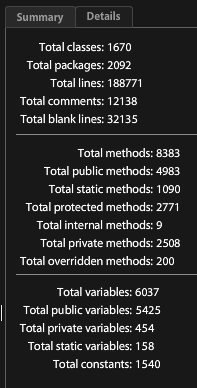
I have two projects to test these compile times with. Using RichCodeAnalyser:

Project A

1670 Classes, 188,771 Lines

Project B

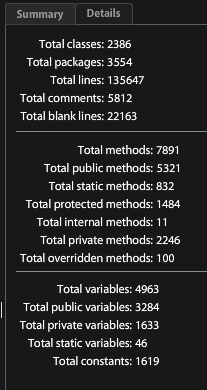
2386 Classes, 135,647 Lines

Both projects have a mixture of MXML and AS files as well as employing several .swc libraries.

Ill be testing two different scenarios. 1 complete build from clean. 2. a single line change in the Main class. Ill run each test three times and take the average. I close FB down between projects just in-case there is any memory caching limiting the performance. All builds are built in debug mode using various different Flex SDK versions.

So using the vanilla install of Flash Builder 4.6:


Not a good start. The two projects wont even compile. They get so far through the build then crash, not just the compiler but the entire IDE itself, ugh!

So the first improvement is to up the amount of memory that Flash Builder has. Incredibly  (in this day and age) you have to manually do this, it isn't built into Flash Builder (which is built on Eclipse). So to do this you need to edit the FlashBuilder.ini found (on my machine) at:

[codesyntax lang="text"]

C:\Program Files (x86)\Adobe\Adobe Flash Builder 4.6\FlashBuilder.ini

[/codesyntax]

The main setting for the amount of memory is "-Xmx512m" which sets the maximum value of the heap to 512Mb. So to give FB more memory set that to:

[codesyntax lang="text"]

-Xmx1024m

[/codesyntax]

If you try to set it any higher than this then FB either wont start or will crash at some point. This is to do with the maximum addressable memory when running the 32bit JVM (which FB uses).

Okay with that value tweaked, I ran the tests again:


Great so now we have some baseline figures to compare against lets apply the major speed boost.

From Wikipedia:

JRockit, a proprietary Java Virtual Machine (JVM) originally developed by Appeal Virtual Machines and acquired by BEA Systems in 2002,[1] became part of Oracle Fusion Middleware in 2008.
The JRockit code base and the HotSpot virtual machine from Sun Microsystems (now Oracle) are currently being integrated, with the target of releasing a JVM with a combined code base around the release date of JDK 8.

JRockit was made free and publicly available in May 2011.
Many JRE class files distributed with JRockit exactly replicate those distributed with HotSpot. JRockit overrides class files which relate closely to the JVM, therefore retaining API compatibility while enhancing the performance of the JVM.


Faster JVM is the critical part here as both eclipse and the Flex compiler rely on it. You can grab it over on oracle's website: http://www.oracle.com/technetwork/middleware/jrockit/downloads/index.html

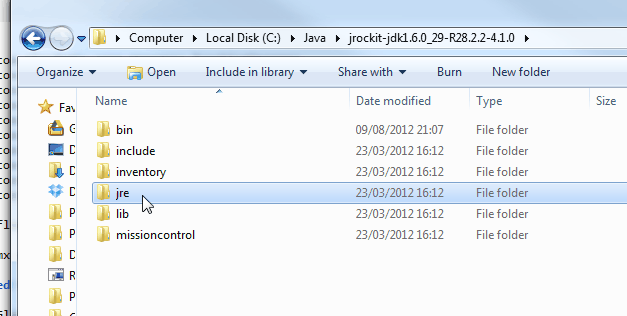
You will want the 32bit installer, download and install. Once installed go to the install directory for the JDK, inside there is a JRE folder:


Copy it, now open up the Flash Builder install directory, rename the jre folder in there to something and copy in the jrocket jre:


And thats it. Now Flash Builder will use the JRocket JVM for the IDE and for compiling. Okay so running the tests again we get:


Nice! Thats a 27.5% improvement for a clean build on project A and 27.3% improvement for project B. For a single line change its 35.7% improvement for Project A and a 22.3% improvement for Project B.

Hope this helps some peoples out, I just wish I had known about this years ago!

Saturday, 30 June 2012

On Porting RobotLegs2 & SwiftSupenders2 to Haxe


I originally hoped that this post would be about my successful completion of a RobotLegs2 port to Haxe however something else has come up (more on that in a later post) so instead im just going to talk about the process and progress of the port thus far.

So although there is already an excellent RobotLegs 1 Haxe port out there by David Peek, I decided I would like to try to port the brand new Robot Legs 2 Framework  which offers a great many improvements over the original.

Rather than beginning the port from scratch I decided to use as3hx to take the legwork out of converting the AS3 code to Haxe code. To get the tool you must first checkout the library from its google code repo at: http://caffeine-hx.googlecode.com/svn/trunk/projects/as3hx/

Once downloaded its just a simple matter of compiling the source into a neko executable:

[codesyntax lang="powershell" lines="normal"]
haxe as3hx.hx

[/codesyntax]

Then you can run it with:

[codesyntax lang="powershell" lines="normal"]
neko as3hx.n

[/codesyntax]


To convert a AS3 project give it an input and output folder:

[codesyntax lang="powershell" lines="normal"]
neko as3hx.n -vector2array -uint2int robotlegs2 robotlegs2out

[/codesyntax]

In this case the input folder is the source download from the RobotLegs2 GitHub page.

It will start to convert but will get stuck:

[codesyntax lang="powershell" lines="normal"]
C:/Users/MikeC/Desktop/as3hx/robotlegs2/src/robotlegs/bender/extensions/eventCommandMap/api/IEventCommandMap.as
C:/Users/MikeC/Desktop/as3hx/robotlegs2out/robotlegs/bender/extensions/eventcommandmap/api/IEventCommandMap.hx
C:/Users/MikeC/Desktop/as3hx/robotlegs2/src/robotlegs/bender/extensions/eventCommandMap/impl/EventCommandExecutor.as
C:/Users/MikeC/Desktop/as3hx/robotlegs2out/robotlegs/bender/extensions/eventcommandmap/impl/EventCommandExecutor.hx
C:/Users/MikeC/Desktop/as3hx/robotlegs2/src/robotlegs/bender/extensions/eventCommandMap/impl/EventCommandFactory.as
C:/Users/MikeC/Desktop/as3hx/robotlegs2out/robotlegs/bender/extensions/eventcommandmap/impl/EventCommandFactory.hx
C:/Users/MikeC/Desktop/as3hx/robotlegs2/src/robotlegs/bender/extensions/eventCommandMap/impl/EventCommandMap.as
C:/Users/MikeC/Desktop/as3hx/robotlegs2out/robotlegs/bender/extensions/eventcommandmap/impl/EventCommandMap.hx
C:/Users/MikeC/Desktop/as3hx/robotlegs2/src/robotlegs/bender/extensions/eventCommandMap/impl/EventCommandTrigger.as
Called from ? line 1
Called from Run.hx line 66
Called from Run.hx line 55
Called from Run.hx line 38
Called from C:\Motion-Twin\Haxe/std/neko/Lib.hx line 63
Called from Run.hx line 29
Called from as3hx/Parser.hx line 117
Called from as3hx/Parser.hx line 131
Called from as3hx/Parser.hx line 488
Called from as3hx/Parser.hx line 415
Called from as3hx/Parser.hx line 589
Called from as3hx/Parser.hx line 794
Called from as3hx/Parser.hx line 744
Called from as3hx/Parser.hx line 919
Called from as3hx/Parser.hx line 964
Called from as3hx/Parser.hx line 1106
Called from as3hx/Parser.hx line 1016
Called from as3hx/Parser.hx line 1075
Called from as3hx/Parser.hx line 1179
Called from as3hx/Parser.hx line 330
Called from as3hx/Parser.hx line 1003
Uncaught exception - In C:/Users/MikeC/Desktop/as3hx/robotlegs2/src/robotlegs/bender/extensions/eventCommandMap/impl/Eve
ntCommandTrigger.as(75) : Unexpected .

[/codesyntax]

It seems like as3hx is getting confused around this line in the AS3 source:

[codesyntax lang="actionscript" lines="normal"]
if (describeType(mapping.commandClass).factory.method.(@name == "execute").length() == 0)
throw new Error("Command Class must expose an execute method");

[/codesyntax]

It looks like a bit of E4X is confusing the script. To solve this sort of problem I made a note of the location and file and just commented the offending line out. This allows as3hx to get past that particular snag. After going through this process a few times the project should be fully converted.

From there I setup a project in FlashDevelop and tried to compile. After fixing a few things that as3hx couldnt solve I came accross a rather major stumbling block.

RobotLegs2 unlike RL1 has a strong dependency on the dependency injection container SwiftSuspenders. So to get RL to compile I first need to port SwiftSupenders2.

So I repeated the process above but for SwiftSuspenders. Eventually this left me with a whole load of broken unit tests. Till Schneidereit the (rather splendid) author of SwiftSuspenders wrote a great number of unit tests for the library, which is one of the reasons why its so excellent. So I knew that to achieve a proper port all I need do is pass all those tests and I can then be confident that the code is solid.

After a few evenings of toil I managed to get 50 tests to pass in the Flash target. This is quite abit shy of the 160+ tests in the original AS3 version of the library, however a great many of those tests are not relevant to Haxe such as ArrayCollection tests, XML tests and DescribeType tests. I also decided for now to remove all of the event dispatching (and thus their tests) code from the library for now due to their dependency on the Flash platform. Despite this I think the 50 tests that do pass are probably representative of the core functionality of the library.

With the Flash target passing I indented to then move onto passing the tests in the other targets (JS, C++, php etc). I was hoping that with the flash part passing that they would all pass considering that im using the inbuilt haxe reflection methods not any platform specific reflection, but alas this was not to be the case. Starting with the JS target I started to get alot of errors on some of the basic Injector tests. After some digging in the compiled JS source I traced it back to an issue in the Meta Data generation for the @Inject tag on the JS target.

Unfortunately, I have run out of time on this little side project for now so am going to have to park it. I have uploaded the progress thus far to GitHub should anyone else wish to take up the mantle on the port:

https://github.com/mikecann/SwiftSuspendersHx
https://github.com/mikecann/RobotLegs2Hx

I had indented, once everything was passing, was to do a branch of the project and incorporate some features that only the Haxe language can support. Features such as proper generics and macros would bring some added awesome.

Thursday, 17 February 2011

Flex Binding & Compile Times


Binding in flex has been playing on my mind for a little while now, so I have decided to finally sit down and try to resolve the issue.

The worry has been that on large projects that make heave use of the flex automatic binding, compile times could be dramatically increased. This is because behind the scenes the flex compiler must convert those syntax sugar ([Bindable] and {}) into actual AS3 code. The exact way this is done I wont go into, but I recommend you google it, its a fascinating topic.

I really like the ease of use of automatic binding but at the same time I was worried about how much slower compile times are because of them. So I decided I would try to run some tests and see.

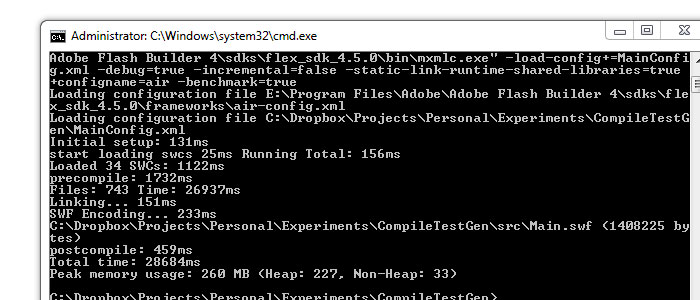
To compare the compile time performance of binding I ran three tests. The first, a control to define how long compilation takes with an empty Flex Application. The second tests how long non-binding takes and is comprised of a single group with 4000 labels that are assigned values. The third test is for binding and is 4000 labels that are bound to 4000 [Bindable] public variables.

For testing metrics I used the -benchmark=true compile flag along with -incremental=false to stop any sort of compile-caching. The full command line compile looks like:
"E:\Program Files\Adobe\Adobe Flash Builder 4\sdks\flex_sdk_4.5.0\bin\mxmlc.exe" -load-config+=MainConfig.xml -debug=true -incremental=false -static-link-runtime-shared-libraries=true +configname=air -benchmark=true

I ran each test three times and took the average of each. I then ran the entire thing again but with -debug=false to see if that would make any difference.

I recorded all the results in this google doc: https://spreadsheets.google.com/ccc?key=0AoHeesrTENc9dEFqamdCc2ZldHcyZkJmQkZsaDBOT0E&hl=en&authkey=CLP8r-MF

The general gist is that it seems binding adds about 20% onto compile times both- debug=true and -debug=false. This isnt as bad as I was fearing but still a 20% increase on a 30 second compile time can be annoying.

Im not sure if the tests I did were fair so I would love to hear feedback from others.

I have bundled the project up incase anyone wanted to test it themselves: http://mikecann.co.uk/wp-content/uploads/2011/02/CompileTestGen.zip

Tuesday, 8 February 2011

1046: Type was not found or was not a compile-time constant


Came across this little oddity the other day. Took me ages to work out what was going on, so thought I would share in case anyone else ran into the same issue.

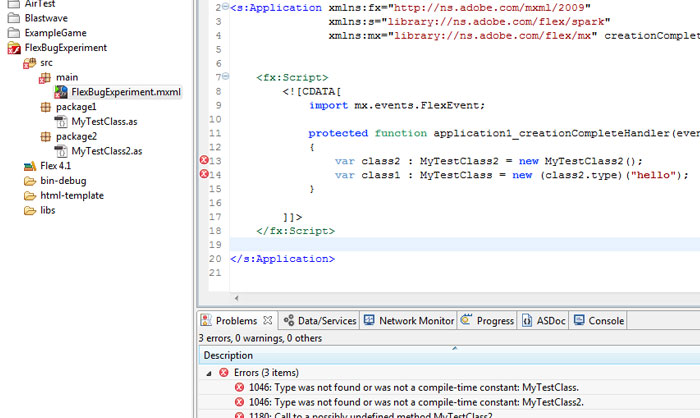
One day, for a reason I couldn't fathom, my project stopped compiling. I kept getting these odd "1046: Type was not found or was not a compile-time constant" errors all over the place. Not only that, when I tried to include the class in question either via auto-complete (control & space) or via manual import the error persisted.

To cut a long story short it seems that if you try to new a member property that is of type Class from another class and the constructor takes in at least one parameter the error will occur.

So for example take the two following classes:

[codesyntax lang="actionscript3"]
package package2
{
import package1.MyTestClass;

public class MyTestClass2
{
public var type : Class = MyTestClass;
}
}

[/codesyntax]

And

[codesyntax lang="actionscript"]
package package1
{
public class MyTestClass
{
public function MyTestClass(someVar:String)
{
trace(someVar);
}
}
}

[/codesyntax]

Now try using them in the following fashion:

[codesyntax lang="mxml"]
<?xml version="1.0" encoding="utf-8"?>
<s:Application xmlns:fx="http://ns.adobe.com/mxml/2009"
xmlns:s="library://ns.adobe.com/flex/spark"
xmlns:mx="library://ns.adobe.com/flex/mx" creationComplete="application1_creationCompleteHandler(event)">

<fx:Script>
<![CDATA[
import mx.events.FlexEvent;

protected function application1_creationCompleteHandler(event:FlexEvent):void
{
var class2 : MyTestClass2 = new MyTestClass2();
var class1 : MyTestClass = new (class2.type)("hello");
}

]]>
</fx:Script>

</s:Application>

[/codesyntax]

And uh oh, bad times:

[codesyntax lang="php"]
1046: Type was not found or was not a compile-time constant: MyTestClass.	FlexBugExperiment.mxml	/FlexBugExperiment/src/main	line 14	Flex Problem

1046: Type was not found or was not a compile-time constant: MyTestClass2. FlexBugExperiment.mxml /FlexBugExperiment/src/main line 13 Flex Problem

1180: Call to a possibly undefined method MyTestClass2. FlexBugExperiment.mxml /FlexBugExperiment/src/main line 13 Flex Problem

[/codesyntax]

The bad line is:

[codesyntax lang="actionscript"]
var class1 : MyTestClass = new (class2.type)("hello");

[/codesyntax]

If you take away the "hello" part or you split it out into two lines like so:

[codesyntax lang="actionscript"]
var tmpC : Class = (class2.type);
var class1 : MyTestClass = new tmpC("hello");

[/codesyntax]

Then everything is gravy

Anyway, I hope this helped someone out!

Saturday, 4 September 2010

Joa Does It Again!


So I have written about Mr Joa 'The Flash God' Ebert before. He is well known throughout the Flash community for his incredible coding skills, particularly his work on low-level SWF optimisation.

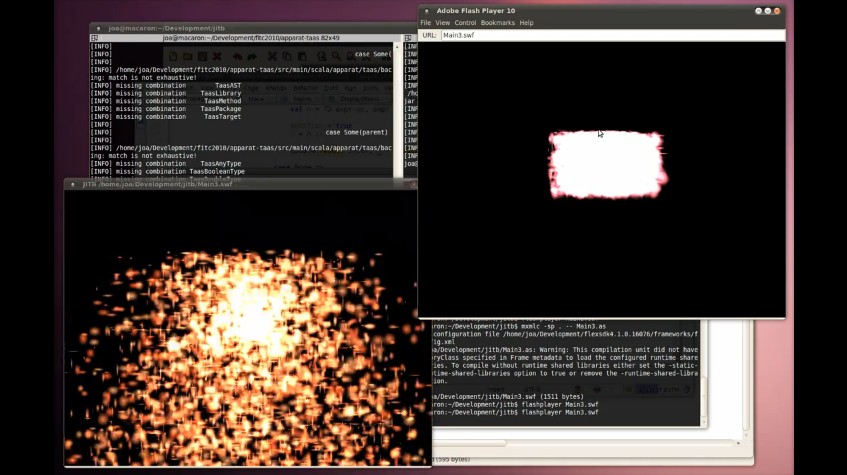
His latest project is called JITB and its nothing short of stunning as this video taken from his blog shows:


Basically he has gone and written a Flash Player in Java. What this means is that you get all those awesome speed benefits and optimisations that the Java team has worked hard for years and years to implement but you can write it all in a language already familiar and sexy, AS3! The result? You get about a 30x speedup! (disclaimer: a micro-benchmark taken from Joa's blog)

This is all great news and very exciting. I cant wait to see a custom browser plugin using this flash player, or even having Pixel Bender shaders running on the hardware *me drools in anticipation*.

Monday, 16 August 2010

AS3, Dictionary & Weak Method Closures

This is going to be a technical post so those of you not of the code persuasion look away now..

Okay great, now those guys have gone I can get down to it.

Some of my recent work on the SWFt project has revolved around the use of Robert Penners AS3Signals. If you dont know what Signals are I strongly reccomend that you check out Roberts blog for more info. In brief, they are an alternative to the Events system found in Flash, based on the Signal / Slot pattern of Qt and C# they are much faster and more elegant (my opinion) than native events.

I have been trying to incorporate signals in SWft for both the elegance and performance gains that they bring, however there is an issue that was brought to my attention by Shaun Smith on the mailing list. The issue is that my current use of them will cause memory leaks.

I realised that this too would apply to the work I had been doing using the RobotLegs and Signals libraries. RobotLegs (for those of you that dont know) is an excellent Dependency Injection framework inspired by the very popular PureMVC framework. I have blogged before about its excellence. Signals have been incorporated into RobotLegs as a separate 'plugin' by Joel Hooks in the form of the SignalCommandMap. The SignalCommandMap does as the name implies, it allows you to map signals to commands so that whenever a mapped signal is dispatched then the corresponding command is executed.

Its a very nice, elegant, solution to RIA development. However there is one catch. I have so far been using signals such as:

[codesyntax lang="actionscript3" lines="normal"]
public class MyMediator extends Mediator
{
// View
[Inject] public var view : MyView;

// Signals
[Inject] public var eventOccured : ViewEventOccuredSignal;
[Inject] public var modelChanged : ModelChangedSignal;

override public function onRegister():void
{
view.someSignal.add(eventOccured.dispatch);
modelChanged.add(onModelChanged);
}

protected function onModelChanged()
{
view.updateView();
}
}

[/codesyntax]

So here we can see a typical use of Signals in a mediator. There are two things going on here that are of concern, lets break them down.

Firstly on line 12 we are listening to a signal on the view, then passing on the event directly to an app-level event, notice how nice and clean this is, this is what I love about using RL & Signals. Line 13 we are listening for an app-level signal for a change on the model then updating the view to reflect this.

It all looks well and good but unfortunately in its current state it could cause a memory leak. This is because we are listening to events on signals without then removing the listen. For example, we are listening to the app-level event on line 13 "modelChanged.add(onModelChanged);" so now the "modelChanged" signal has a reference to this Mediator. This will cause a leak when the View is removed from the display list. Normally the mediator would also be make available for garbage collection, however, because the singleton Signal has a reference to the Mediator it cannot be removed.

The same goes for line 12. Suppose the "ViewEventOccuredSignal" that is injected is not a singleton and is swapped out for another instance it could not be garbage collected as the "view.someSignal" has a reference to its dispatch function.

Realising this problem I knew that the solution was simply to be careful and add a "onRemoved" override function in my Mediator then clean up by removing the signal listeners. However I like the simplicity and beauty of current way of doing things so I started to wonder if there was another way.

I started thinking about whether I could use weak references with the Signal. If I could then I wouldnt have to worry about cleaning up as the Signal wouldnt store any hard-references to the functions and so the listener would be free for collection. After some digging however I realised that there was no option for weak listening in Robert Penners AS3Signals.

I thought to myself why the hell not? I knew that the Dictionary object in AS3 has an option to store its contents weakly so I thought so long as you don't require order dependant execution of your listeners it should be possible to store the listener functions in a weakly referenced Dictionary.

It was at this point that I noticed Roberts post on the subject of weakly referenced Signals: http://flashblog.robertpenner.com/2009/09/as3-events-7-things-ive-learned-from.html. In it he references Grant Skinners post concerning a bug with storing functions in a weakly referenced Dictionary.

From Grant's post:
Note that there is a known bug with Dictionary that prevents it from operating correctly with references to methods. It seems that Dictionary does not resolve the method reference properly, and uses the closure object (ie. the "behind the scenes" object that facilitates method closure by maintaining a reference back to the method and its scope) instead of the function as the key. This causes two problems: the reference is immediately available for collection in a weak Dictionary (because while the method is still referenced, the closure object is not), and it can create duplicate entries if you add the same method twice. This can cause some big problems for things like doLater queues.

This was starting to look bad for my idea. Me being me however, I thought I knew better, and that post was written pre Flash 10 so I thought to myself: perhaps its been fixed in Flash 10. So I set to work coding a simple example.

I created a very simple Signal dispatcher:

[codesyntax lang="actionscript3" lines="normal"]
package
{
import flash.events.EventDispatcher;
import flash.utils.Dictionary;

public class SimpleDispatcher
{
protected var _listeners : Dictionary;

public function SimpleDispatcher(useWeak:Boolean)
{
_listeners = new Dictionary(useWeak);
}

public function add(f:Function) : void
{
_listeners[f] = true;
}

public function dispatch() : void
{
for (var o:* in _listeners)
{
o();
}
}
}
}

[/codesyntax]

And a very simple listening object:

[codesyntax lang="actionscript3" lines="normal"]
package
{
public class SimpleListener
{
public function listen(d:SimpleDispatcher) : void
{
d.add(onPing);
}

protected function onPing() : void
{
trace(this+" - ping");
}
}
}

[/codesyntax]

And then a simple Application to hook it all together:

[codesyntax lang="mxml" lines="normal"]
<?xml version="1.0" encoding="utf-8"?>
<s:Application xmlns:fx="http://ns.adobe.com/mxml/2009"
xmlns:s="library://ns.adobe.com/flex/spark"
xmlns:mx="library://ns.adobe.com/flex/mx">

<fx:Script>
<![CDATA[
import mx.controls.List;

protected var _dispatcher : SimpleDispatcher = new SimpleDispatcher(true);
protected var _listener : SimpleListener;

protected function onAddListenerClicked(event:MouseEvent):void
{
_listener = new SimpleListener();
_listener.listen(_dispatcher);
}

protected function onRunGCClicked(event:MouseEvent):void
{
try
{
new LocalConnection().connect('foo');
}
catch (e:*) {}
}

protected function onDispatchClicked(event:MouseEvent):void
{
_dispatcher.dispatch();
}

]]>
</fx:Script>

<s:VGroup width="100%" height="100%" horizontalAlign="center" verticalAlign="middle">
<s:Button label="Add Listener" click="onAddListenerClicked(event)" />
<s:Button label="Run GC" click="onRunGCClicked(event)" />
<s:Button label="Dispatch" click="onDispatchClicked(event)" />
</s:VGroup>

</s:Application>

[/codesyntax]

So what I should expect to see from this example is that when I click "Add Listener" it should create a listener reference which will then listen for when the signal is dispatched and trace out a "ping".

What actually happens is you get nothing. No trace out, despite the fact that there is clearly still a reference to the listener in the Application file.

So whats happening here? If you break into the debugger at the point that the listener is added then you get the following:


You can see that the type "MethodClosure" is added as the key to the dictionary rather than Function which is passed in. MethodClosure is a special native Flash Type that you dont have access to. It exists to resolve the issues we used to have in AS2 where passing a function of a class to a listener would cause the listener to go out of scope and other nasties. From the Adobe docs:
Event handling is simplified in ActionScript 3.0 thanks to method closures, which provide built-in event delegation. In ActionScript 2.0, a closure would not remember what object instance it was extracted from, leading to unexpected behavior when the closure was invoked.

..
This class is no longer needed because in ActionScript 3.0, a method closure will be generated when someMethod is referenced. The method closure will automatically remember its original object instance.

The only problem is that it seems that using a MethodClosure as a key in a weak dictionary causes the MethodClosure to have no references and hence be free for garbage collection as soon as its added to the Dictionary which is not good :(

So thats about as far as I got, I have spent a few evenings on this one now and I think im about ready to call it quits. I had a few ideas about creating Delegate handlers to make functions very much in the same way as was done in AS2 but then I read this post: http://blog.betabong.com/2008/09/26/weak-method-closure/ and the subsequent comments and realised it probably wasnt going to work.

I also had an idea about using the only other method of holding weak references the EventDispatcher class. I thought perhaps somehow I could get it to hold the weak references then I could loop through the listeners in there calling dispatch manually. Despite "listeners" property showing up in the Flex debugger for an EventDispatcher you dont actually have access to that property unfortunately so hence cant get access to the listening functions. Interestingly however the EventDispatcher uses "WeakMethodClosure" object instead of the "MethodClosure" object according to the debugger.

Well I guess for now Ill have to make sure I code more carefully and unlisten from my Signals ;)

Monday, 2 August 2010

Flex 4 Spark & Rollover Group Containing Rect

Was working on my top-secret Flex-based project over the weekend when I discovered something I hadn't come across before.

The issue is that when you have a Spark Rect GraphicsElement within a Spark Group it seems that the rollover event of the group is triggered even though the mouse doesn't roll over the Rect.

Here is a video I made to explain my issue on Twitter:


The code in the video is as follows:

[codesyntax lang="mxml"]
<s:WindowedApplication xmlns:fx="http://ns.adobe.com/mxml/2009"
xmlns:s="library://ns.adobe.com/flex/spark"
xmlns:mx="library://ns.adobe.com/flex/mx">

<s:Group rollOver="trace('ya')">
<s:Rect x="100" y="100" width="20" height="20">
<s:fill>
<s:SolidColor color="0x00ff00" />
</s:fill>
</s:Rect>
</s:Group>

</s:WindowedApplication>

[/codesyntax]

It turns out (after posting the issue on the Adobe Forums) that I was simply missing the "mouseEnabledWhereTransparent" property on the Group. Setting it to false causes the mouse to perform a hit-test rather than a simple bounds check. Thank you Mr Shongrunden for pointing this out to me :)

So this now works:

[codesyntax lang="php"]
<s:WindowedApplication xmlns:fx="http://ns.adobe.com/mxml/2009"
xmlns:s="library://ns.adobe.com/flex/spark"
xmlns:mx="library://ns.adobe.com/flex/mx">

<s:Group rollOver="trace('ya')" mouseEnabledWhereTransparent="false">
<s:Rect x="100" y="100" width="20" height="20">
<s:fill>
<s:SolidColor color="0x00ff00" />
</s:fill>
</s:Rect>
</s:Group>

</s:WindowedApplication>

[/codesyntax]

I hope this helps someone else out!

Thursday, 8 April 2010

Funk IoC - A New Dependency Injection Framework


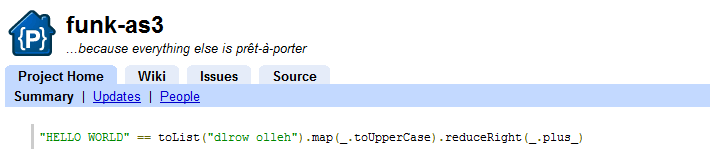
Twitter can be a funny beast, what makes it great can also make it poor. I use Twhirl which keeps me updated any time one of the people I follow tweets about something, the only problem is that so many people tweet that if I dont happen to see it within about and hour or so of the Tweet, ill miss it. This time however I was lucky enough to catch a tweet by @Joa about his new Inversion of Control and functional-programming-like library, Funk AS3.

As I have been getting well into RobotLegs (a Dependency Injection MVCS framework) recently I was extremely interested to hear about this new project by Joa who I respect very much as a brilliant coder not least because of his excellent work on low-level Flash byte-code optimisation (see Apparat).

Joa has taken a different approach to doing dependency injection. The approach most frequently used (and the one used in SwiftSuspenders / RobotLegs) is to use meta-data to declare to a number of variables for injection. You then map a class to be injected and instantiate it using the injector.

As an example, with Swift Suspenders you would define a class for injection with something like the following:

[codesyntax lang="actionscript3" lines="normal" tab_width="4"]
class MyInjectedClass
{
public function sayHello(toSay:String)
{
trace("Hello "+toStay);
}
}

var injector : Injector = new Injector();
injector.mapSingleton(MyInjectedClass);

[/codesyntax]

Here we are telling the Injector to make a single instance of our class and hold it internally ready for when it is next requested, such as:

[codesyntax lang="actionscript3" lines="normal" tab_width="4"]
class MyDependantClass
{
[Inject] public var myClass : MyInjectedClass;

public function performAction()
{
myClass.sayHello("World");
}
}

[/codesyntax]

Here the [Inject] meta-data indicates that we want the framework to supply the class with an instance of type MyInjectedClass. The final part is to make an instance of the dendant class and inject into it:

[codesyntax lang="actionscript3" lines="normal" tab_width="4"]
var dependant : MyDependantClass = new MyDependantClass();
injector.injectInto(dependant);
dependant.performAction();

[/codesyntax]

As you can see this is a nice way of handling inter-module dependencies in your code, when coupled with a MVC framework such as RobotLegs it becomes and extremely powerful yet elegant way of coding.

It however isnt perfect and Joa, on his google code page mentions three drawbacks of this method:


  • Your injected properties are publicly exposed and mutable.

  • describeType is very expensive.

  • Steep learning curve.


This is where he suggests his alternative method, which is quite ingenious. Using the same example as above you would see something like the following:

[codesyntax lang="actionscript3" lines="normal" tab_width="4"]
class MyInjectedClass
{
public function sayHello(toSay:String)
{
trace("Hello "+toStay);
}
}

bind(MyInjectedClass).asSingleton();

[/codesyntax]

Then the dependant class would look like the following:

[codesyntax lang="actionscript3" lines="normal" tab_width="4"]
class MyInjectedClass
{
protected var myClass : MyInjectedClass = inject(MyInjectedClass);

public function performAction()
{
myClass.sayHello("World");
}
}

[/codesyntax]

And making an instance of it could be as simple as:

[codesyntax lang="actionscript3" lines="normal" tab_width="4"]
var dependant : MyDependantClass = new MyDependantClass();
dependant.performAction();

[/codesyntax]

As can be seen there are some benefits to this method, the biggest one in my opinion is that injected properties dont have to be public as they are provided by the call from within the class scope rather than from outside.

So how does Joa perform this magic? By abusing a little used ability of the Actionscript programming language known as package-level-functions. These are throwbacks from the old AS1 & AS2 days of global functions. There are actually a couple of common examples in AS3 still such as getTimer() and getQualifiedClassName() still used. What Joa has done is to use these package level functions as a method of generating concise looking code reminiscent of functional programming.

Performance wise, im not entirely sure whether by using package-level functions instead of describeType() calls used in meta-data driven IoC frameworks is any faster as Till Schneidereit of Swift Suspenders suggests:
I don't think that Funk's approach is any faster than an optimized
metadata-based IoC container: describeType may be slow (as in "takes a
few dozen microseconds to run"), but is only ever called once for each
class an instance of which is injected into. After that, it's just a
straight iteration over an array for all injection points instead of
Funk's multiple method calls for each injection point.

So the next step for me is to run some tests to see how things pan out. Either way im very impressed with both approaches and cant wait to see what kind of exciting advances will be developed in the coming months.

Thursday, 25 March 2010

Scribble v0.1 ... Harmony, but in Flash.. kinda!

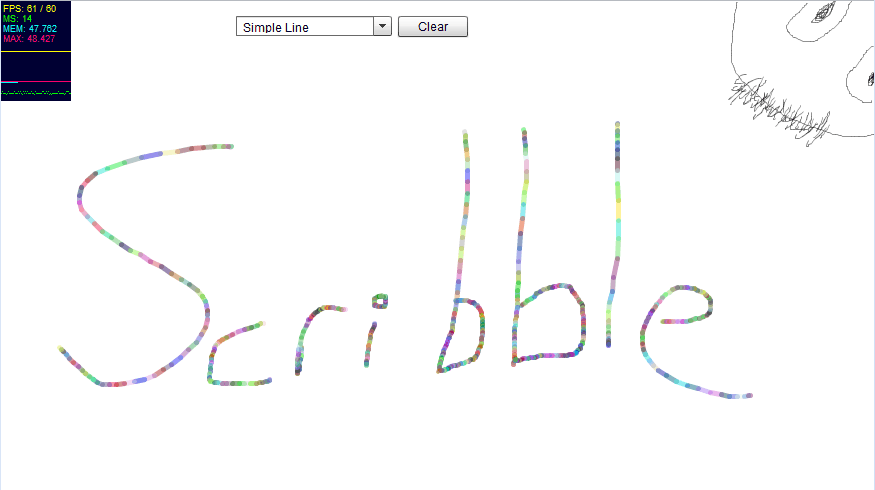
Well as you can probably tell from my last few posts, I have been loving the simple browser drawing app called Harmony. Well, while playing with it I thought to myself, "Is there a reason this cant be done in Flash?". Well this is the answer to my question.


I have called it Scribble and its very basic at the moment, not containing even many of the simple features in Harmony, I do however intend to keep adding to it. So over the course of several weeks I hope to add bit by bit till it becomes a fun little place to Scribble!

Anyways, you can check out the current state of the thing here --> http://www.mikecann.co.uk/flash/Scribble_v0-1/Scribble.html

Splendid!

Tuesday, 23 March 2010

RobotLegs MVCS Relationship Diagram

Just as a follow up from my post on the bleeding edge I thought I would post a rather interesting image @srivello made and @jhooks shared. Its a relationship between the main components in the MVCS meta-framework in RobotLegs. Its pretty good for anyone that (like me) preferrs to see a diagram when trying to grasp the concept of a new framework:

(click to enlarge)

Thursday, 4 March 2010

Trance Around The World, Show Downloader

Had this little idea a while back, thought I would spend an hour tonight and bash it out.

I love the Trance Around The World radio show by Above and Beyond, downloading  it for listening later is very annoying however and involves some fiddling with browser source and other things, so to make life easier I built this little tool. What it does is grab the HTML from the above and beyond page then parse it for the MP3 file, then it uses the FileReference class in flash to download it to your HD.

Anyways, enough jibber jabber. Source is enabled:

[airbadge]TATW Downloader,http://www.mikecann.co.uk/wp-content/uploads/2010/03/TATWDownloaderAir.air,1,http://mikecann.co.uk/wp-content/uploads/2010/03/ScreenHunter_01-Mar.-04-23.45.gif[/airbadge]

Hope you enjoy!

Wednesday, 10 February 2010

On the Bleeding Edge

Well it thought it was about time I did some posting about my personal project im working on at the moment as I havent spoken about my coding for a while.

For a while now (alot longer than I had hoped for) I have been working on a project that falls outside the realms of my usual kind of games-related projects. Im not ready do describe exactly what it is yet but im excited about it.

For months I have been struggling with the techinal challenges the project has entailed and I have dabbled with many new and highly diverse technologies including JavaFX (Java), Qt (C++) and Mono (C#).  I have been looking for a cross-platform technology that will get the job done that I need and doing it in an elegant manner.

I thought I had found it with a combination of JavaFX and straight Java using the PureMVC framework. I however was plagued with problems throughout with Bonjour, jGroups, JmDNS, JNI and JNA.

So after months of work, hardship and struggles I read a very interesting article on the up-and-coming Adobe AIR 2.0  that was opened for beta in December. With 2.0 Adobe are bringing NativeProcess  to Air. What this means is that you can you can execute native code (.dlls, .so, .jar etc) from Air. To me this was bloody brilliant as I had been playing with Air reccently and my day-job heavily involves Flex and I simply love the power and beauty of Flex.

So what this meant to me was that I could write the bulk of my project including its interface in my much preferred Adobe Flex (Air) and then use Native Process to communicate with a small kernel of Java that would do all the dirty work that Air itself cant do.

So after a little playing with Flerry for Air->Java bridge I started to think about the structure of the code and the framework I would use. For my initial few runs at this project I had been using the Java version of PureMVC. I really like some aspects of PureMVC but I think its can be so overly cumbersome in some circumstances (ill write another post on this in the future I think). So instead I looked at the alternatives.

I have been using Mate alot recently at work and on my own mini-project the Audio Book Organiser. However as this project is partly for my own learning and personal growth I decided to look at what else there was out there. From the videos by Jessie Warden I had heard about Robot Legs. Apparently this framework has been around for a while, but it was the first I had heard of it. Taking at look at it I immediately became very excited as it looks like it offers all the things that make PureMVC great but without the extra coding-baggage that goes with it.

To add to my interest it appears another very interesting, very new action-script technology has been introduced into Robot Legs called Signals by Robert Penner. Signals is an alternative to the standard events dispatching method found throughout flash (more on this in another post).

So why have I called this post "the bleeding edge?". Well Adobe Air 2.0 is still in beta and has only been for a month or so. Its so new that some parts still havent been documented atall and the only way to find out how they work is to post a msg to the devs on the forums. Signals is also new and its integration into Robot Legs is very new indeed (last coupple of weeks). So at the moment I feel as if im at the forefront of some very new, very exciting technology, a stark contrast to my fiddlings with the ancient Java.

I realise this post is very text and tech-heavy but I needed to post about it before I forgot all the pain I have gone through with this project to get where I am at the moment. Future posts ill be delving a little deeper into some of my experiments with these new technologies ;)
Monday, 11 January 2010

AudioBook Organiser v1.3.0 - Drag'n'Drop


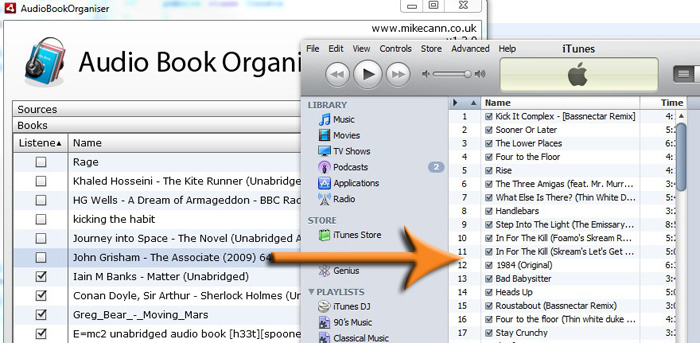
Well I was just doing some audio book organising and realised that it would be great if I could drag and drop a folder straight from my AIR into iTunes ready for upload to my iPhone.

Anyways after a little searching through the docs I came up with this little ditty:
var cp : Clipboard = new Clipboard();
cp.setData(ClipboardFormats.FILE_LIST_FORMAT, [new File(book.url)], false);
NativeDragManager.doDrag(null,cp);

Which gets fired by my DataGrid in the view:


<mx:DataGrid width="100%" height="100%" dataProvider="{books}" editable="true"

itemEditEnd="{dispatchEvent(new BooksEvent(BooksEvent.PROPERTY_CHANGED));}"

dragEnabled="true"

dragStart="{dispatchEvent(new BooksEvent(BooksEvent.BOOK_BEGIN_DRAG, AudioBookModel(event.currentTarget.selectedItem)))}">

Its pretty cool.

Anyways, the latest version and the source is below:


[airbadge]Audio Book Orgainser,http://www.mikecann.co.uk/flash/AudioBookOrganiser/AudioBookOrganiser.air,1,http://www.mikecann.co.uk/flash/AudioBookOrganiser/badgeImg.jpg[/airbadge]
Source: http://www.mikecann.co.uk/flash/AudioBookOrganiser/AudioBookOrganiser_v130_source.zip

Sunday, 10 January 2010

Quasimondo's Galactose

ScreenHunter_02 Jan. 10 20.13

I have immense respect for some of the flash developers out there and Quasimondo is one of them. He has just released a little particle related experiment.

Whenever I see these kind of things it inspires me to bash out my own little experiments.

I wont talk too much about it but check it out on this lab page: http://incubator.quasimondo.com/flash/galactose.php

Saturday, 9 January 2010

Audio Book Organiser v1.2.0

ScreenHunter_01 Jan. 09 18.34

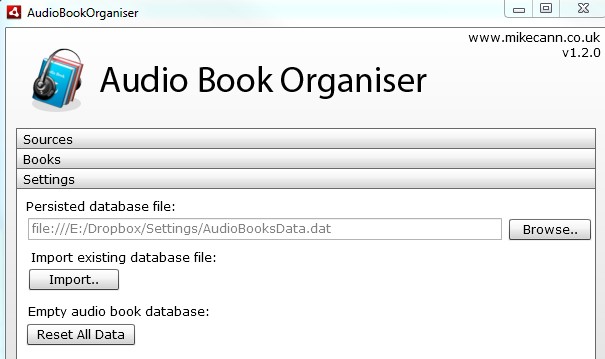
Just did a quick update to the audio book organiser. Added the ability to move the storage database file. This was so that I can put my storage file on Dropbox and it will then be backedup and synced between machines.

New version and sources:

[airbadge]Audio Book Orgainser,http://www.mikecann.co.uk/flash/AudioBookOrganiser/AudioBookOrganiser.air,1,http://www.mikecann.co.uk/flash/AudioBookOrganiser/badgeImg.jpg[/airbadge]


Source: http://www.mikecann.co.uk/flash/AudioBookOrganiser/AudioBookOrganiser_v120_source.zip