Showing posts with label Performance. Show all posts

Sunday, 10 July 2011

More HTML5 & HaXe Speed Tests


Ive spent a little more time this weekend looking at some more  HTML5 with HaXe. Following on from my previous experiments with WebGL I decided to give HTML5's Canvas a a look as it was supposed to be designed specifically for the purpose of doing 2D.

I had heard from the HaXe mailing list that the Jeash project was a common way of interacting with the canvas in HaXe. Jeash is a remapping of the Flash API into JS so in effect I should beable to take any of my usual flash code, Sprite's,  BitmapData's, etc and it should run on the canvas no problems. Nice!

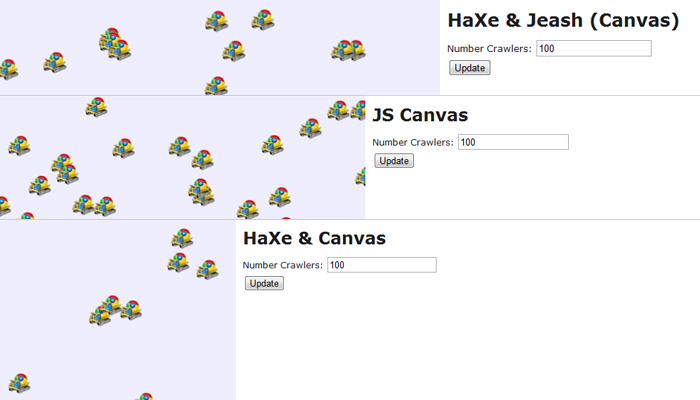
So I coded up a quick blitting example to see what sort of performance I would get:

http://mikecann.co.uk/projects/HTML5SpeedTests/HaXeJeash/bin/

The results were okay (I get about 11FPS with 5,000 crawlers) however I was interested to know what sort of cost HaXe adds. So I decided to code up a second example, this time using pure JS:

http://mikecann.co.uk/projects/HTML5SpeedTests/JSCanvas/

The results this time were better (14FPS with 5,000 crawlers) so I now wondered what happens if I do without Jeash and just code up the example using pure HaXe. I was expecting to see the same sort of performance hit as Jeash:

http://mikecann.co.uk/projects/HTML5SpeedTests/HaXeCanvas/bin/

Surprisingly it actually runs faster (17FPS with 5,000 crawlers) ! This is quite a surprise and totally contradicts my notion that going from HaXe -> JS would incur a cost. I was expecting some cost, but a performance increase?! I can only speculate that behind the scenes the JS engine in the browser is able to JIT compile the HaXe JS much better than the hand-crafted JS and hence more speed.

If you are interested in the source then I have uploaded it here: http://mikecann.co.uk/projects/HTML5SpeedTests/HTML5SpeedTests_1.zip

P.S. All the test were run on Windows 7 x64 in Chrome 14 (dev)

Wednesday, 16 February 2011

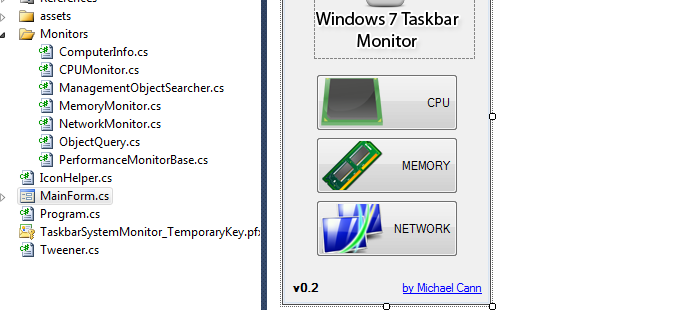
Windows 7 Taskbar Performance Monitor v0.2


Been a long time since I have updated this little project of mine. Yep, just checked, its been almost a year since.

Oddly enough this is one of my projects I actually use on a daily basis at home and work. Im not sure why I haven't updated it since as there have been some rather gaping bugs in it which have been very annoying but apparently not annoying enough to encourage myself to fix them or to stop using it.

Anyways, I have finally decided to fix some of the most anoying issues namely:

  • It no longer crashes when the network is lost

  • It now correctly reports the amount of physical memory used


Theres no auto-updating feature built into the tool so if you are looking for the upgrade head over to the google code page to grab it: http://code.google.com/p/win7-taskbar-mon/downloads/list

Wow! Just noticed that over 2000 people have downloaded the first version, didn't think it was that popular!

Oh yes, I have also uploaded the latest source for this version: http://code.google.com/p/win7-taskbar-mon/source/checkout

Enjoy!

Sunday, 14 March 2010

Windows 7 Taskbar Monitor

Well this will learn me!

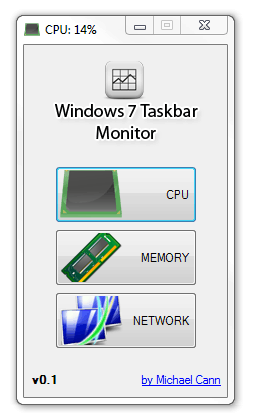
A while back, I had an idea for a very simple application that would sit in your taskbar and give you at-a-glance performance info about your system, similar to iStat Pro for OSX. This weekend I finally had time to clean up the code up for release.

The problem is that while looking for a couple of images for the app I happened to stumble across Taskbar Meters, which is pretty much the exact same idea I had. Looks like he has made a better job out of it that me too :P

Ah well, I have decided to release my version of the app nonetheless:


You can open the app multiple times and set each one to monitor a different value:


I have also decided to post the source up on google code: http://code.google.com/p/win7-taskbar-mon/

Anyways you can grab version 0.1 here: http://win7-taskbar-mon.googlecode.com/files/Windows7_Taskbar_Monitor_v0.1.zip