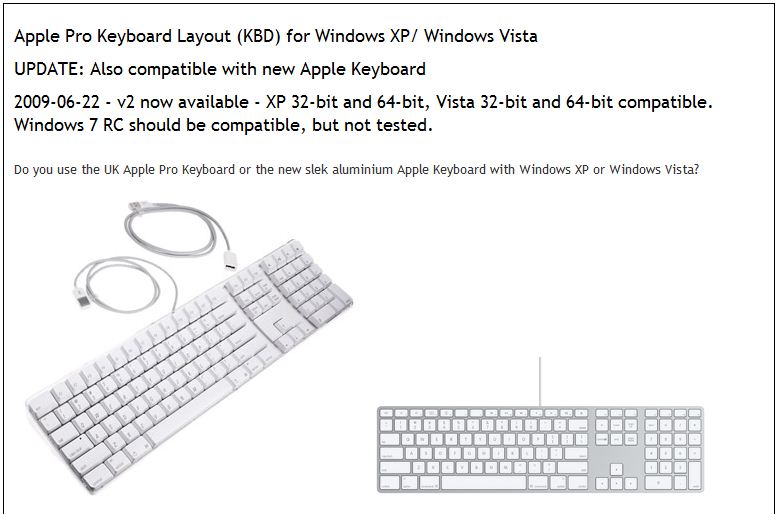
Just got my new computer at work. First thing I did was chuck out the stock keyboard and replace with my favourite mac aluminium keyboard.
As usual when trying to get Apple hardware to play nice with Microsoft there is a little friction. In this case the keyboard doesn't come with any mapping drivers resulting in the fact that some of the keys are messed up and in wrong locations. So we get to the point of this post. As I have had to do this several times now I thought I would post my solution so I dont spend ages searching each time.
The solution is to use the Apple Pro Keyboard Layout from
parkernet.com.
For convenience I have taken the details on how to use the file directly from the stite:
http://parkernet.com/applepro/DownloadDownload the installation package
Apple_Pro_KBD_v2 (250K)
System requirementsWindows XP or Windows Vista, 32-bit or 64-bit versions. Maybe Windows 7 RC but not tested. Apple Pro Keyboard or new aluminium Apple Keyboard. Untested with wireless keyboards but it should work okay.
InstallationAfter unZipping the Apple_Pro_KBD_v2.zip file, open the Apple Pro KBD v2 directory and run the Setup.exe installation file.
The installer will run and automatically install the keyboard layout .dll file into the correct location for your operating system.
To remove the keyboard layout simply run the installer again.
ConfigurationUse the Windows XP Regional and Language Options control panel to select the new keyboard layout. Full details are included in the read me text file included in the ZIP download.
For those of you who want a step-by-step guide with pictures that you can print out, click
here.
Sorry there's no Vista step by step, but I have skillfully avoided Vista since it's release.
KeystrokesAll keys now operate as per the legends printed upon them.
Shift-2 = @
Ctrl-Alt-2 = €
Shift-3 = £
Ctrl-Alt-3 = #